A
1
2
3
4
5
6
A
DOCUMENT NO.: QR-208/A
B C D E
B C D E
1
2
3
4
5
6
SCALE
SIZE
DATENAME
APPROVALS
APP. BY
CUSTOMTER
DRAWN BY
CHECKED BY
1:1
A4
更 改 记 录
次 号
1.
2.
3.
VER.A0
SHEET
OF
PART Number: X-XXX-XXX-XX
1 1
WT8811 (WINTACT) 中 文 有 唛说明 书 示意图
日 期
更 改 内 容
71688811001
MJP
2018-04-09
SHENZHEN JUMAOYUAN SCIENCE AND TECHNOLOGY CO., LTD.
71688811001
WT8811 中文有唛说明书
材料:105G双铜;
页数: ( )
成品尺寸:190*130MM; 公差:+-1.0MM;
工艺:单色双面印刷,加工:装订成册说明书;骑马钉
20P 封二及封三留空白
130.00 mm
95.00 mm
-09--08-
1) Back button : back to main menu interface.
2) Left/right button / : Switch measurement items (oxygen,
carbonmonoxide, hydrogen sulfide, combustible gases).
3) Confirm button : No use.
单 个 测 量 界 面
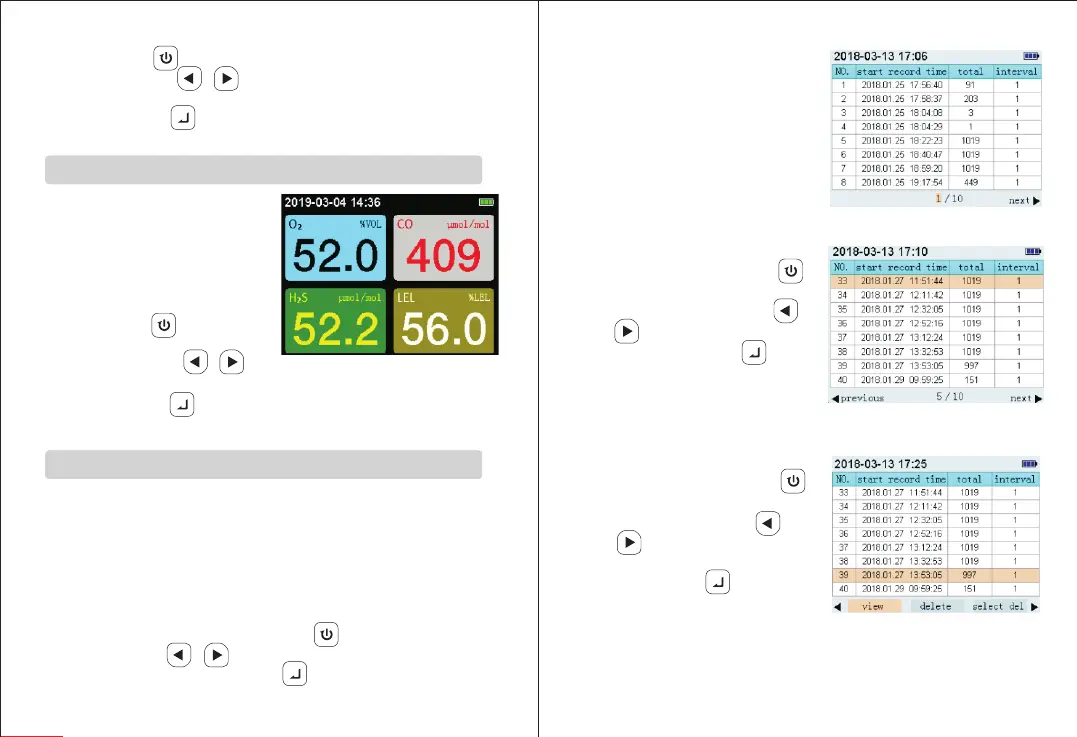
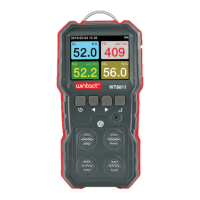
Multiple Measurement Interface
1. The interface displays the real-time
values of four items simultaneously,
when the value exceeds the range,
the number will flash; if alarm is on,
an alarm will be triggered.
2. Button function:
1) Back button : Back to main
menu interface.
2) Left/right buttons / : no
use.
3) Confirm button : no use.
Multiple Measurement Interface Display
(Figure 4)
单 个 测 量 界 面
Record Checking Interface
1. After entering record checking interface, as shown in Figure 5.1. From
left to right shows the number of each record, start time of record,
number of record groups, record interval (seconds); each record can
store 1019 pieces of data, and a total of 125 groups of records can be
stored. When the stored data is full, the indicator “FULL” will appear at
the top of screen.
The bottom shows the selected page number and total page number;
which is page selection interface. Press “ ”button to return to main
menu,and press“ / ”button to choose previous or next page.
After selecting page number, press“ ”button to choose one record
and enter into record selection
interface, as shown in Figure 5.2.
3. In record selection interface
shown in Figure 5.3, press “ ”
button to return to record
selection state; Press “ ” /
“ ” button to check, delete,
and choose which data to be
deleted. Press“ ” button to
enter into interface for checking
(Figure 5.4), deleting (Figure 5.5)
and selected deletion (Figure 5.6).
2. In record selection interface
shown in Figure 5.2, press “ ”
button to return to page
selection interface. Press “ ” /
“ ” button to choose previous
or next page .Press “ ”
button to check, delete, and
choose which data to be delete,
as shown in Figure 5.3.
Page selection interface(Figure 5.1)
Record Checking Interface(Figure 5.2)
Checking delete interface(Figure 5.3)


 To Next Page