
 Need help?
Do you have a question about the Wiselazer X5 and is the answer not in the manual?
Details the items included in the projector package.
Summarizes key safety guidelines for projector operation and maintenance.
Provides recommended screen sizes and projection distances for optimal viewing.
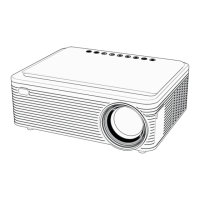
Identifies external features and physical components of the projector.
Lists and describes the various input/output ports available on the projector.
Details the buttons and operational functions of the projector's remote control.
Step-by-step instructions for initial projector setup and operation.
Instructions for mounting the projector on a ceiling, including software settings.
Explains how to use the focus knob for a clear projection image.
Details advanced and 4-point keystone correction for image alignment.
Lists and describes various input options including HDMI, USB, and mirroring.
Covers how to change the projector's language and connect via Bluetooth.
Instructions for connecting the projector to a Wi-Fi network.
Steps to mirror an iOS device's screen onto the projector.
Steps to mirror an Android device's screen onto the projector.
Provides advice on heat generation, content playback, and connection methods.
Guidance on USB drive capacity limits, formatting, and cable usage.
Information on accessing operational videos and obtaining support for issues.
Notes that the remote control does not include batteries and requires separate purchase.
 General
| Light Source | LED |
|---|---|
| Resolution | 1920x1080 (Full HD) |
| Keystone Correction | ±40° Vertical and Horizontal |
| Connectivity | HDMI, USB, Audio Out |
| Aspect Ratio | 16:9 |
| Fan Noise | 30 dB (Eco mode) |

 To Next Page