07
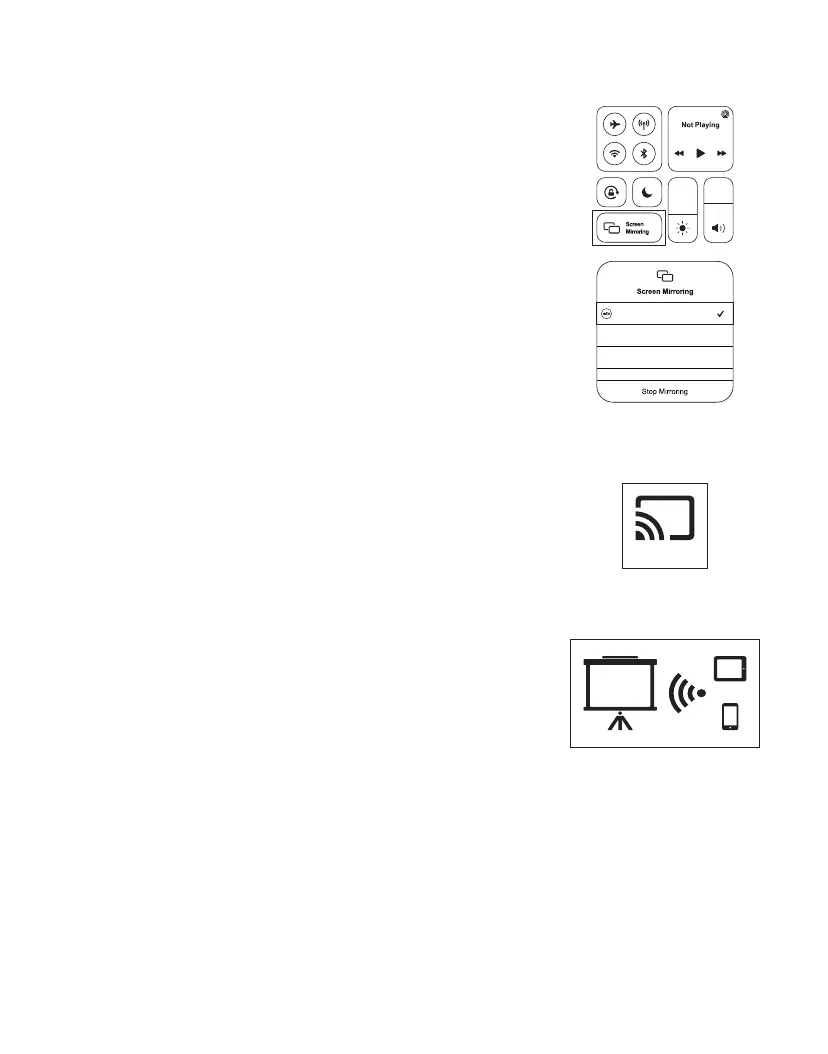
3. On your iOS device, open "Control Center" and tap
"Screen Mirroring".
4. On your iOS device, looking for devices that can
be mirrored on.
5. Select "BirdCast-XXXX " from the list.
BirdCast-XXXX
•For Android Device
1. Select "MiraCast" on the projection image.
2. Turn on the wireless projection function of your
Android device.
3. On your Android device, looking for the signal
of the projector device.
4. Select " " from the list.
NEWLINK-XXXX
MiraCast


 To Next Page