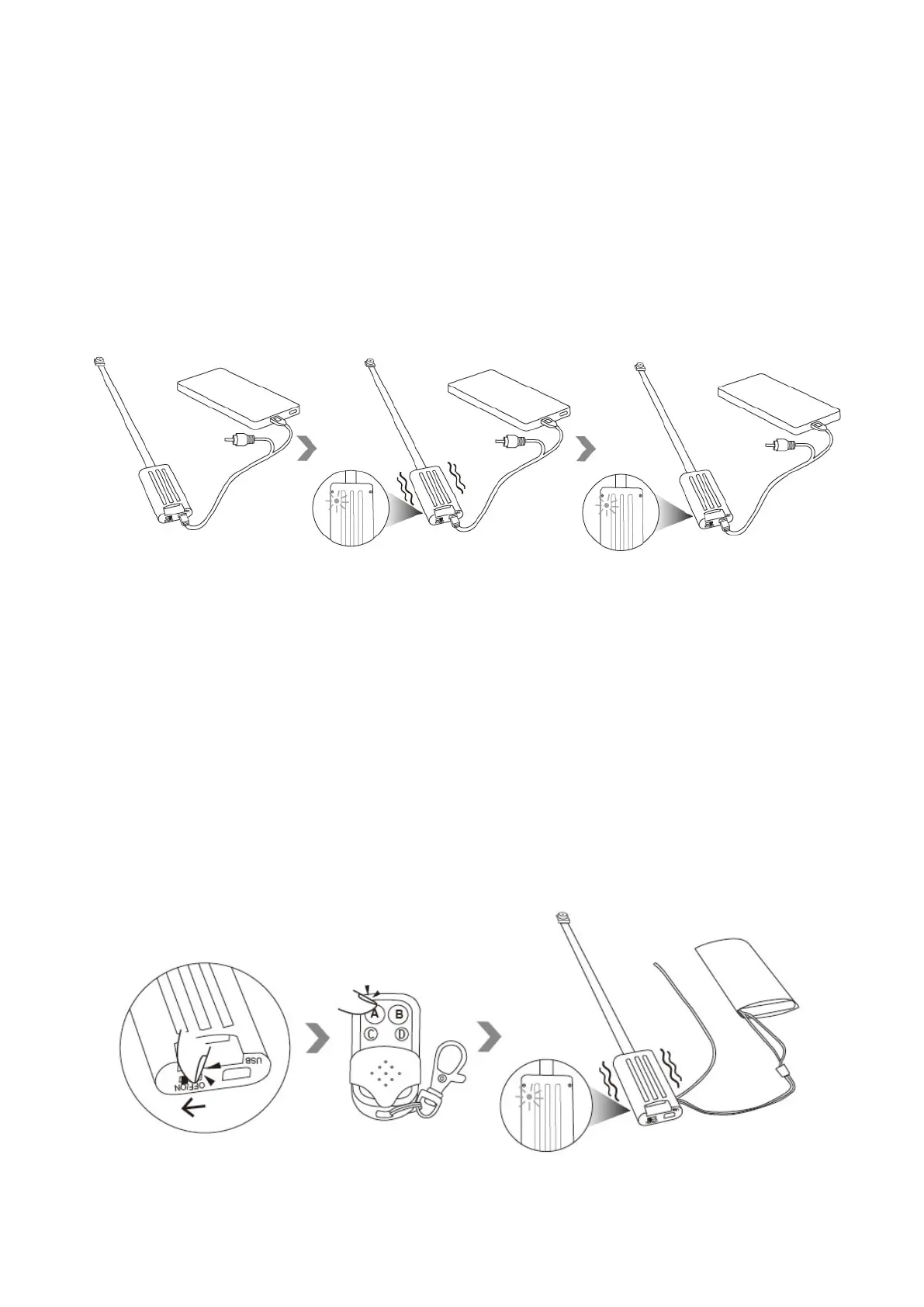
IV. Turn On/Off
4.1 When the camera is connected to a power bank:
4.1.1 The camera will be turned on and enter into standby mode automatically after it is connected
to a power bank. The camera will vibrate 5 times, the red indicator light will flash twice and then be
solid on.
4.1.2 Turn off the camera by disconnecting the camera from the power bank.
Note: the camera will be turned on automatically no matter the power switch is in the position “ON”
or “OFF”.
4.2 When the camera is connected to a battery:
4.2.1 Slide the power switch to the position “ON”, then press button A once on the remote
controller to turn on the camera. The camera will vibrate once and the red indicator light will be
solid on.


 To Next Page