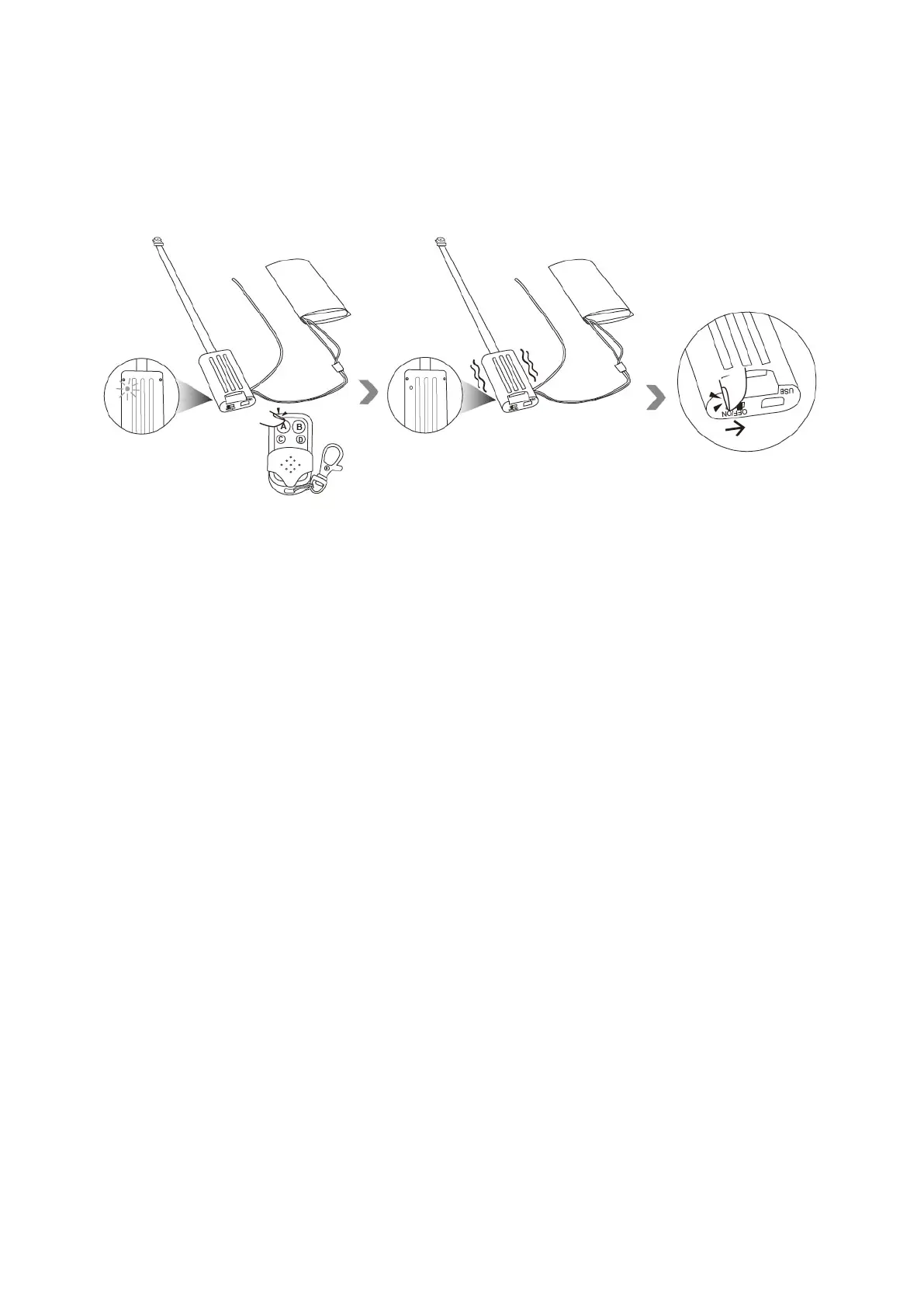
4.2.2 Hold down the button A on the remote controller for 3 seconds to turn off this camera, then
slide the power switch to the position “OFF”. The camera will vibrate once and the red indicator
light will go off.
Note:
1. The camera will be turned off after you press button A if there is no memory card inserted into
this camera. The camera will vibrate 5 times, and the red indicator light will flash 5 times and then
go off.
2. The camera will be turned off automatically if there is no operation in 1 minute. The camera will
vibrate once and the red indicator light will go off.
V. Record Video
5.1 Record video in 1280x720 HD resolution
5.1.1 Press button B once to record video. The camera will vibrate twice, the red indicator light
will flash twice and then go off.


 To Next Page