
 Need help?
Do you have a question about the Wiseup T186 and is the answer not in the manual?
Ensure a micro SD memory card is inserted before proceeding with camera setup.
Connect the camera to a power bank or battery for initial operation.
Instructions for operating the camera power when connected to an external power bank.
Procedures for turning the camera on and off using its internal battery.
How to start and stop video recording at 1280x720 HD resolution.
How to start and stop video recording at 1920x1080 HD resolution.
Instructions for capturing still images using the camera.
How to activate the motion detection recording feature.
Steps to disable motion detection and return to normal operation.
Initial steps to prepare the memory card for setting the date and time stamp.
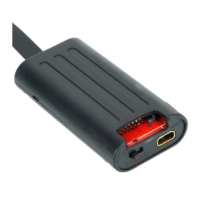
How to connect the memory card to a computer via a card reader for file access.
Instructions for creating and editing the TIME.txt file for date/time stamping.
Process of upgrading the camera's firmware by restarting it with the modified memory card.
Steps to access video and photo files using a card reader and computer.
Locating video and image files in the "VIDEO" and "PHOTO" folders.
How to format the memory card using the camera's functionality.
Steps to connect the backup battery to the camera for charging.
Connecting the camera to a power source for charging and indicator light behavior.
Information on video clip duration and resolution settings.
Details about the camera's battery life on a full charge.
 General
| Brand | Wiseup |
|---|---|
| Model | T186 |
| Category | Security Camera |
| Language | English |

 To Next Page