Pag. 8
MRK960 dual true diversity receiver
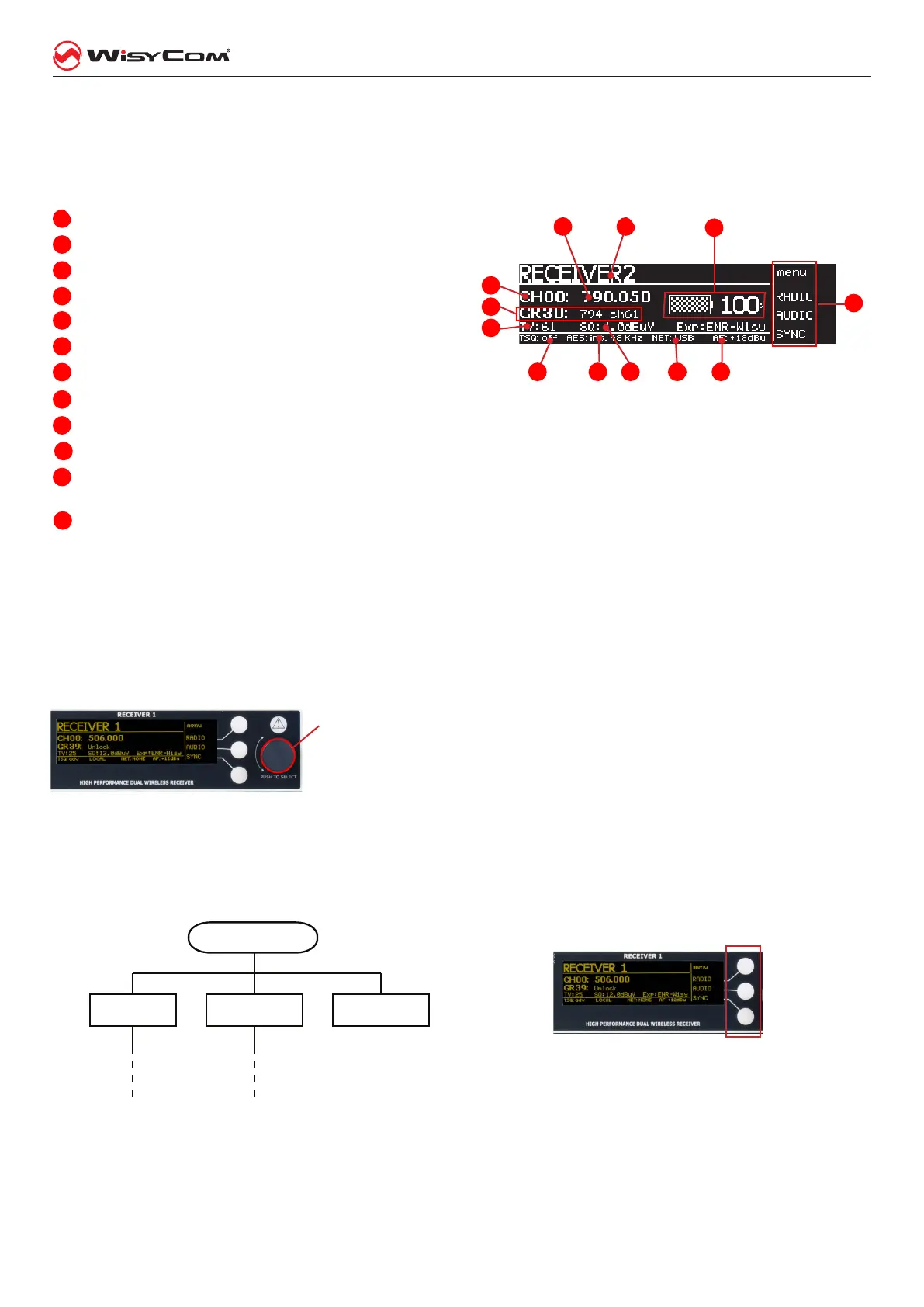
All the basic informaon on the receiver status are readable in the main view of the LCD display.
The main view has the following info:
1
receivername,
2
currenttuningfrequency
3
currentchannelnumber
4
currentgroupnumberandgroupname
5
TVchannelusedforthecurrentfrequency
6
ToneSquelchcurrentsetup
7
AESworkclockstatus(sincefw1.1.0.Horabove)
8
Squelchlevel(microVolt)
9
NETconnectiontoahostPC(USBorEthernet)
10
AnalogaudiooutputlevelatnominalFMdeviation
11
statusoftheoutputlines(audioline,audiocom,gpi)anddetectionofthedigitaldatacarrier(i.e.transmit-
terbatterydatacarrierortonesquelch),
12
transmitterbatterychargestatus.
Thru the main menu on the LCD display and the LED bars for the RF level and modulaon the user has the
complete monitoring in real me of the wireless channel in use.
Menu tree
To access the conguraon menu of the receiver is necessary to press the rotary knob (at the right of the dis-
play). This allows you to access the main menu.
Pressing rt the rotary know shows a hidden window (area 11 the image
of the main view) with three main headings: “RADIO”, “AUDIO”, “SYNC“.
To acvate one of the items in the menu, press the corresponding buon
to the right of the display (see picture hereaer).
1
5
2
3
4
6 7 8 9
10
11
12
Press the knob
SYNCRADIO
AUDIO



 To Next Page