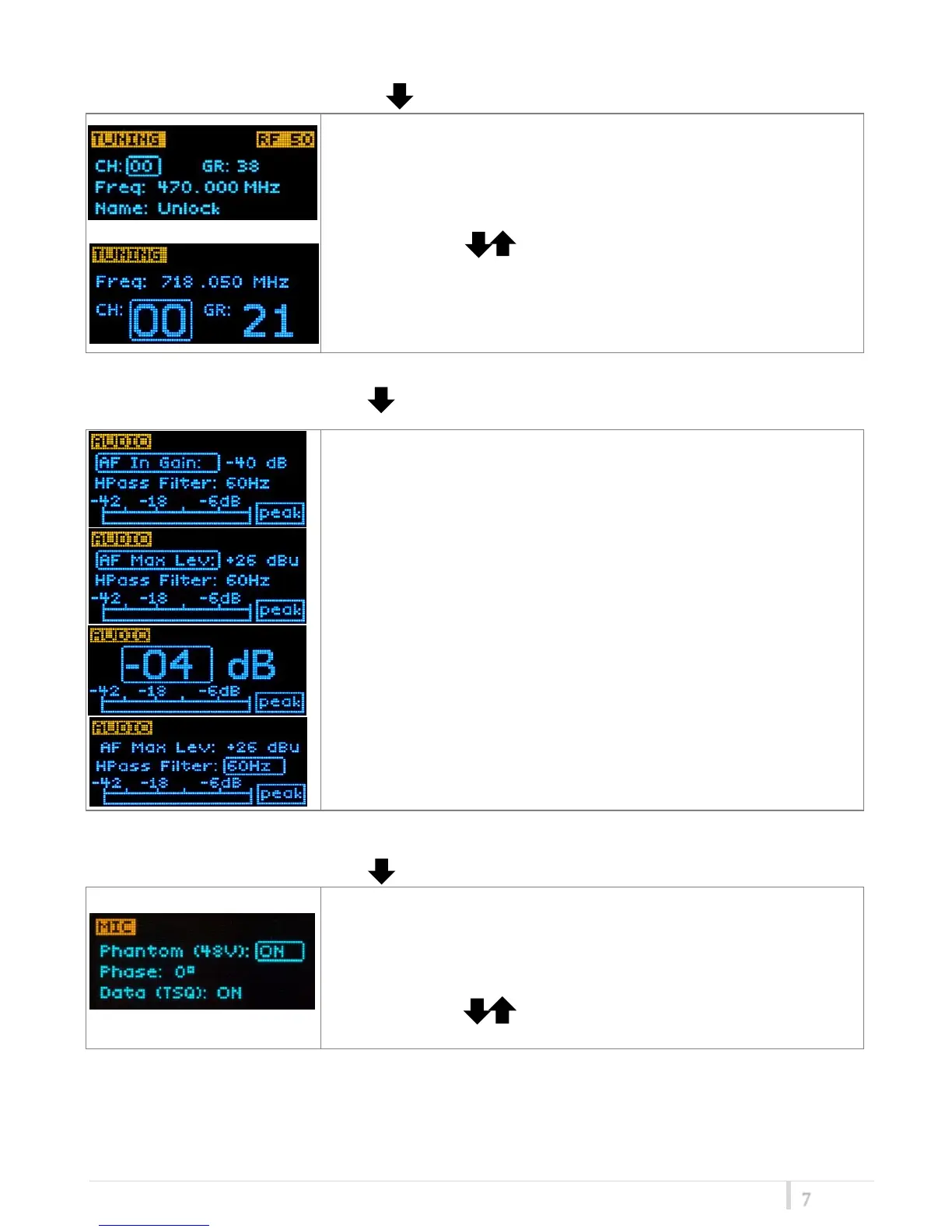
<TUNING> menu
This menu can be entered by pushing .
In this menu current channel/group and frequencies can be setup.
The name of the group is shown on the bottom of the display.
Sync group is a quick self-settable channel synchronized by receiver
(with SYNC group, on the bottom of the display is shown the name of
the synchronized receiver).
Use the selector ( ) to change values and <SEL> to confirm
Using quick CH/GAIN setup buttons (❽), it is possible to enter
quickly in the tuning menu. Note that the menu has a different
layout (see the side image).
<AUDIO> menu
This menu can be entered by pushing .
The sensitivity of the audio input is settable between “AF Gain”
(measured in dB) or “AF Level” (measured in dBu).
To help proper audio gain setting, an audio bar is supplied (with
maximum peak indicator) indicating the headroom to audio peak (0
dB , nominal deviation 40KHz). Set the gain, with the maximum input
signal, avoiding the peak on the audio bar.
TRY TO SETUP TO HAVE A MAX PEAK HOLD BAR CLOSE TO -6dB.
Using quick CH/GAIN setup buttons (❽), it is possible to enter
quickly in the audio gain menu. Note that the menu has a different
layout (see the side image)
“HighPass Filter” applies different audio HP filter: Flat/ 60Hz/
120Hz/ 170Hz/ 250Hz/ 400Hz.
<MIC> menu
This menu can be entered by pushing .
In “MIC” menu is possible to activate or not the phantom supply.
Additional field to setup:
- Phase: audio phase can be 0/180 deg.
- Data (TSQ): select ON/OFF to activate or not the tone squelch.
Use the selector ( ) to change values and <SEL> to confirm.



 To Next Page