Scan
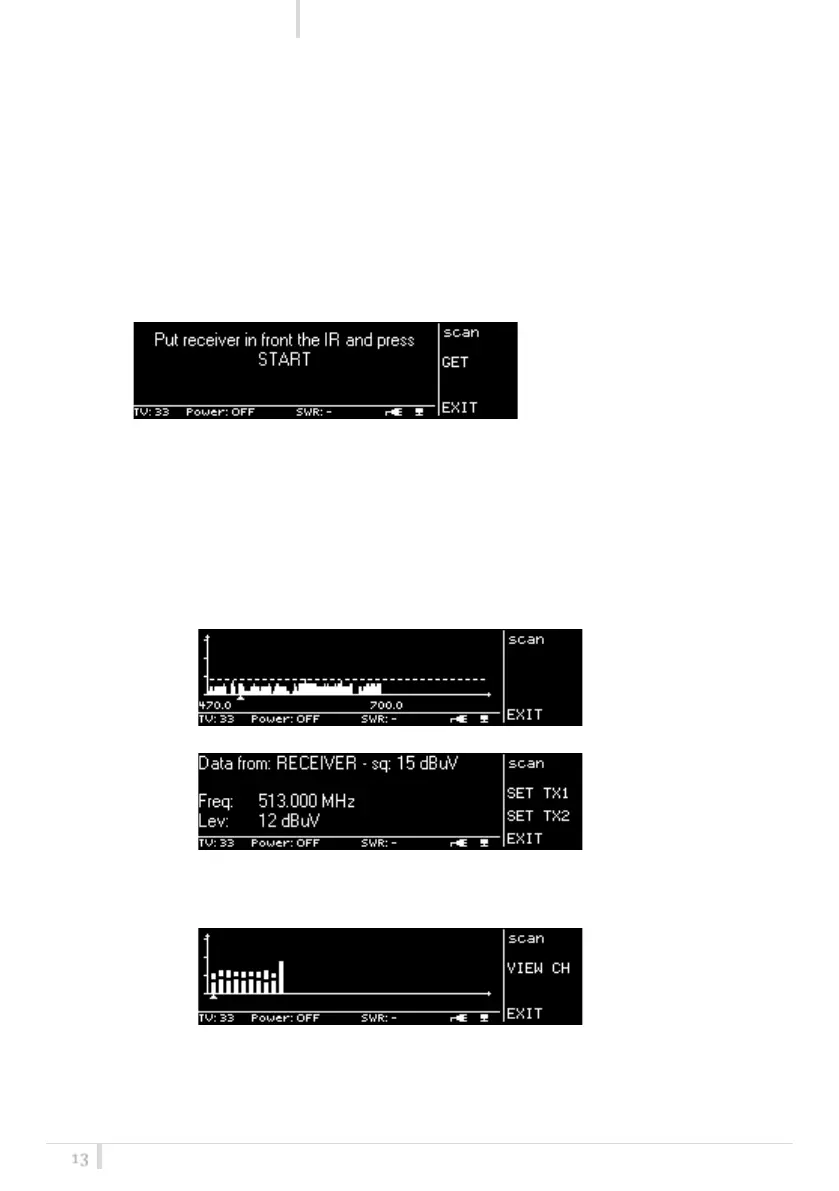
The SCAN function allows to display a results of a scan previously done from a MPR50-IEM or
MPR52-ENG.
➢ Do a scan with an MPR50-IEM
➢ Enable the IRDA on the receiver or select the function Deploy on the SCAN menu (only
for MPR50-IEM) and place the IR windows of the receiver in front of the IR interface of
the transmitter
➢ Press the SCAN button on the transmitter: the following message is showed on both the
displays.
:
➢ Using the membrane buttons of the desired transmitter (TX1 or TX2) select GET
➢ Wait some seconds (the receiver sends all the data of the scan to the transmitter)
➢ The display of transmitter1 show the scan result in graphic way, while the display of
transmitter2 gives more detailed information of the result (according to the position of
the cursor in display1)
Ex. FREQUENCY SCAN
Display of Transmitter1
Display of Transmitter2
Ex: GROUP SCAN
Display of Transmitter1
Display of Transmitter2



 To Next Page