WT901 | manual v0513 | http://wiki.wit-motion.com/english
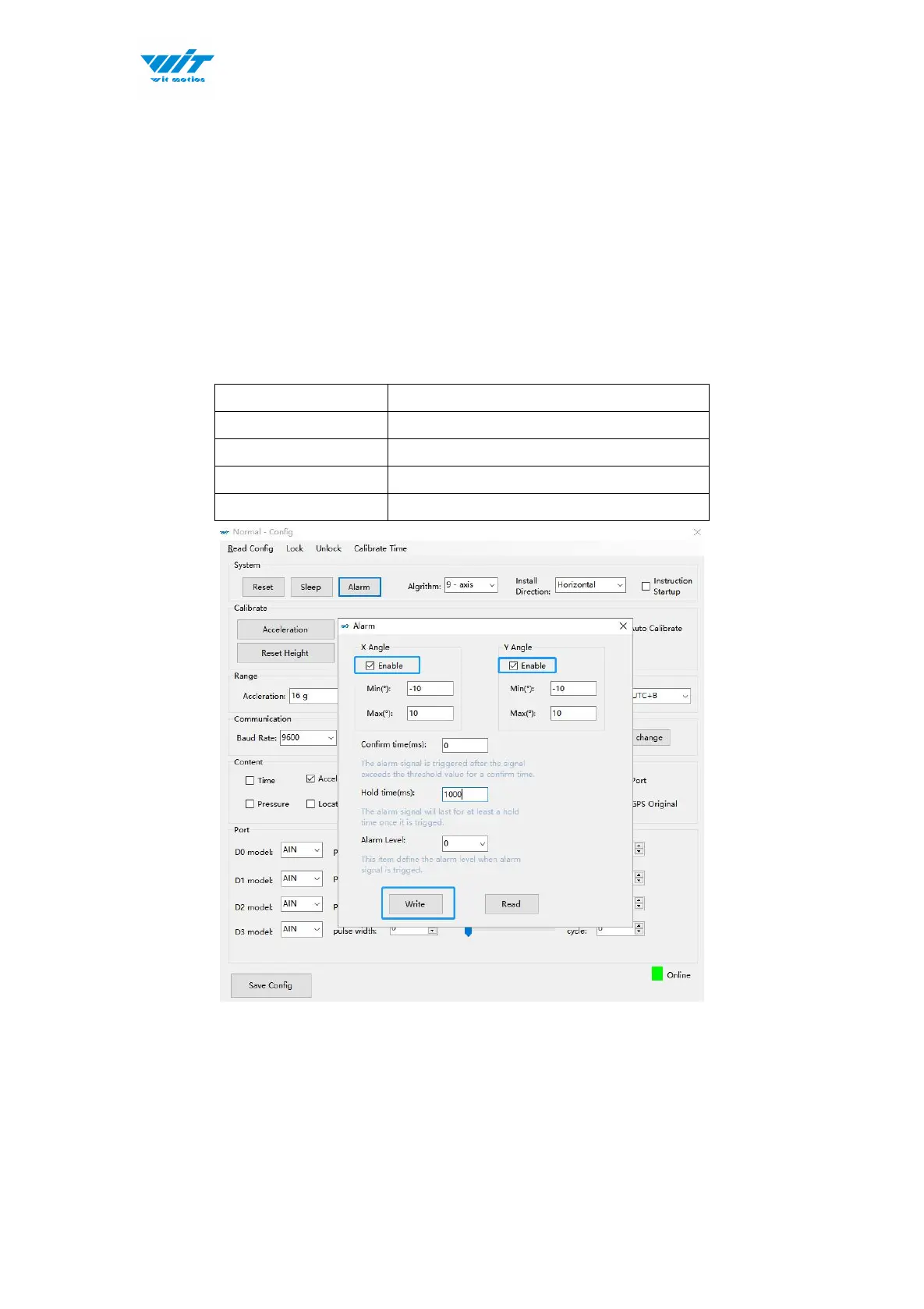
2.4.13 Set Alarm Status
Through the alarm setting of the PC software, the following pins can be set as
the alarm status output port. Take the following settings as an example.
Normally, the four ports output low level (0V), and when the X-axis angle value
is greater than 10 ° or less than -10 °, the corresponding port will output high
level (3.3V).



 To Next Page