https://wiki.wit-motion.com/english
WhatsApp:+86 13652339539 E-mail:support@wit-motion.com Web:https://wiki.wit-motion.com/english
After the calibration is completed, the data will continue to be transmitted back. When the
calibration is added, the module should be stationary. When the magnetic field is calibrated and
used, it must be kept away from the magnetic field interference.
5.3 Connect to PC software
if you want to connect this product to software, you should use the special
thread which put with product together, use it to connect to the software, we need device
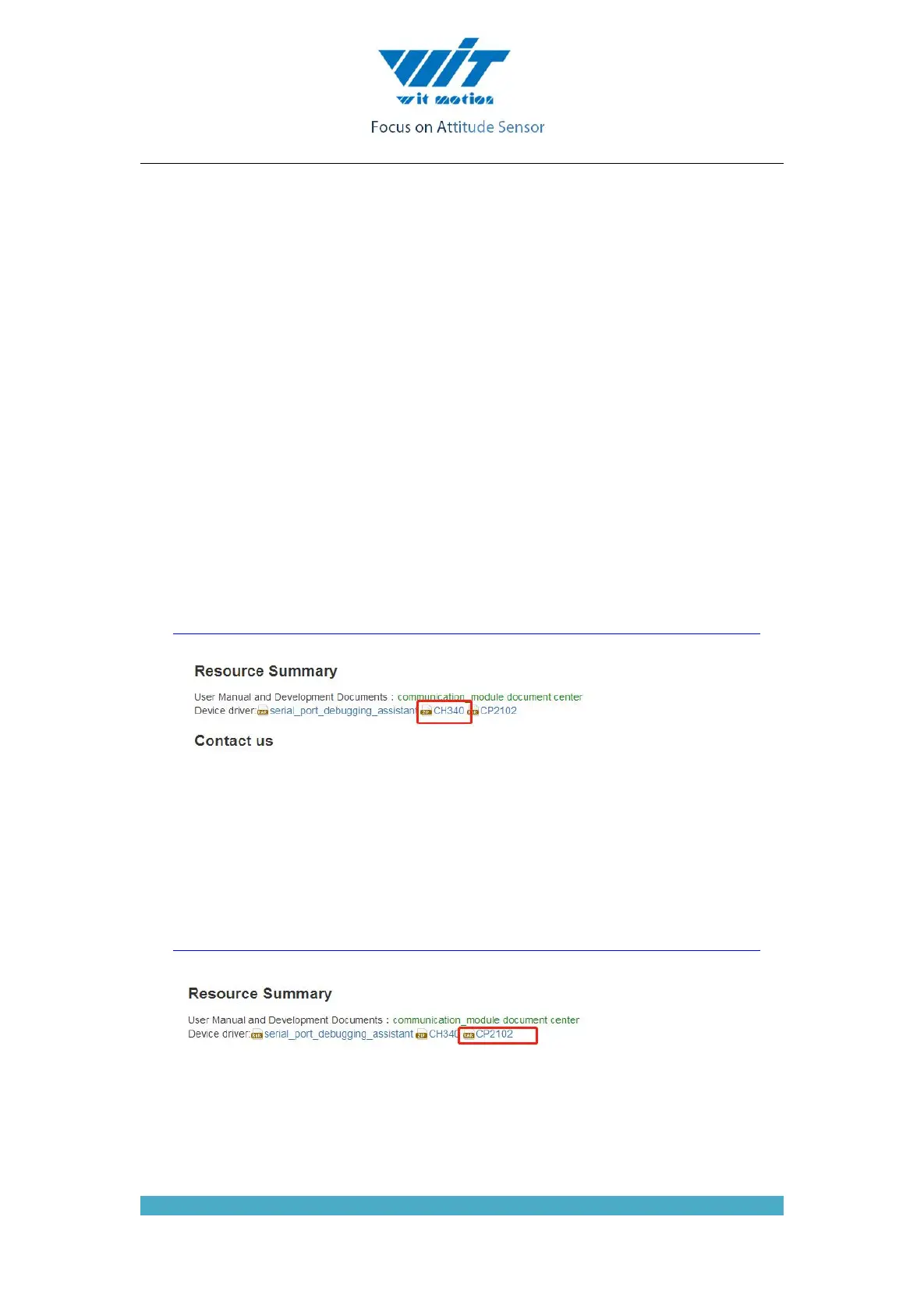
CH340 and CP2012 driver to get it.
Driver installation:
First, install the driver CH340 when we used the USB serial module ,after
installed the driver. then get the corresponding Com number in the device
manager. Driver as followed:
https://wiki.wit-motion.com/english/doku.php?id=communication_module
Secondly, install the driver CP2102X when we used the USB serial
module ,after installed the driver. then get the corresponding Com number in the
device manager. Driver as followed:
https://wiki.wit-motion.com/english/doku.php?id=communication_module
After installing the module driver, and then Device Manager can query
corresponding serial number, as below figure shows:



 To Next Page