EN - 20
Withings Activité™
v3.0 | November, 2015
Setting an Alarm
Enabling the Alarm
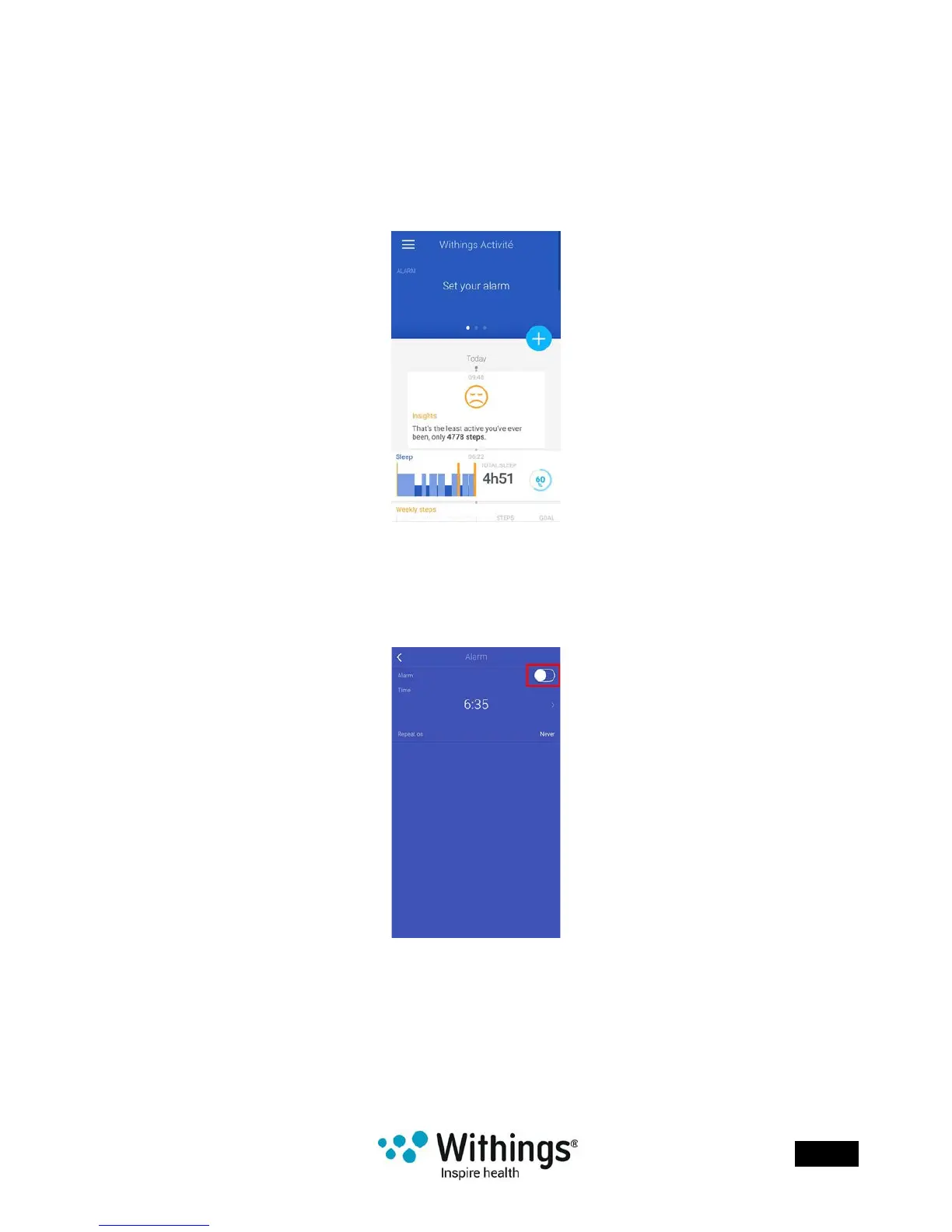
In order to enable and set an alarm, perform the following steps:
1. Open the Withings Health Mate® app.
2. Go to your Timeline.
3. Tap Set your alarm.
If this screen is not displayed, swipe left or right in the top widget (colored part at the top
of the screen) until you nd it.
4. Put your Withings Activité™ close enough to your mobile device.
5. Tap the Alarm toggle to enable the alarm.














 To Next Page