EN - 30
Withings Activité™
v3.0 | November, 2015
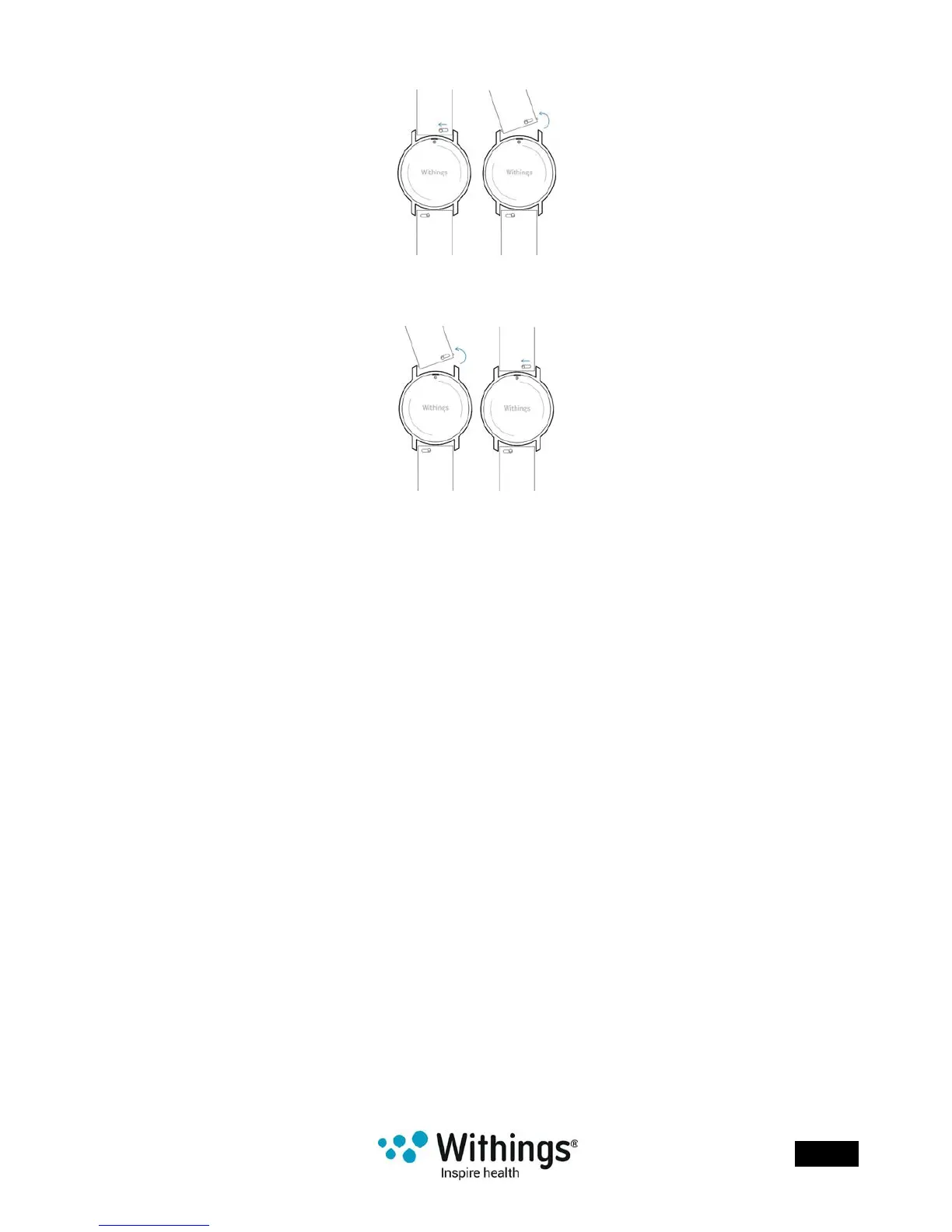
3. Pull the knob of the rst spring bar to the left side and remove the wristband.
4. Insert one side of the spring bar of the new wristband.
5. Put the wristband in place while pulling the knob to the left side.
6. Release the knob.
The wristband is now properly attached to your Withings Activité™.
7. Repeat the previous steps for the other side.
Calibrating the Hands
If you ever feel that the time displayed on your Withings Activité™ is incorrect, you may need
to recalibrate the hands. To do so, perform the following steps:
1. In the Withings Health Mate® app, go to My devices.
2. Tap your Withings Activité™.
3. Tap Calibrate the Activité hands.
Put your Withings Activité™ close enough to your mobile device.
You may need to press the reset button located at the back using the tool provided with
your Withings Activité™ if your device cannot detect it on its own.
If it doesn’t vibrate, try changing the angle of the tool when you push the reset button.














 To Next Page