EN - 22
Withings Activité™
v3.0 | November, 2015
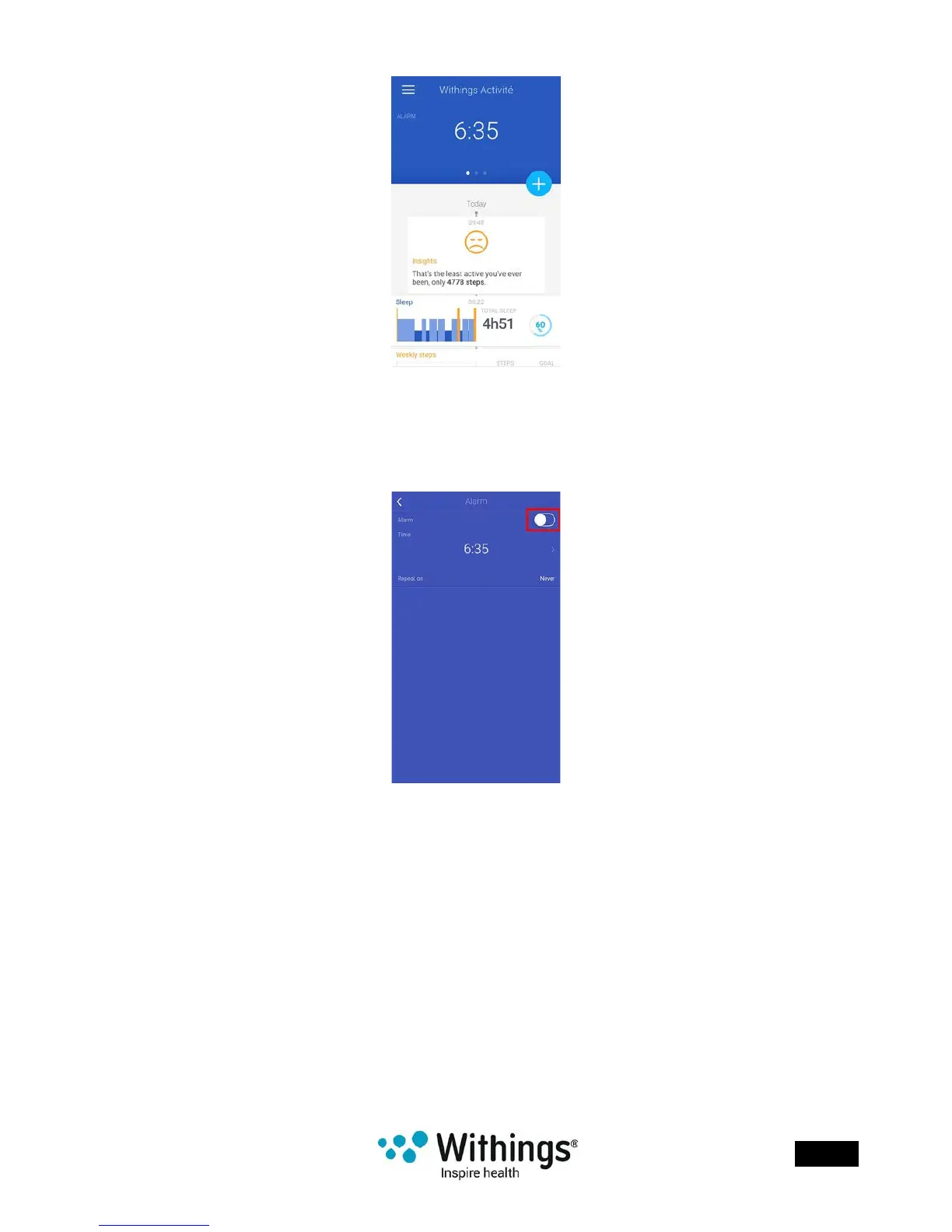
2. Tap your alarm time.
If this screen is not displayed, swipe left or right in the top widget (colored part at the top
of the screen) until you nd it.
3. Put your Withings Activité™ close enough to your mobile device.
4. Tap the Alarm toggle to disable the alarm.
5. Tap the back arrow at the top left of the screen to go back to your Timeline.
Your alarm is disabled.
Checking the Alarm
You can easily check the alarm by tapping the glass of your Withings Activité™ at least
three times. Note that you need to stabilize your Withings Activité™ for ve seconds before
tapping the glass, or the hands will not move.
Stopping the Alarm
At this point, it is not possible to stop the alarm once it has started. Your Withings Activité™
will vibrate 8 times before stopping on its own.














 To Next Page