Troubleshooting
Please contact our customer support team with any questions. You can leave us a message on Amazon or
contact us directly via email: wittime_sales1@163.com
Possible cause and remedy
Display screen not working.
Check the batteries in main unit are inserted or power adaptor is
plugged in correctly
The temperature from the
sensor seems to be too high.
- Check if the sensor is exposed to direct sunlight.
The display shows HH, LL,
HH.H or LL.L instead of
measured values for
temperature or humidity.
- The values are above or below the measuring range, see Technical
Data.
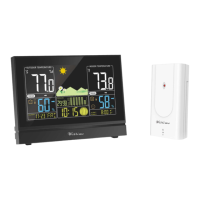
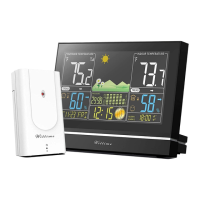
The base unit is not receiving
any signal from the wireless
sensor.
- Make sure that there are no electrical sources of disturbance near
the wireless sensor or the base unit.
- Check the batteries in the sensor.
- Start the search for the wireless sensor manually: Press and hold
the
CH
button on the base unit until the display for the weather
information flashes
- Move the base unit closer to the sensor or vice versa.
The display is illegible, the
function is not clear or the
values are clearly wrong.
- Reset the weather station to the factory settings
Cleaning
1. When operating using the power mains: Remove the power adapter plug from the base unit.
2. Wipe the base unit with a slightly damp cloth when required.
3. Dry off the device completely before connecting it with the power adapter again.
Technical Data
Base unit
Model: WT2076
Power consumption: 5.0V 150 mA
Power supply: 3 x LR03 (AAA) / 1.5 V
Temperature measuring range: 14.2°F ~ 122°F


 To Next Page