Need help?
Do you have a question about the WiXHC MACH4 MK-M4 Series and is the answer not in the manual?
Details the main features and capabilities of the control card hardware.
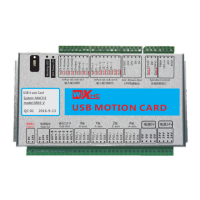
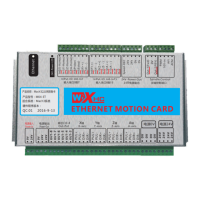
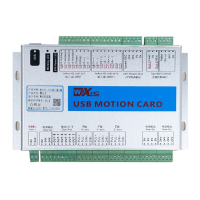
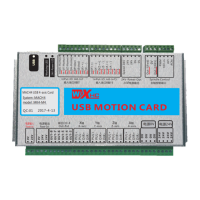
Illustrates and describes the various ports and their functions on the control card.
Provides diagrams for applying the control card in different system configurations.
Details the functionality and definitions of the input and spindle control signals.
Describes the functions of external power, output, and axis drive interfaces.
Lists the electrical characteristics and specifications of the motion control card.
Summarizes the main features and capabilities of the USB motion control card.
Offers a simplified description of how to connect the USB motion control card.
Details the signals used by the control card, including input and output signals.
Presents diagrams illustrating the wiring configurations for the control card.
Outlines the electrical properties and specifications of the motion control card.
Provides step-by-step instructions for installing the MACH4 software and related files.
Details how to connect the power supply to the control card.
Explains the connection interface for motor drives (stepper or servo).
Illustrates the interface for connecting the spindle control to an inverter.
Describes connecting relays to output ports OUT3 through OUT8.
Details connecting 16 input ports, including limit switches, to the control card.
 General
| Number of Axes | 4 |
|---|---|
| Software | MACH4 |
| Controller Type | Motion Controller |
| Compatibility | Windows |
| Interface | USB |
| Output Channels | 16 |
| Input Channels | 16 |
| Power Supply | 24V DC |
| Weight | 0.5 kg |
| Application | CNC Machines |

 To Next Page