EasyManua.ls Logo

WiXHC MACH3 MK-ET Series - User Manual

WiXHC MACH3 MK-ET Series
19 pages
Print Icon
To Next Page IconTo Next Page
Loading...
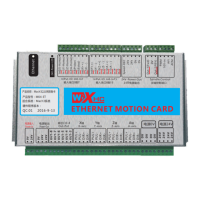
MACH3 Ethernet Breakout Board
Support CNC System:
Mach3 only
MK3- ET3 Axis Ethernet breakout board
MK4- ET:4 Axis
MK6- :6 Axis Ethernet breakout board
Ethernet breakout board
ET
Product Size:1 8 4 x127x3 0 mm
MKX-ET Specification
QC:01
2016-9-13
源0V
源24V
Mach3系
MK4-ET
Mach3以
- 1 -
Question and Answer IconNeed help?

Do you have a question about the WiXHC MACH3 MK-ET Series and is the answer not in the manual?

WiXHC MACH3 MK-ET Series Specifications

General IconGeneral
BrandWiXHC
ModelMACH3 MK-ET Series
CategoryController
LanguageEnglish

Summary

MKX-ET Specification

Product Features

Application Connection Diagram

Simple Connection Description

Signal Description

Wiring Diagrams

Electrical Characteristics

Software Installation

MKX Wiring Guide

Power Supply and Drive Connection

Details on providing power and connecting servo/stepper drives.

Inverter Wiring Reference

Reference wiring diagram for connecting an inverter.

Spindle Drive and Relay Interface

Wiring for spindle drives and output relay interface (OUT3-OUT8).

Input Port Configuration

Configuration for the 16 input ports (In0-In15) with active low signals.

New Functions

G-code Line Quantity Save Function

Automatically saves the current G-code line number upon sudden power off.

Spindle Speed Feedback

Sends current spindle speed to Mach3 via 'Speed-DEC' port.

Computer IP Address Setting

Instructions for setting the computer's IP address for Ethernet connection.

Ethernet Card to Router IP Setup

Configuring router and computer IP addresses for network communication.

Mach3 Software IP Address Setting

Setting the IP address within Mach3 software for the Ethernet card.

IP Internal Ethernet Switch Setting Introduction

Introduction to internal dial switch settings for IP address configuration.

IP Internal Ethernet Switch Settings (182-187)

Details on dial switch settings for IP addresses 182 through 187.

IP Internal Ethernet Switch Settings (188-193)

Details on dial switch settings for IP addresses 188 through 193.

IP Internal Ethernet Switch Settings (194-195)

Details on dial switch settings for IP addresses 194 and 195.

Related product manuals