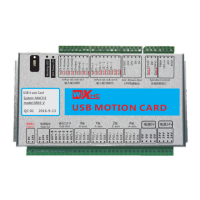
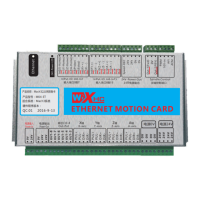
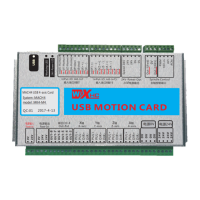
Need help?
Do you have a question about the WiXHC MK IV Series and is the answer not in the manual?
Steps to install Mach3, including canceling the Parallel Port Driver.
Instructions for copying the Mach1Lic.dat license file after installation.
Copying driver files (.dll) to the Mach3 plugins folder.
Copying the Mach3mill.xml configuration file to the Mach3 folder.
Installing macro code files into the Mach3 macros folder for enhanced functions.
Connecting the Mach3 motion card using a USB cable.
Instructions for connecting the Mach3 motion card via Ethernet cable.
Setting up IP addresses in Windows XP and 7/10 for Ethernet connectivity.
Connecting the DC24V power supply to the motion control card.
Wiring diagram for MKX-IV motion card driver connections (X,Y,Z,A axes).
Wiring diagram for MKX-V motion card driver connections (X axis).
Connecting the spindle to a frequency converter for speed control.
Wiring a spindle stepper or servo driver with a 5V power supply.
Wiring NPN, PNP, and mechanical home switches to the control board.
Connecting NPN, PNP, and mechanical limit switches for axis protection.
Wiring the tool setting gauge to the control board.
Connecting an emergency stop button for system safety.
Connecting relays to output ports for controlling external devices.
Opening Mach3, selecting plugins, and loading screen files.
Turning the spindle ON/OFF via software buttons or G-code.
Using keyboard and on-screen controls for axis jogging.
Homing all axes and setting workpiece zero coordinates.
Manual G-code entry via MDI and loading G-code files.
Using M-codes to manage output ports for external devices.
Setting up and performing automatic Z-axis tool zeroing.
Configuring axis steps per unit, velocity, and acceleration.
Configuring motor outputs, input, and output signals.
Configuring spindle control modes (PWM, Step/Dir).
Defining soft axis limits to prevent over-travel.
Managing and configuring motion control hardware plug-ins.
Setting safe Z movement parameters for automated processes.
Adjusting axis homing direction for correct origin seeking.
Adjusting angular properties, screen display, and other general settings.
 General
| Brand | WiXHC |
|---|---|
| Model | MK IV Series |
| Category | Controller |
| Language | English |

 To Next Page