1
Software operation
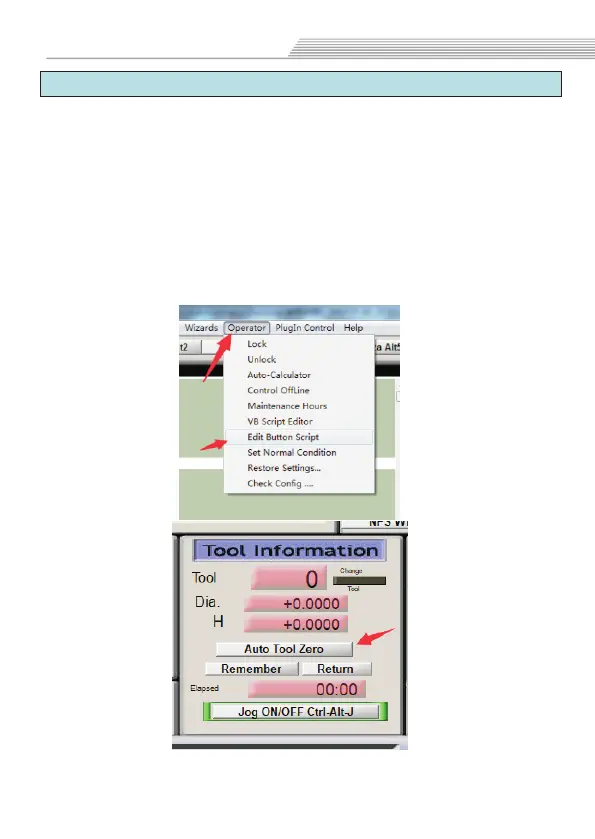
5.9 Z Auto Tool Zero
1.Open our CD...
M930 code to...C:/Mach3/macros/Mach3Mill folder.
2.Open the M930 file in TXT format,then copy all program
code. Open MACH3 software, click the "Operator"option,click
”Edit button script”,(Figure 1).Then click “Auto Tool Zero”
button,delete the code in the button script, and then paste the
copied M930 code program.(Figure 2)
3.In "Offsets"interface to sets Gage Block Height(Figure 2)
After the setting is completed,click”Auto tool zero”.
English Manual>>macro folder, and cpoy
26


 To Next Page
 Loading...