46
Care
Dry the brewing unit with a cloth. >
Allow to dry completely before replacing in the coffee machine.
Remove the water tank and the grounds container
>
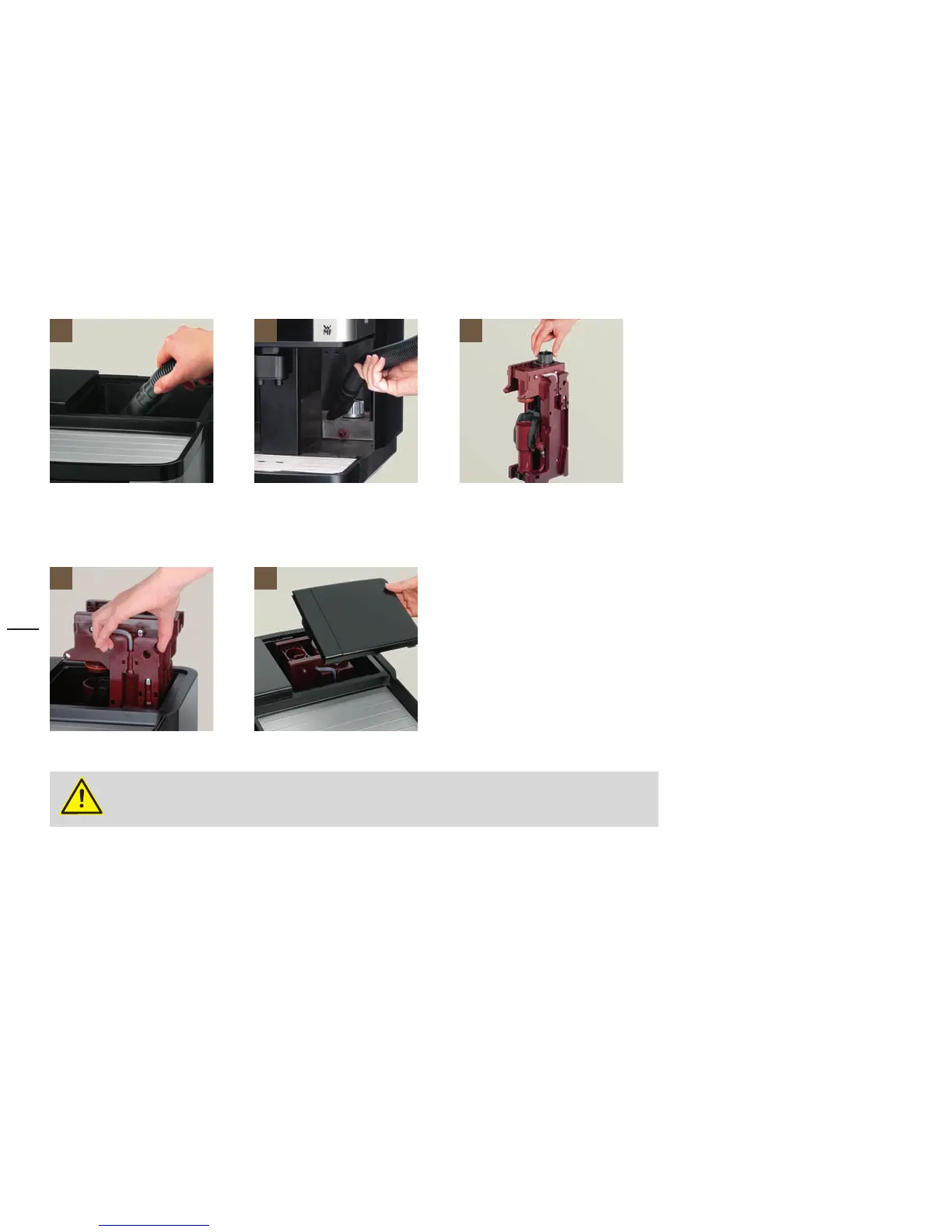
Remove coffee grounds in the chutes with a vacuum cleaner > [8] [9]
Screw the brewing unit back on clockwise using the multitool until the scraper closes again
> [10]
Replace the brewing unit after it has been dried.
Insert the brewing unit until the lock snaps
> [11]
Close the brewer lid
> [12]
If the brewing unit cannot be inserted completely:
Turn thread on the brewing unit head slightly to the left or right with the multitool until the
brewing unit slides into the guide. Never use force.
8 9 10
11 12






 To Next Page