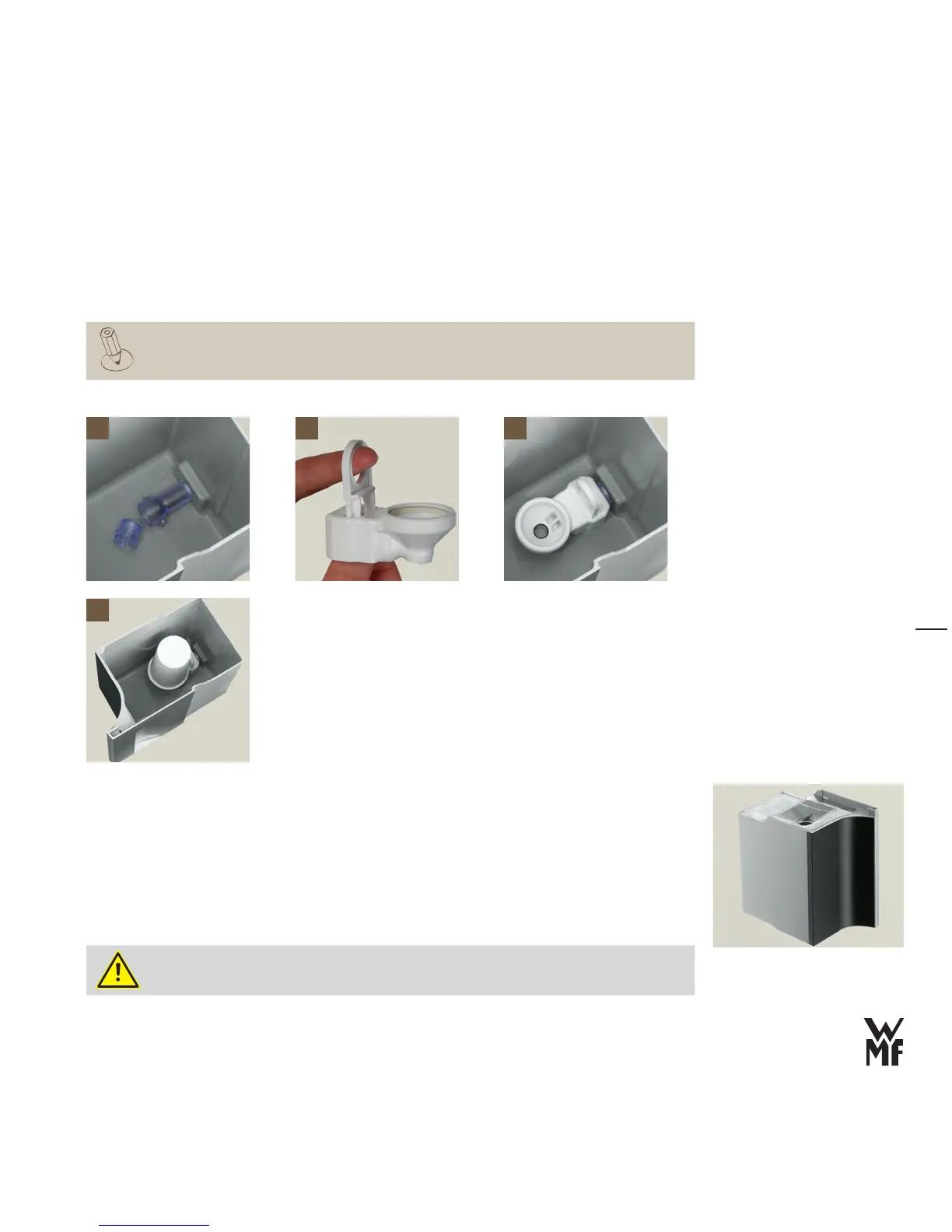
Remove the built-in filter from the front of the water tank > [1]
Pull up the latch on the cartridge adapter
> [2]
Stick the cartridge adapter on the water outlet from the top
> [3]
Push down the latch on the cartridge adapter
> [3]
Unpack the water filter cartridge and place it on the cartridge adapter
> [4]
The sieve and water filter sit very securely.
Fill the water tank
Fill the water tank with cold tap water (max. 2.2 litres) >
Water can then be added, with the lid in place.
Place the lid on the water tank
>
The lid must be on the tank when it is put in place.
Slowly slide the water tank back into the machine
>
Fill the water tank only with fresh, cold water. Never use hot water, mineral water, milk or
other liquids.
1 2 3
4






 To Next Page