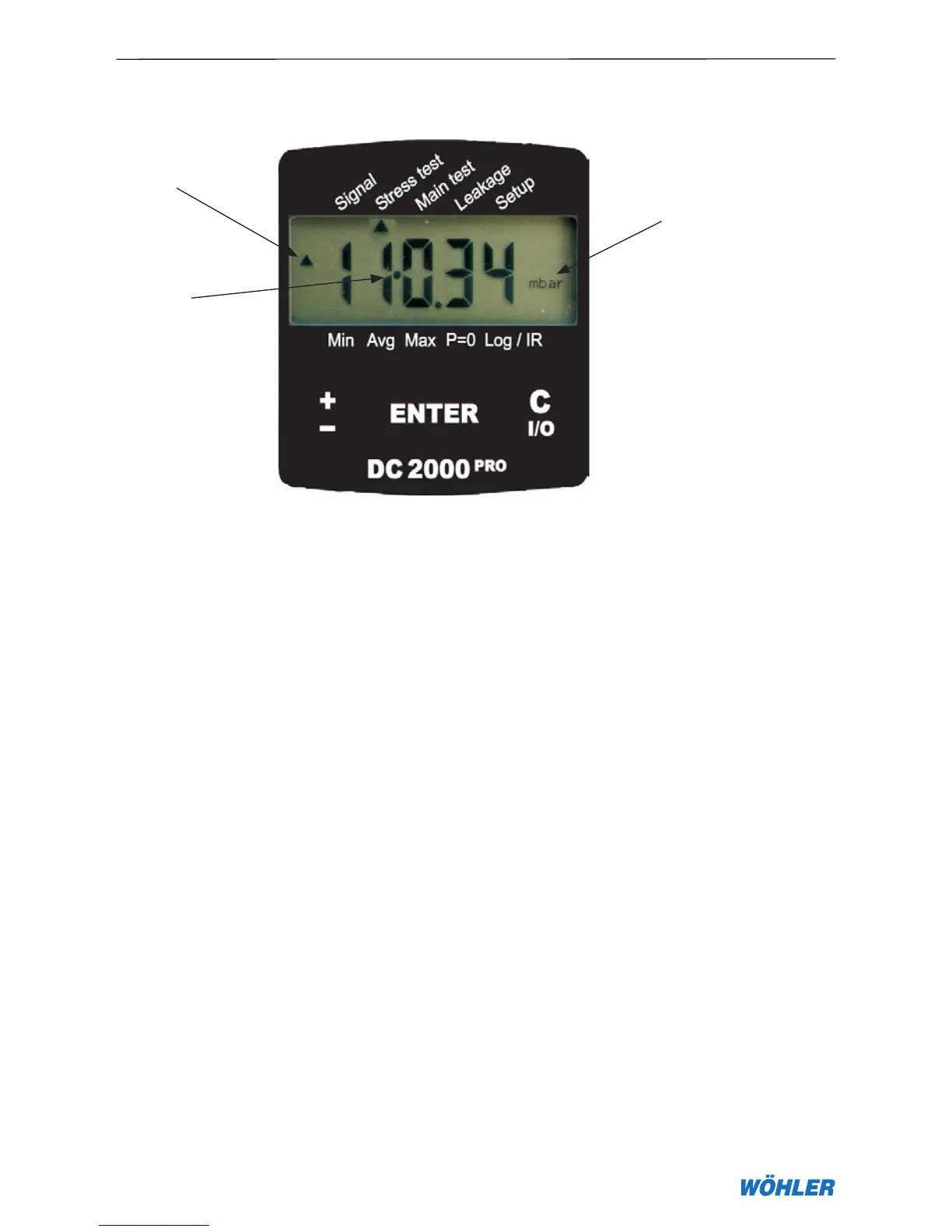
assessment”) to “Main assessment” on the right. The cursor is returned to
“Pre-assessment” when the key is first double- then single-tapped (see 2, the
dot “•” indicates active reverse mode).
Figure 2.1 - Display and controls on the DC 2000
PRO
The ENTER key at the centre of the control panel confirms the entered value
or activates the program selected at the cursor position.
2. Controls and Connections
1
2
Unit of measurement



 To Next Page