3. Signal menu
Before the device is used, a visual check must ensure each and every time
that all functions work properly. When the device is then switched ON it con-
ducts a self-test. Afterwards the time and date are output. When the device’s
logger mode has been activated, the text “Log” followed by the current
measured and stored values appears instead of the self-test – the device then
switches back OFF. For as long as a flashing cursor points to the subpro-
gram P=0, no hose should be attached and no differential pressure applied:
during this phase the device is stabilising and determining its zero point.
The subsections under this heading describe the basic functions in the Signal
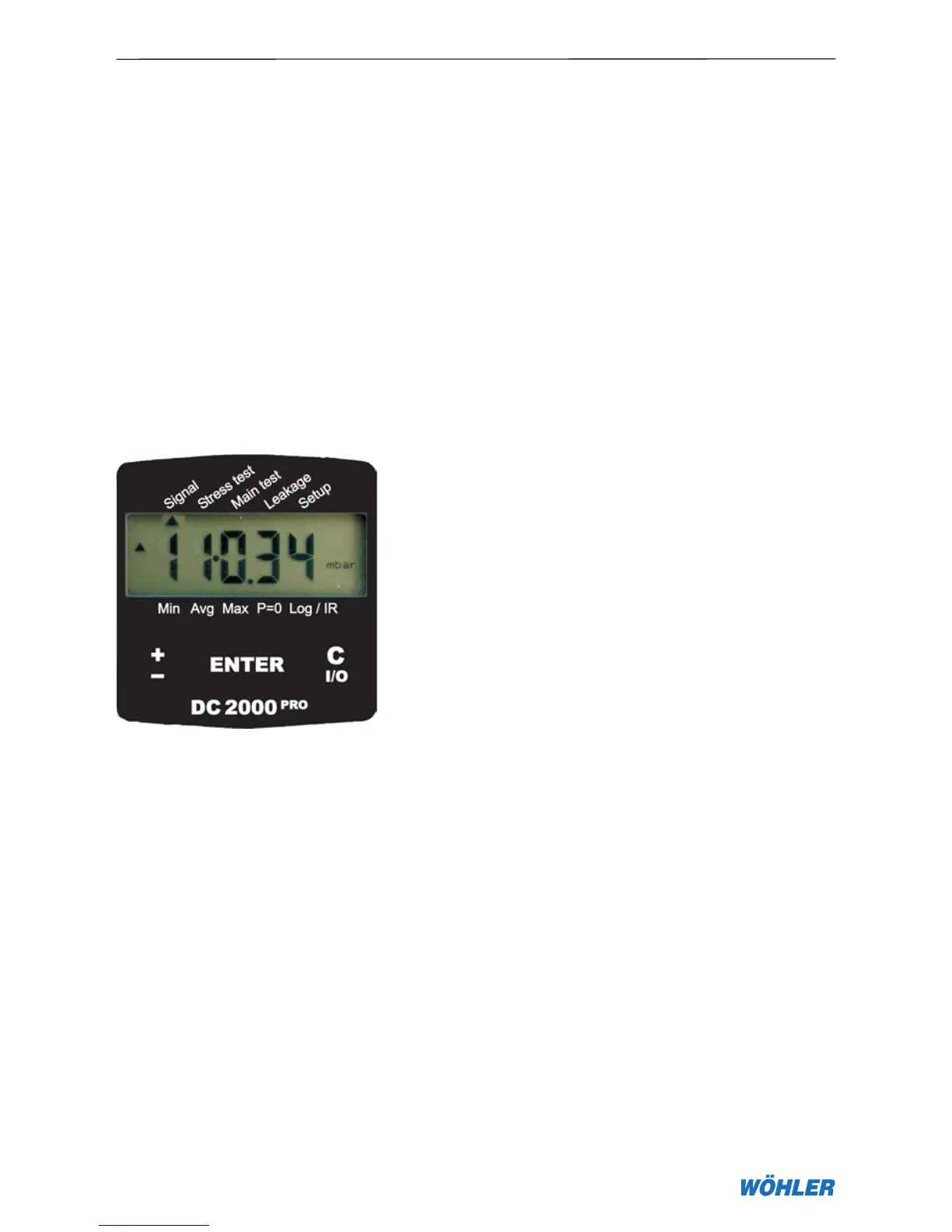
menu item. Pressing the ± key three times moves the cursor to the sub-
program Signal which is activated at the ENTER key (cursor flashes under
Measuring Mode; see Figure 3.1).
Figure 3.1 – Selecting the Signal menu
3.1 Pressure measurements
The subprogram Signal is activated at the ENTER key. The cursor then
flashes and the text “PRESSURE” appears on the display together with the
unit of measurement “mbar”. Now all of the available units can be selected in
turn with the ± key and activated at the ENTER key. In this manner the user
can select one of the following five units for the pressure measurement: Pa,
hPa, mbar, mm·H20, PSI.
3.1.1 Fast pressure measurements (regulator test)
The unit of measurement hPa features in addition under the name “Fast
pressure” a pressure measurement with instantaneous display. This mode
is particularly suitable for gas regulator tests. The measuring process can be
stopped at the ENTER key, and the device displays the last pressure value
measured. This state is complemented by the trend symbols v . The ± key
initiates a single new measurement. Pressing the ENTER key again returns
3. Signal menu
v



 To Next Page