Component explanation
Control
VIS 220 /230
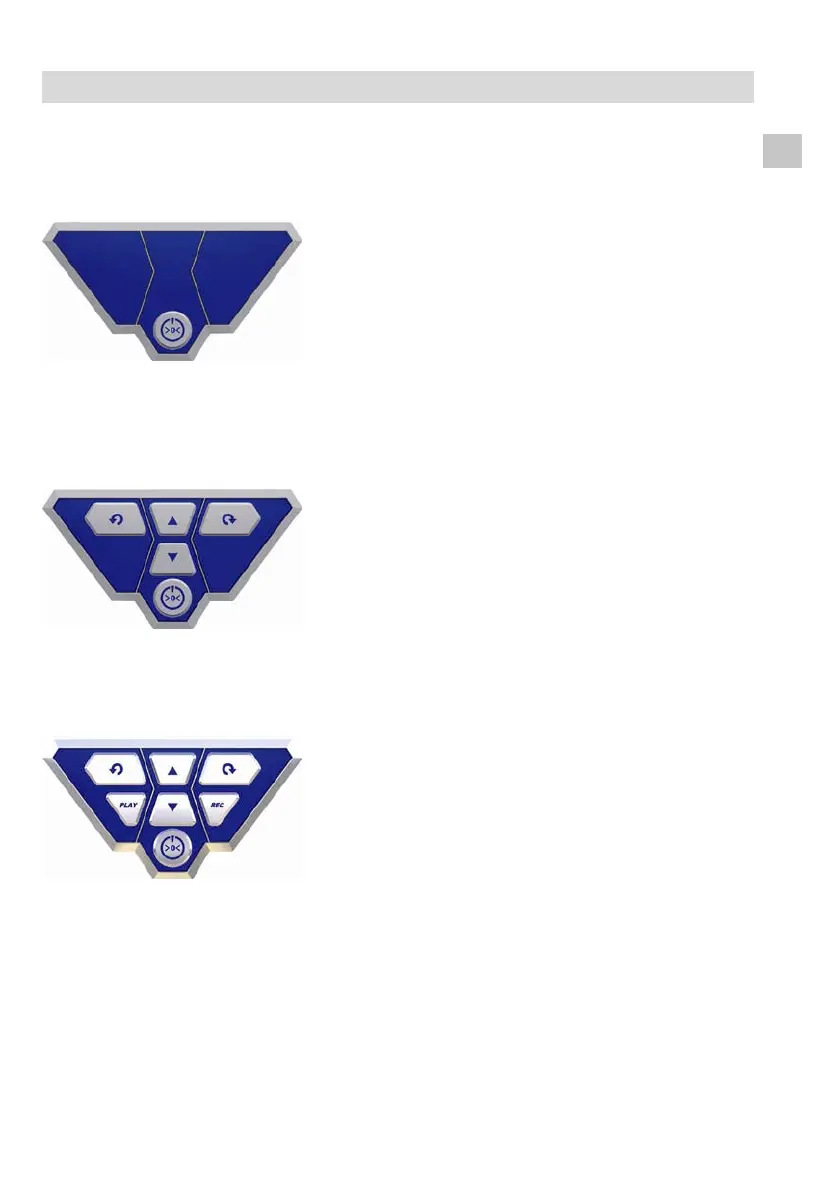
Fig. 5:
Camera control VIS 220 / 230
The control panel includes the ON-/OFF-Key of the
camera system. When the camera is switched on and
the battery is completely charged, there will shine a
green ring around the ON-Off-Key.
While charging the battery, the ring will blink red and
after charging is completed, the lower part will shine
green.
Pressing the ON-/Off-key will turn on both the camera
system and the monitor (all versions).
Fig. 6:
Camera control VIS 330
The control panel includes the ON-OFF key of the
camera system and the control keys for the pan- and
tiltable camera head.
(The camera eye is 360° panable and 180° tiltable).
The center arrow keys control the 180° tilting. With
the two outer keys the lens can be turned round 360°.
Fig. 7:
Camera control VIS 240 / 340
The camera eye is 360° panable and 180° tiltable.
(only VIS 340)
The center arrow keys control the 180° tilting. The two
outer keys turn the lens 360° (only VIS 240).
In the Play-mode, the two outer arrow keys are also
used for the menu navigation (VIS 240 and VIS 340).
The Rec-key starts and finishes the Video recording.
Press the Play-Key to play the stored video file.
Press ON-/OFF to stopp the play back.
Press the Rec-key two seconds to delete a selected
video file. On screen the note “Video deleted” will
appear.
Arrow keys: Selection of the video



 To Next Page