Setting Date and Time (VIS 240 /340)
7 Setting Date and Time (VIS 240 /340)
VIS 240 / 340
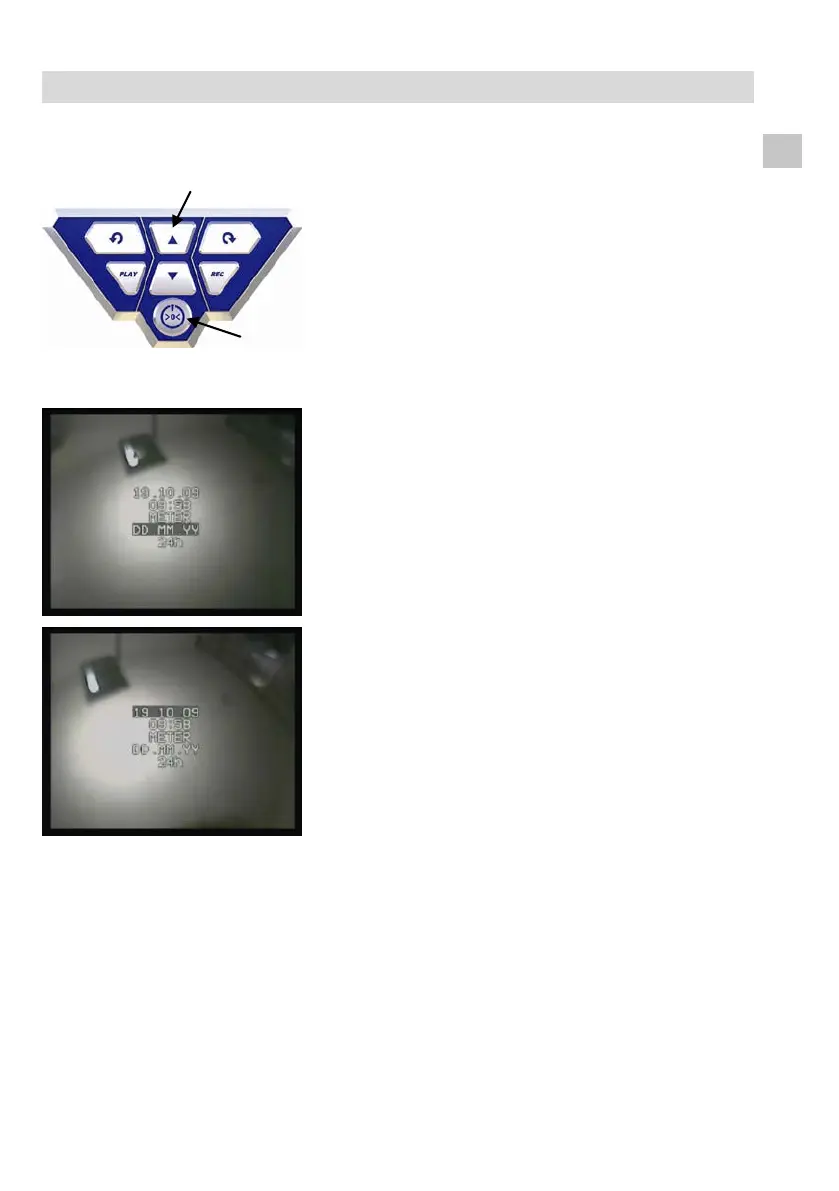
Fig. 11: Control panel VIS 240 / 340:
Press marked buttons simultane-
ously
• With the camera switched off, press the ▲ but-
ton and the ON-/OFF-button simultaneously for
two seconds.
Fig. 12: Setup Menu
The camera switches on and the display will show a
menu where the following setups can be done.
- Date
- Time
- Distance in Meter or Feet
- DD.MM.YY or DD/MM/YY
- 12 h or 24 h clock
• Move from one parameter to the other with the
arrow keys and change the values with the
▲/▼-keys.
• Press the ON-OFF-button to escape the menu.



 To Next Page