Component explanation
40
Functions of the ON-/OFF-key
2 seconds System ON/OFF
shortly Reset digital meter
counter
3.3 Monitor
3.3.1 Adjusting the Color
VIS 2xx / VIS 3xx
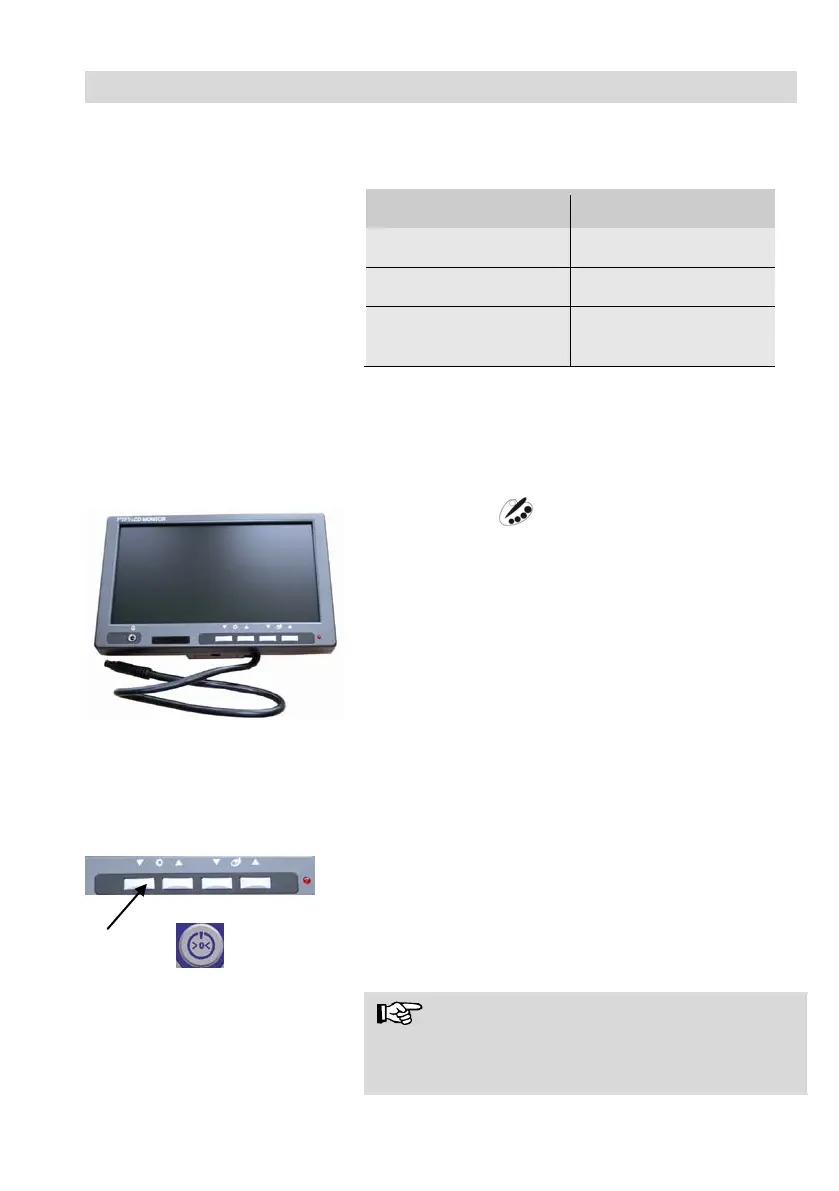
Fig. 8: Monitor
With the keys ▼☼▲ the brightness can be adjusted.
▼: darker ▲: brighter
With the keys ▼ ▲ the color intensity can be
adjusted
▼: decreasing color intensity up to black and white
▲: increasing color intensity
3.3.2 Transition from 16:9 Screen to 4:3 Screen
If the monitor has the serial number 11010001, the screen format can be changed from
16:9 to 4:3 or vice versa. You will find the serial number on the back side of the monitor.
• Switch off the camera system.
• Press the left monitor key and the on/off-key of
the monitor at the same time.
The screen format has now changed from 4:3 to
16:9 or vice versa.
NOTE!
When inspecting tubes the 4:3 screen is recom-
mended, because the widescreen 16:9 may distort
the image.



 To Next Page