16
WOLF DUAL FUEL RANGE OVEN OPERATION
ROAST MODE
How roast mode works:
Both bake and broil
elements are used to heat the air, and they
cycle on and off to maintain temperature. This
mode is designed especially for roasting less
tender cuts of meat that should be covered,
such as chuck roasts, lamb shanks, pot roasts
and stew meat. The temperature probe may be
used in this mode.
SETTING CONTROLS
For roast mode:
1)
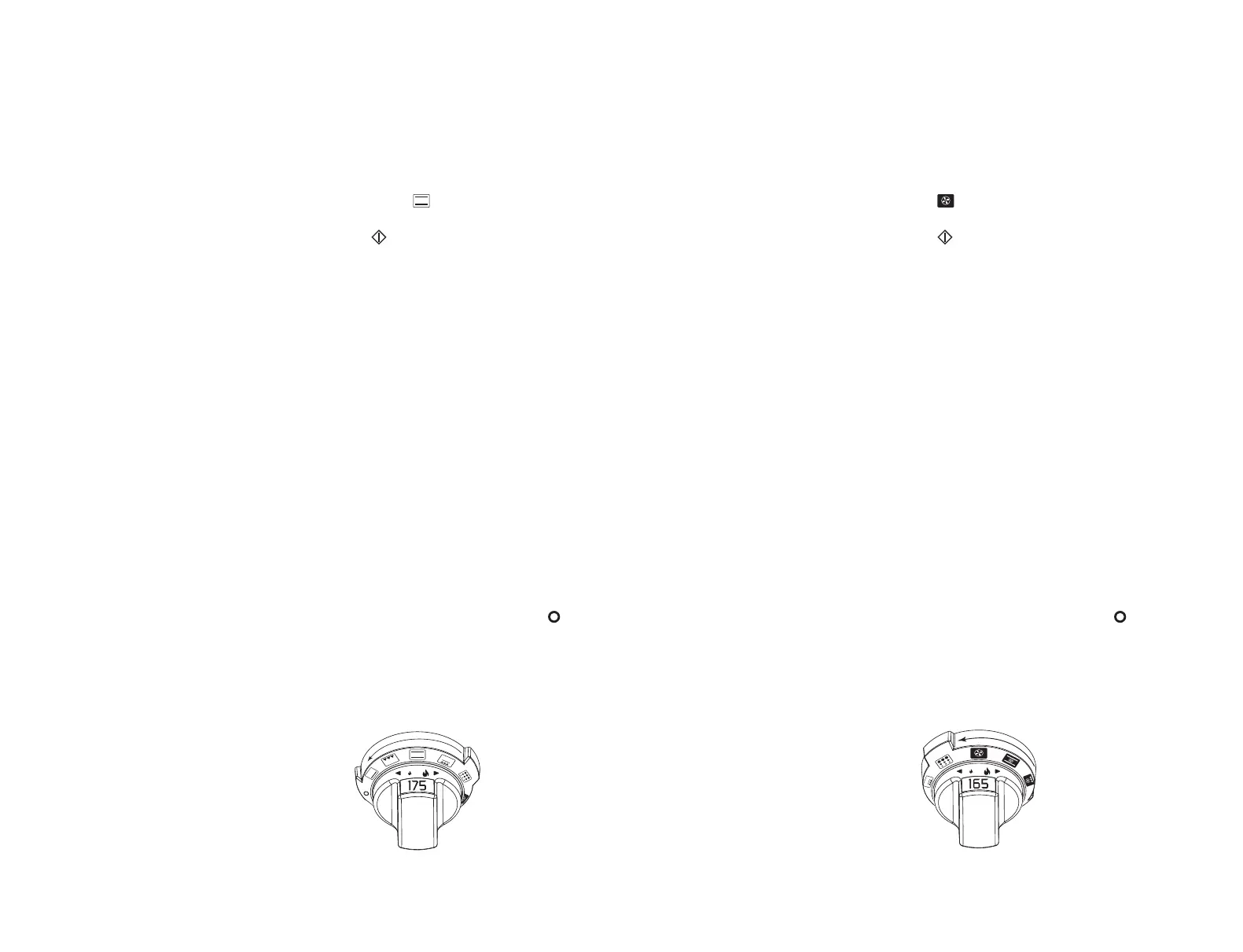
Turn ov en se lec tor knob bezel co unt erc loc k-
wise to .
2)
Oven temperature is preset at 175˚C. Touch
on the control panel or turn the oven
selector knob to the left or right to turn on
the oven. Temperature can be adjusted in 1˚
increments.
To chang e th e tem pe ra ture se tt ing f ro m
175˚C, immediately turn the oven selector
knob to the right to increase the oven
temperature or to the left to decrease the
oven temperature. The temperature display
alternates between set temperature and
actual oven temperature.
3)
Add food when the chime signals that the
oven has reached preheat temperature.
4)
The temperature probe may be used in this
mode, follow
temperature probe feature
directions on page 21.
5)
If the timer is set, the oven will chime when
one minute is left on the timer and will
chime again when cooking time is finished.
If the timer is not cleared, it will continue to
chime every 30 seconds.
6)
Remove food. Always use dry pot holders
when removing hot pans from the oven.
7)
Turn ov en se lec tor knob bezel to to en d
this mode.
Roast mode setting.
SETTING CONTROLS
For convection mode:
1)
Turn ov en selector knob bezel cl ock wis e to
Refer to the illustration below.
2)
Oven temperature is preset at 165˚C. Touch
on the control panel or turn the oven
selector knob to the left or right to turn on
the oven. Temperature can be adjusted in 1˚
increments.
To chang e th e t em pe ra ture se tt ing f ro m
165˚C, immediately turn the oven selector
knob to the right to increase the oven
temperature or to the left to decrease the
oven temperature. The temperature display
alternates between set temperature and
actual oven temperature.
3)
Add food when the chime signals that the
oven has reached preheat temperature.
4)
The temperature probe may be used in this
mode, follow
temperature probe feature
directions on page 21.
5)
If the timer is set, the oven will chime when
one minute is left on the timer and will
chime again when cooking time is finished.
If the timer is not cleared, it will continue to
chime every 30 seconds.
6)
Remove food. Always use dry pot holders
when removing hot pans from the oven.
7)
Turn ov en selector knob bezel to to en d
this mode.
Convection mode setting.
CONVECTION MODE
How convection mode works:
Dual convec-
tion fans, each with a heating elemen t, operate
from the back of the oven to move the heated
air throughout the entire oven cavity. The 457
mm oven has a single convection fan. Uniform
air movement makes it possible to multi-level
rack cook in this mode. The heat is cycled on
and off to maintain the temperature, resulting
in evenly browned food. The temperature
probe may be used in this mode.
The convection area of the oven dial is shown
in black on the oven selector knob bezel.



 To Next Page