4. Functional Use
17
ඝ Power ON/OFF
The Power slide switch is located on the side of Rapport337.
Turn the Power slide switch on, and press to start the Rappor337.
To turn off the system, press more than 3 sec. Then, POWER OFF
is displayed on the main screen with a beep. Release the button.
The power goes off.
A rechargeable battery should be plugged in over 8 hrs for full charge.
The charged battery can operate for 3 hrs or so.
When the battery indicator shows below [][], recharge it for use.
(Full charge : [][][][])
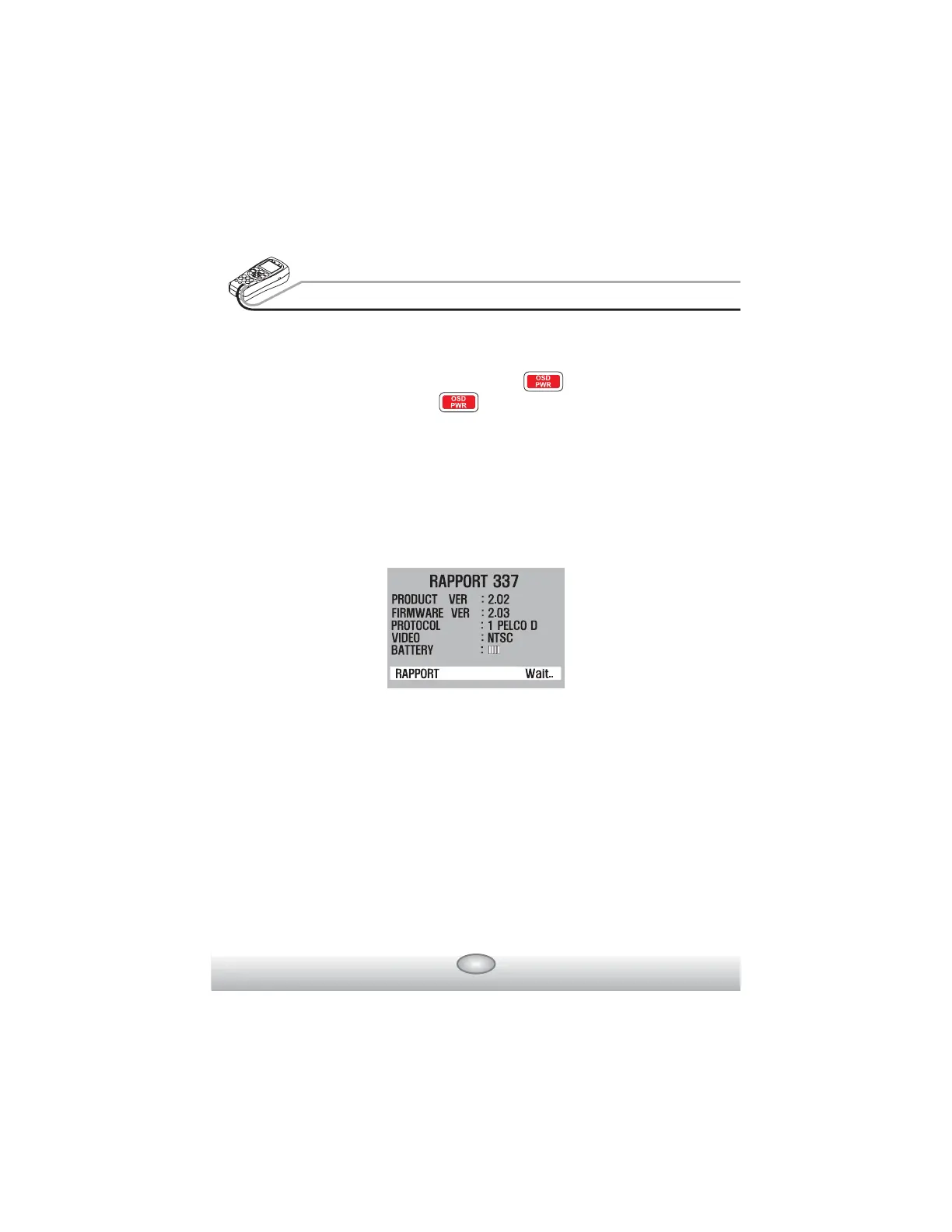
ඝ OSD Setup Screen when Power is on
When power is on, the setup OSD is displayed, and it enters
automatically to the video test mode after 3 ~ 5 sec.
The initial OSD displays its RAPPORT337 version and the initial setup
on the screen.
Product Version : 2.02
Firmware Version : 2.03
Initial Protocol : PELCO-D
TV mode : NTSC/PAL automatic setup
Battery indicator : [][][][]
RAPPORT :
User's name(Name can be changed in Main menu.)
Model & software versions are subject to be changed without any further
notice.



 To Next Page