IN AND OUTFEED TABLE
STARTING THE PLANER
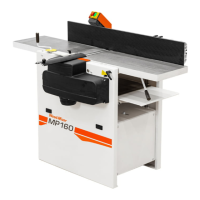
Note that the outfeed table can easily be folded
up so you can move around the planer.
The tables must mainly be completely in line with
one another (when the cut in the bottom cutter is
0 mm (0") but in certain cases it can be an
advantage for the ends of the feed table to lie
slightly higher (1-5 mm) than the planer table to
reduce in and
outfeed marks (snipe). This particularly applies
when thin or soft workpieces are being processed.
The outer edges must then always lie slightly
higher than the planer table.
It is extremely important that the infeed table,
planer table and outfeed table are correctly setup
so that there are no cutter marks on the ends of
the object.
Risk of serious damage.
Check that no tools have been left in
the planer.
Check that the cutters can rotate freely
before the safety doors are closed.
Review the safety instructions!
Before starting:
• Ensure that all cutters can rotate freely.
• Ensure that the emergency stop (a11) is
pulled out.
• Ensure that the top door is closed, and
impacts the door switch (179).
• Check that no one other than the operator
is inside the safety distance.
Connect the planer electrically. Watch the
rotational direction. If you are standing by
the feeder gears, the rotational direction
of the top cutter must be
counterclockwise.



 To Next Page