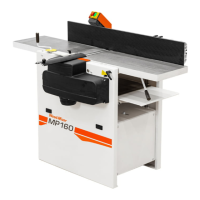
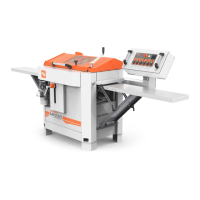
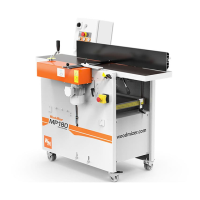
SETTING THE UPPER CHASSIS' PLAN
FOUNDATIONS
Re-setting the chassis plan requires a serious
intervention in the planer. Ensure that this is
necessary. The planer is set correctly when
leaving the factory, but may have adjusted
due to careless transport or serious impact.
SETTING CUTTERS
1. Loosen the screws to the bearing bracket (4
x M8 on each side)
2. Add a completely level block on the table,
directly under the cutter.
3. Turn the crank so the cutter is lifted
slightly (make sure the knife does not
bite)
4. Lock the screws to the bearing bracket
Setting only the planing table if, for example,
the chain has come loose, or the cutters do
not have enough trimming allowance.
1. Add a completely level block on the table,
directly under the cutter.
2. Crank the planing table so the block is at
a tangent to the cutter
3. Loosen the chain to the planing table via
the chain lock
4. Lift up each threaded sprocket so the cutter is
at a tangent to the block along its entire length.
5. Check the measurement of the front and
back of the table to the stand, adjust the front
or back pair of sprockets
6. Assemble on the chain to the planing table.
7. Before assembly you must check that
each threded rod can be turned by hand.
ADJUSTING THE TOP CUTTER
The top cutter must sit so that it is parallel with
the planer table. This is correctly set in the
factory, but can be adjusted due to careless
transport or serious impact. This is adjusted in
the following way, if necessary:
• Loosen the screws on the bearing housing
several turns (4 x M8 on each side).
• Add a completely level block on the table,
directly under the cutter.
• Turn the cutter so the block does not
press against the planing knife or the
keyway.
• Crank the table up so the block lifts the
cutter slightly.
• Lock the screws to the bearing bracket
PLANING TIPS
1. When you have finished planing a profile that
you know you will be planing again, feed in a
board of approx. 1 m (3 ft) long, then switch
off the planer/moulder when this has been fed
in. Lower the table and remove the board.
Next time the profile needs setting, the board
can be used as a template for both cutters
and fences. Please also note which shims and
knives you used for the test board, as well as
the position of the molding knives in the
horizontal cutters.
2. You can experiment with adjusting the
pressure on the feed rollers yourself. Note the
basic settings before you start, so you can
always return to them. The springs must
normally be tensioned more on the right-
hand side, particularly if small objects are
planed. The feed rollers must be balanced
on the object, and not press more on either
side.
3. An increased directional function can be
achieved if the first feed roller is set with a
lighter pressure.
Wood-Mizer
®
from forest to final form



 To Next Page