EasyManua.ls Logo

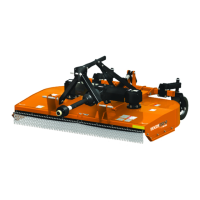
Woods DS12.50 - User Manual

Woods DS12.50
86 pages
Print Icon
To Next Page IconTo Next Page
Loading...
OPER ATOR'S MANUAL
ROTARY CUTTER
MAN0571
(Rev. 8/13/2018)
DS12.50 / DS12.50Q
DS1260 / DS1260Q
DS1440 / DS1440Q
DSO1260 / DSO1260Q
MDS1260 / MDS1260Q
MDS1440 / MDS1440Q
Serial Number 1081498 & Above
Also includes Service & Parts Information for
Serial Number 1081497 & Below

Questions and Answers

  • J
    Jamie WhiteAug 7, 2025
    Why is my Woods DS12.50 not cutting?
    • K
      Kenneth RobinsonAug 7, 2025
      If the Woods Cutter isn't cutting, several factors could be at play. The blades might be dull, requiring sharpening. Alternatively, they could be worn or broken, in which case you should replace them in pairs. Ensure the PTO speed is set correctly and reduce ground speed if it's too fast. Also, verify the drive shaft connection and inspect the gearbox. Excessive clutch slippage may also be the reason – adjust the clutch to resolve this. Finally, confirm that the blade edge is correctly aligned with the direction of rotation.
  • M
    Michelle RojasAug 11, 2025
    What to do if my Woods DS12.50 leaves streaks or a ragged cut?
    • T
      tylercrawfordAug 11, 2025
      If your Woods Cutter is producing streaks or a ragged cut, it may be due to broken or worn blades; try replacing or sharpening them. Ensure that the machine is level. Reduce your ground speed. If the cutting height is too high, lower it, being careful not to hit the ground frequently. If you're dealing with very lush, tall vegetation, try recutting at a 90° angle to your first pass.
  • J
    jessica94Aug 16, 2025
    Why is there excessive clutch slippage in my Woods DS12.50 Cutter?
    • M
      Mark MeyersAug 16, 2025
      If you're experiencing excessive clutch slippage with your Woods Cutter, it could be due to a clutch that is out of adjustment, so you should adjust it. Alternatively, the clutch discs may be worn, requiring replacement. Also, ensure that the blades aren't hitting the ground by raising the cutting height.
  • A
    Anne BradfordAug 20, 2025
    Why is my Woods DS12.50 vibrating?
    • J
      Jamie MurphyAug 20, 2025
      If your Woods Cutter is vibrating, the issue might stem from a broken blade, in which case you should replace the blades in pairs. Inspect the gearbox shafts for any side play, which could indicate bearing failure. Ensure the hitch length is correct by resetting it. Also, adjust the pedestal bearing height to be parallel to the ground. If the flexible coupler is binding, lubricate the grease fitting on the spline yoke.
  • J
    John SmithAug 25, 2025
    What to do if the blades are hitting the deck on my Woods DS12.50?
    • P
      pnicholsonAug 26, 2025
      If the blades of your Woods Cutter are hitting the deck, it's likely due to bent blades or a bent crossbar. Replace the bent blades or the crossbar to resolve this issue.
  • M
    meghan73Aug 28, 2025
    What causes the blades to hit each other on a Woods Cutter?
    • M
      Michael JordanAug 29, 2025
      If the blades on your Woods Cutter are hitting each other, it suggests a side drive failure. To fix this, retime the blades or replace the rubber coupler disks.
  • B
    Brenda GainesSep 2, 2025
    What causes excessive side skid wear on a Woods DS12.50?
    • B
      Barbara DennisSep 2, 2025
      If your Woods Cutter experiences excessive side skid wear, it's likely because you're running with the skids continuously on the ground. To resolve this, raise the cutting height or adjust the skids.

Woods DS12.50 Specifications

General IconGeneral
BrandWoods
ModelDS12.50
CategoryCutter
LanguageEnglish

Related product manuals