EasyManua.ls Logo

Woodward VariStroke-I - User Manual

Woodward VariStroke-I
133 pages
Print Icon
To Next Page IconTo Next Page
Loading...
Product Manual 26727
(Revision F, 8/2015)
Original Instructions
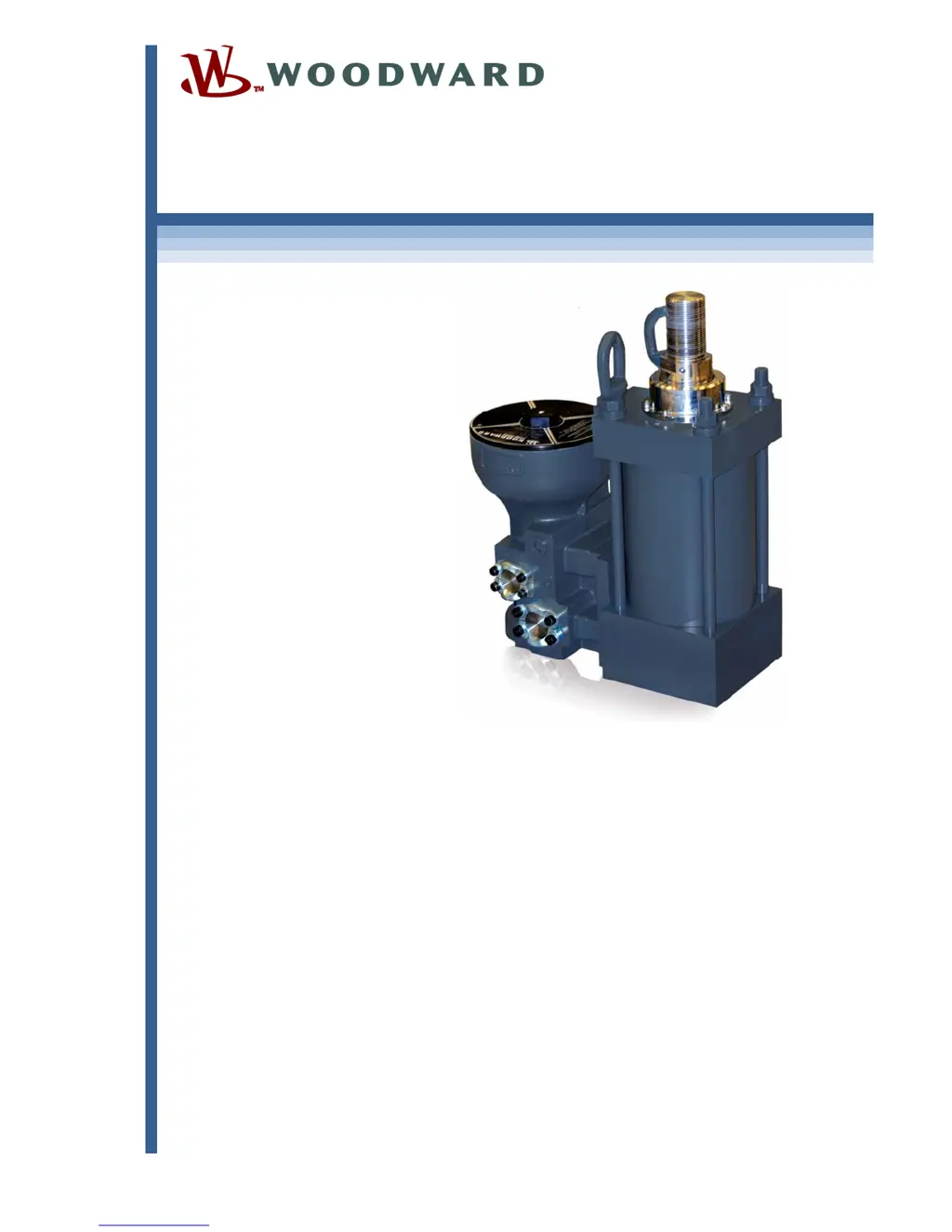
VariStroke-I (VS-I)
Electro-hydraulic Actuator
Installation and Operation Manual

Table of Contents

Other manuals for Woodward VariStroke-I

Questions and Answers

  • J
    Jessica StoneSep 9, 2025
    Why is my Woodward VariStroke-I Controller showing 'Both Position Feedbacks Failed Detection'?
    • M
      Marie WilliamsSep 9, 2025
      If the Woodward Controller shows a 'Both Position Feedbacks Failed Detection' error, it indicates that both power cylinder feedback signals are out of the usable range. This could be due to a feedback sensor wiring fault, failed sensor channel(s), or the sensor temperature being too high. Check all connections to the final cylinder for any impediments to motion. Also, ensure that the environment and mounting location meet the environmental specifications. If the problem continues, service will be required.
  • D
    denisesmithAug 23, 2025
    What to do if the Woodward VariStroke-I shows 'Demand Invalid'?
    • B
      brittany00Aug 23, 2025
      If the Woodward Controller shows a 'Demand Invalid' error, it means all selected analog inputs are outside the specified range. To fix this, check the input source and its connections to ensure they are correct and within the expected range.
  • J
    Joseph MillerAug 25, 2025
    What does it mean when my Woodward VariStroke-I Controller detects an alarm or shutdown?
    • M
      Michael JohnsonAug 25, 2025
      If the Woodward Controller detects an alarm or shutdown, it is because a diagnostic has triggered it. Use the Service Tool to view the Alarms/Shutdowns page to identify the specific fault. Then, find the cause and solution to that fault to resolve the issue.
  • A
    Amber BennettAug 26, 2025
    How to fix a 'Run Enable Line Low' error on a Woodward VariStroke-I?
    • S
      Shannon GordonAug 27, 2025
      A 'Run Enable Line Low' error on your Woodward Controller indicates that the Run Enable circuit is open or configured incorrectly. To resolve this, ensure that the Used/Not Used settings inside the VS-I match the Active/Inactive settings of the controller. You can modify these settings using the Service Tool. If the Run Enable is not used, disable this function using the Service Tool.
  • P
    powerscharlesAug 27, 2025
    What causes a 'Demand 1 / 2 Input Low Detection' error on a Woodward Controller?
    • Z
      Zachary StevensAug 28, 2025
      If the Woodward Controller shows a 'Demand 1 / 2 Input Low Detection' error, it means the analog input is below the diagnostic threshold. This can be due to several reasons: * Disconnected or loose wiring. * A short in the wiring to external voltage. * Failure of the control system's 4 to 20 mA output. * An incorrect user-configurable parameter. * An internal electronics failure. To resolve this, check the terminals and connections, inspect the wiring for shorts, verify the current to the analog input, and check the 4–20 mA Diagnostic Range: High Limit Value using the VS-I Service Tool. If the issue persists, contact Woodward Technical Support.
  • M
    Michael MeltonAug 29, 2025
    What does 'Demand 1 / 2 Input High Detection' mean on my Woodward VariStroke-I Controller?
    • S
      scottstaceyAug 29, 2025
      A 'Demand 1 / 2 Input High Detection' error on the Woodward Controller means the analog demand input is above the diagnostic threshold. This is often due to: * A short in the wiring to external voltage. * Failure of the control system's 4 to 20 mA output. * An incorrect user-configurable parameter. * VS-I internal electronics failure. To solve this, check the wiring for shorts, verify the current to the analog input, and verify the 4–20 mA Diagnostic Range: High Limit Value using the VS-I Service Tool. If the issue remains, contact Woodward Technical Support.
  • S
    Shawn SmithSep 18, 2025
    What does 'Servo Tracking Alarm Detection' mean on my Woodward VariStroke-I Controller?
    • H
      Heather DickersonSep 18, 2025
      If the Woodward Controller displays a 'Servo Tracking Alarm Detection' error, it indicates that the servo valve cannot maintain position within the tracking error fault limits. This can be due to contamination in the valve/actuator system. Ensure the oil supply meets cleanliness requirements; replace or filter the oil and flush the valve with clean oil. If the problem persists, or if there is excessive valve/actuator wear, service may be required. A VS-I electronics failure could also be the cause, in which case you should contact Woodward Technical Support.
  • T
    Tasha SmithSep 22, 2025
    How to fix 'Illegal Maximum Stop Position Error Detection' on Woodward Controller?
    • K
      Krystal TaylorSep 22, 2025
      If the Woodward Controller displays an 'Illegal Maximum Stop Position Error Detection', it means the maximum stop position has been set to less than 40% of the physical cylinder length. Ensure that the calibrated maximum stop position is greater than 40% of the physical cylinder length and sensor length. Also, check that the settings in the Remote Cylinder Setup are correct.
  • T
    Tyler DunnSep 8, 2025
    What does 'Position 1 / 2 Feedback Low Detection' mean on a Woodward VariStroke-I?
    • A
      Andrew PierceSep 8, 2025
      If the Woodward Controller displays a 'Position 1 / 2 Feedback Low Detection' error, it means the power cylinder feedback 1 is less than 4 mA. This is often due to a feedback sensor wiring fault or a failed sensor channel. Check all connections to the final cylinder and inspect for any impediment to motion. If the problem persists, service will be required.
  • J
    Jose ClarkSep 4, 2025
    What causes the 'Input Voltage Low' error on a Woodward VariStroke-I Controller?
    • N
      Nicole GarciaSep 4, 2025
      If the Woodward Controller displays an 'Input Voltage Low' error, it indicates that the input power level is below a reasonable limit. Check the power source and connections to ensure they are adequate. Note that this flag may also appear if the battery voltage decreases slowly during power down.

Summary

General Information

Introduction

Detailed description of the VariStroke-I electro-hydraulic actuator and its capabilities.

VS-I Integrated and Remote Construction

Overview of the major components and configurations of the VS-I actuator.

VariStroke Actuator Benefits

Key advantages including dirt tolerance, linearization, and side load capability.

Specifications

Physical and Performance Specifications

Details on bore/rod diameters, stall force, slew rates, accuracy, and failsafe operation.

Environmental Specifications

Operating limits for ambient temperature, vibration, shock, and corrosion resistance.

Electrical Specifications

Input/output signals, voltage, current, connections, and feedback device details.

Installation

Receiving and Unpacking Instructions

Procedures for handling and unpacking the VS-I actuator upon delivery.

Installation Instructions - General

Guidance on mounting, orientation, heat shields, and general setup considerations.

Hydraulic Connections

Details on supply, drain, and control port connections and tightening torques.

Service Tool Installation

Service Tool Setup and Connection

Requirements for PC service tool software, hardware, and port connections.

Connecting to the VariStroke-I

Step-by-step guide to establish communication between the service tool and the actuator.

Calibration and Monitoring

System Information Display

Overview of the service tool's system status and information pages.

Configuration and Calibration Page

Interface for setting operating parameters and initiating calibration procedures.

Find Minimum Stop Procedure

Process to set the actuator's minimum position and scale it to the demand range.

Configuration

Input Configuration

Settings for analog demand and feedback signals, including scaling and fault detection.

Output Configuration

Configuration options for discrete and analog outputs, including alarm and shutdown indications.

Advanced Configuration Parameters

Adjustments for bandwidth, dither, and silt buster functions for fine-tuning performance.

Repair and Troubleshooting

Troubleshooting Procedure

General guide for diagnosing and resolving system problems with the VS-I actuator.

Demand Fault Troubleshooting Guide

Specific troubleshooting steps for faults related to demand input signals.

Performance Fault Troubleshooting Guide

Guidance for diagnosing issues related to actuator performance and stability.

Product Support and Service Options

Product Support Options

Resources and contacts for installation assistance and unsatisfactory performance.

Returning Equipment for Repair

Instructions for packing and returning the VS-I unit for service.

Appendices Overview

Appendix A: V25 Servo, 4-inch Integrated Dimensions

Detailed outline drawings and installation features for the V25TD-10XX model.

Appendix C: V45 Servo, 6-inch Integrated Dimensions

Detailed outline drawings and installation features for the V45TD-15XX model.

Appendix G: V25 Servo, 4-inch Remote Dimensions

Outline drawings and installation details for the V25RD-10XX remote servo-cylinder.

Woodward VariStroke-I Specifications

General IconGeneral
BrandWoodward
ModelVariStroke-I
CategoryController
LanguageEnglish

Related product manuals