EasyManua.ls Logo

Woodward DPG-2201-00 Series - User Manual

Woodward DPG-2201-00 Series
50 pages
Print Icon
To Next Page IconTo Next Page
Loading...
User Manual
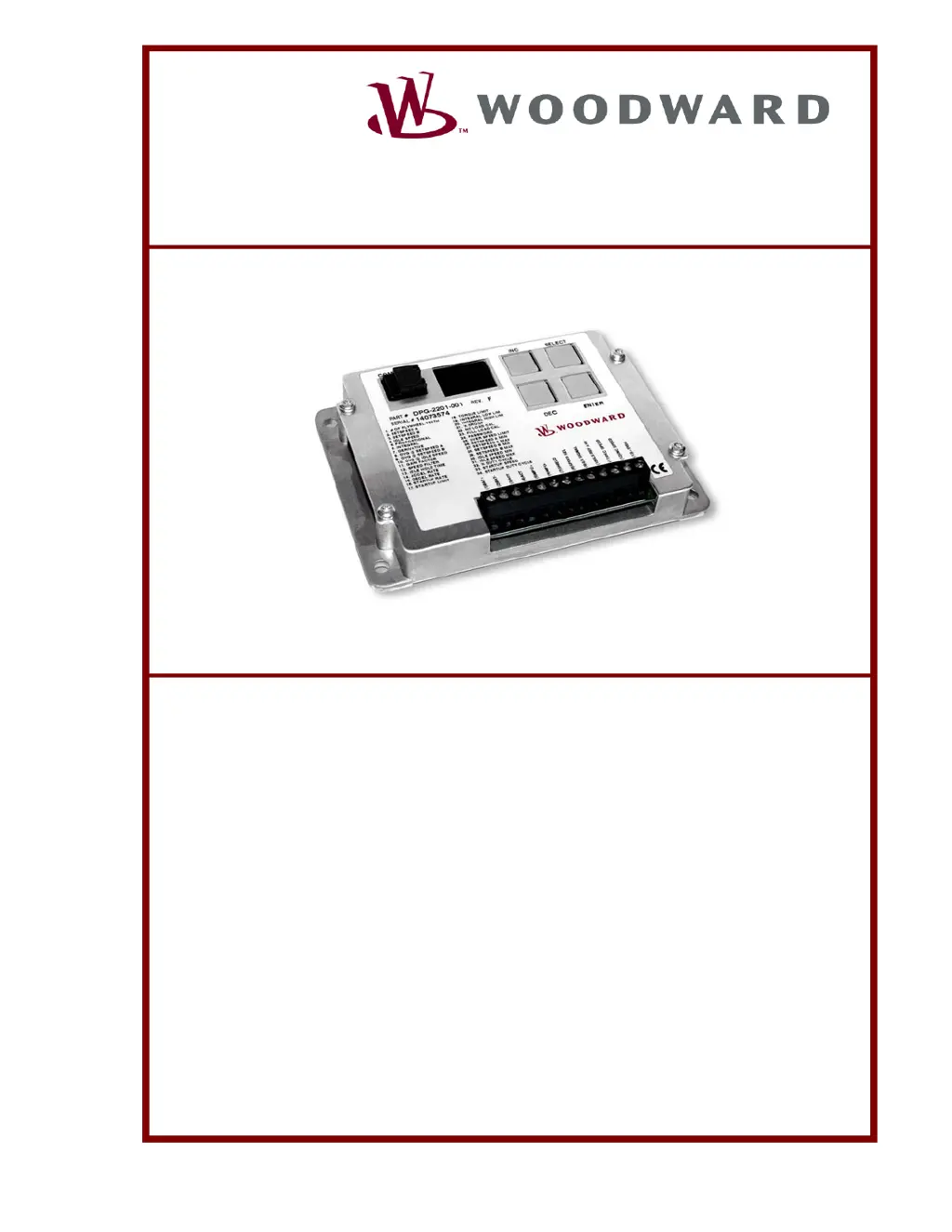
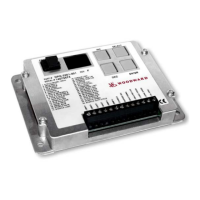
DPG-2201-00X
Digital Controllers
APECS
®
Programmable Controllers
for Isochronous Generators with
Load Sharing Capability
Manual 36523B

Table of Contents

Questions and Answers

  • J
    Jennifer FisherAug 19, 2025
    What to do if the Woodward DPG-2201-00 engine does not reach set speed?
    • J
      Jessica JonesAug 19, 2025
      If the engine does not reach the set speed, the PID values might be too low or too high, or the Integral value might be too low or zero, or the Derivative value might be too low or zero. In these cases, you should improve PID tuning. Also, make sure that the Integral Low Limit setting is set to the default value of zero, and the Integral High Limit setting is set to the default value of 99.
  • K
    Kelly GrossAug 21, 2025
    What to do if Woodward Controller engine takes too long to reach the set speed?
    • B
      Benjamin JohnsonAug 21, 2025
      If the engine takes too long to reach the set speed, improve PID tuning. Also, the Integral setting, Startup Rate setting, Accel Rate setting or Speed Filter setting might be too low.
  • K
    Kyle ObrienAug 23, 2025
    Why won't my Woodward DPG-2201-00 engine start?
    • J
      Jessica SteeleAug 23, 2025
      Several factors can prevent your engine from starting. Ensure the actuator leads are correctly connected and not shorted, and turn on the fuel source. Verify that the battery voltage is sufficient, and charge or replace it if low. Check that the set speed is higher than the crank speed, and increase it if necessary. The startup rate or limit settings might be too low; adjust them accordingly. You can also try reversing the MPU leads. If a speed signal is present, measure the actuator output duty cycle; if it's not greater than 5%, restore all parameter values to factory default settings and crank the engine again.
  • N
    Nicholas AshleyAug 26, 2025
    What to do if the Woodward DPG-2201-00 Controller engine over speeds at startup?
    • B
      Bruce HoustonAug 26, 2025
      If the engine over speeds at startup, increase the Proportional value, the appropriate OVG (overall gain) value, use the Startup Limit, and decrease the Startup Ramp Rate.
  • S
    Stephanie ParrishAug 27, 2025
    How to fix sluggish response to load changes in Woodward DPG-2201-00 Controller?
    • M
      Melissa ButlerAug 28, 2025
      If you notice a sluggish response to load changes, it might be due to the gain being too low. Try improving the PID tuning. Also, the speed filter setting might be too high.
  • C
    carol97Aug 30, 2025
    What causes excessive smoke at startup with a Woodward DPG-2201-00 Controller?
    • M
      Matthew HernandezAug 30, 2025
      Excessive smoke at startup can be caused by a low MPU signal voltage. Ensure it reads a minimum of 2.0 VRMS. Also, improve PID tuning, use a lower Startup Rate setting, or use a lower Startup Limit setting.
  • C
    Cindy JacksonSep 1, 2025
    How to resolve Woodward DPG-2201-00 engine instability with no load?
    • J
      Jacqueline MarquezSep 1, 2025
      Engine instability with no load can be addressed by improving PID tuning. The speed filter setting might be too low. Also, check the actuator linkage if the fuel is restricted, or check that the battery voltage is not too low.
  • M
    Matthew GonzalezSep 3, 2025
    How to resolve Woodward DPG-2201-00 Controller engine instability with load?
    • C
      Carrie GravesSep 3, 2025
      To resolve engine instability with load, improve PID tuning. Check the actuator linkage if the fuel is restricted, or check that the battery voltage is not too low.
  • E
    Erin WileySep 5, 2025
    Why is my Woodward DPG-2201-00 engine unable to carry rated load?
    • F
      fevansSep 5, 2025
      If the engine is unable to carry the rated load, it might be because the PID values are too high, causing the controller to overreact. Also, the torque limit might be set too low, so increase it. Check the actuator linkage if the fuel is restricted.
  • E
    ewingjamesSep 7, 2025
    How to fix a Woodward DPG-2201-00 that does not track speed setting changes?
    • E
      erinmortonSep 7, 2025
      If the Woodward Controller does not track speed setting changes, check if the LED decimal point is blinking. If not, enter the password. Also, it is important to check if the selected set speed parameter is being modified. A PID value or an OVG value might be too high, a PID value might be too low or zero, or the Accel Rate or Decel Rate might be set too low.

Summary

Chapter 1: General Information

Introduction to DPG Controllers

Overview of the DPG-2201-00X digital controller for generator sets.

Chapter 2: Controller Specifications

Electrical Specifications

Details the electrical ratings and connections of the DPG-2201-00X controller.

Mechanical Specifications

Outlines the physical dimensions, operating temperature, and sealing of the controller.

Performance Characteristics

Lists key performance metrics like temperature stability and speed measurement ranges.

User Interface Operation

Operating Modes

Explains the two modes: PARAMETER SELECT MODE and PARAMETER EDIT MODE for user interaction.

Keypad Functionality

Describes the function of each key (ENTER, SELECT, INC, DEC) in different modes.

LED Display Interpretation

Details how the 7-segment LEDs and decimal points indicate modes and values.

Chapter 3: Parameter Reference

DPG-2201-00 X Parameter List

A comprehensive list of all programmable parameters with their default, minimum, and maximum values.

Key PID and Gain Parameters

Explains Proportional, Integral, Derivative, and OVG gain parameters for engine control.

Speed Setting and Limiting Parameters

Covers Set Speed A/B, Idle Speed, and their min/max limits for target speed configuration.

Startup and Speed Change Parameters

Details parameters like Accel Rate, Decel Rate, Startup Rate, and Startup Speed.

Calibration and Droop Parameters

Focuses on Percent Droop, No Load Cal, and Full Load Cal for droop operation.

Security and Safety Parameters

Covers Password protection and Over Speed Limit settings.

Chapter 4: Universal PST Software

Introduction to Universal PST

Describes the Universal Parameter Setup Tool for controller configuration and monitoring.

Acquiring and Installing PST

Instructions on how to obtain and install the Universal PST software on a PC.

Connecting PST to the DPG Controller

Details wiring requirements for the COMM port and PC connection.

PST Interface Views

Explains the Table View, Chart View, and Tuning View modes within the PST software.

Parameter Setup and Editing via PST

Guides users on modifying parameters using the PST software's interface.

Engine Speed Data Collection

How to record and save engine speed data using the PST chart recorder.

Chapter 5: Calibration Instructions

Basic Adjustments for Initial Tuning

Lists primary parameters for initial engine tuning and controller setup.

Tuning Methodology Guide

A step-by-step procedure for optimizing PID and OVG gain parameters.

Droop Calibration Procedure

Steps required to calibrate the droop function for load sharing capability.

Chapter 6: Installation Instructions

Terminal Descriptions and Functions

Identifies each terminal on the controller and its purpose.

Recommended Mounting Procedures

Guidelines for properly mounting the controller to ensure optimal performance and protection.

Wiring Diagram and Cable Specifications

Illustrates the controller's wiring and specifies cable requirements for connections.

Chapter 7: Diagnostics & Troubleshooting

Display Codes and Error Meanings

Lists controller error codes and their corresponding troubleshooting actions.

Troubleshooting Common Symptoms

Provides solutions for common operational issues like engine not starting or instability.

Chapter 8: Service Options

Product Service Options Overview

Outlines available services for Woodward equipment, including warranty information.

Returning Equipment for Repair

Instructions on how to prepare and ship equipment back to Woodward for service.

How to Contact Woodward

Provides contact details and addresses for Woodward technical support and service facilities.

Engineering and Technical Assistance

Details available engineering services, technical support, and product training options.

Woodward DPG-2201-00 Series Specifications

General IconGeneral
BrandWoodward
ModelDPG-2201-00 Series
CategoryController
LanguageEnglish

Related product manuals