SERVICING AND SPARES
6 720 812 175 (2014/07) 47
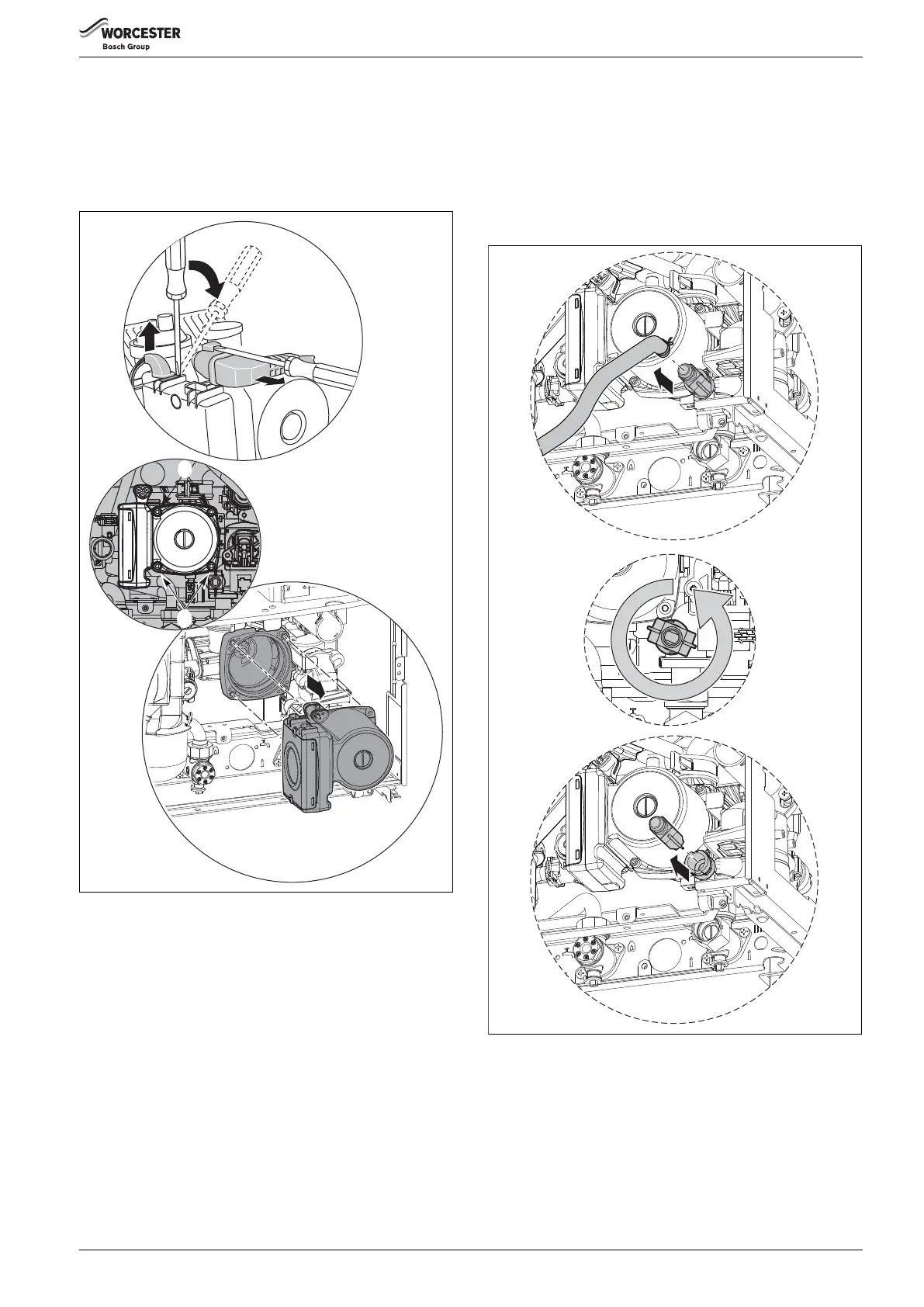
21. PUMP HEAD
▶ Ensure the appliance has been fully drained.
1. Disconnect the electrical connections from the pump following steps:
2. Remove the four Allen bolts (A) securing the pump at each corner.
3. Gently pull the pump towards you and remove.
▶ To refit, follow the above in reverse.
Fig. 91
22.PRESSURE GAUGE
▶ Ensure the appliance has been fully drained.
▶ Withdraw the spring clip from the pressure sensing head housing.
▶ Undo the nut on the rear of the pressure gauge.
▶ Remove the pressure sensing head and pressure gauge capillary from
the housing.
▶ To refit, follow the above in reverse.
DO NOT leave out the washer from the capillary when fitting a
replacement gauge.
25. DRAIN TAP
▶ Ensure the appliance has been fully drained.
1. Withdraw the drain pipe from the drain tap.
To do this, remove retaining spring from the drain pipe.
2. Rotate the drain tap fully anticlockwise.
3. Withdraw the drain tap from its housing.
▶ To refit, follow the above in reverse.
Ensure any seals that have been disturbed are renewed.
Fig. 92 Drain tap removal
3.
1.
2.
6 720 812 175-22.1O
A
A
6 720 812 175-36.1O
2.
3.
1.



 To Next Page