15
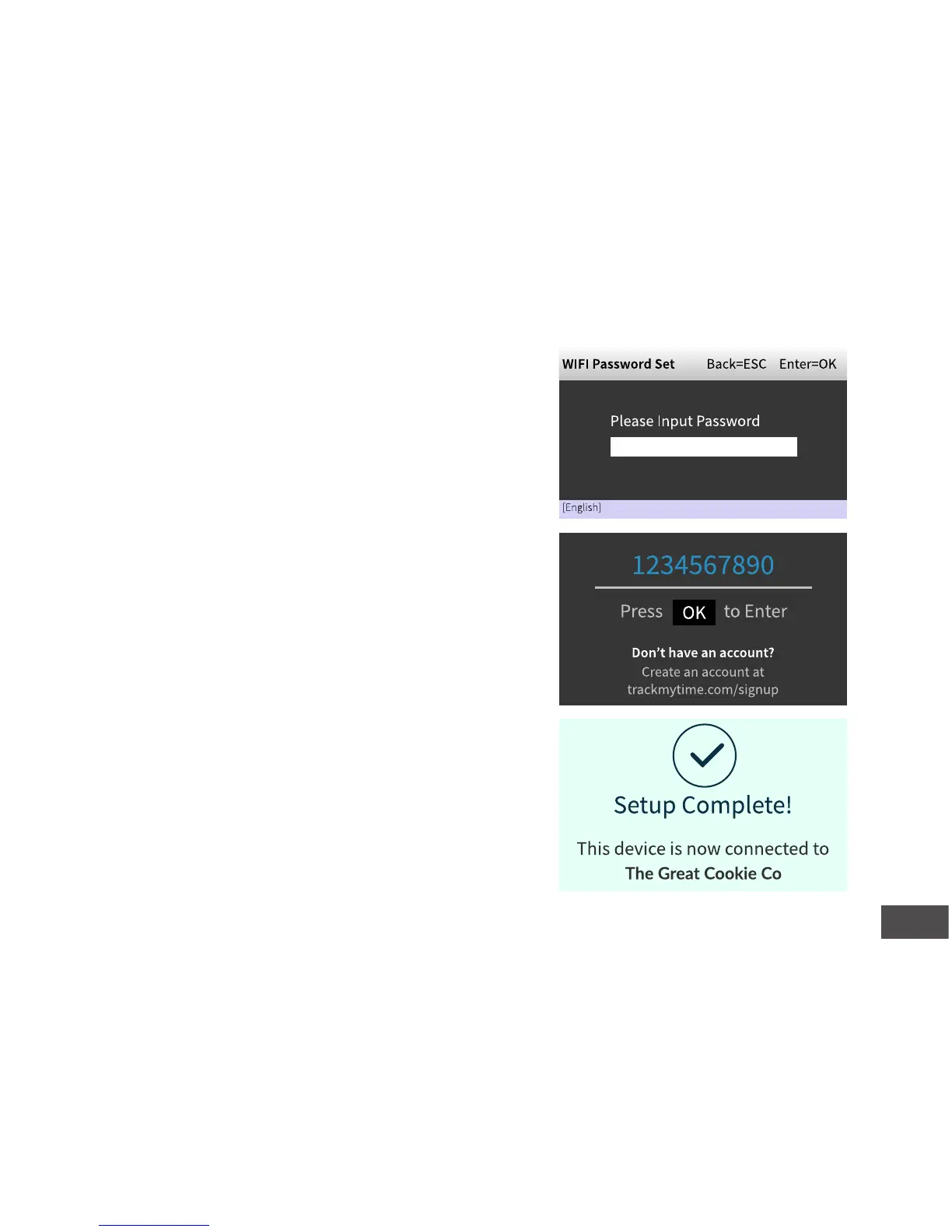
5. Enter your password.
See the character table in the back of the
manual for assistance.
6. Conrm that your password is correct.
7. Enter your Company ID and press OK.
Your Company ID can be found in the upper right
corner of your uAend Web Portal. If you do not
have an account, please set one up as outlined in
step 2.
8. Conrm that your account informaon
is correct.
9. Select a me zone based on the locaon
of the clock.
10. Press OK when setup is complete.


 To Next Page