QUESTIONS? Call 1-888-287-2144 or Email support@canadianme.com
MOUNTING YOUR TIME CLOCK
ONTO YOUR WALL
1. Select a locaon for your me clock near a
power outlet and LAN port (if applicable).
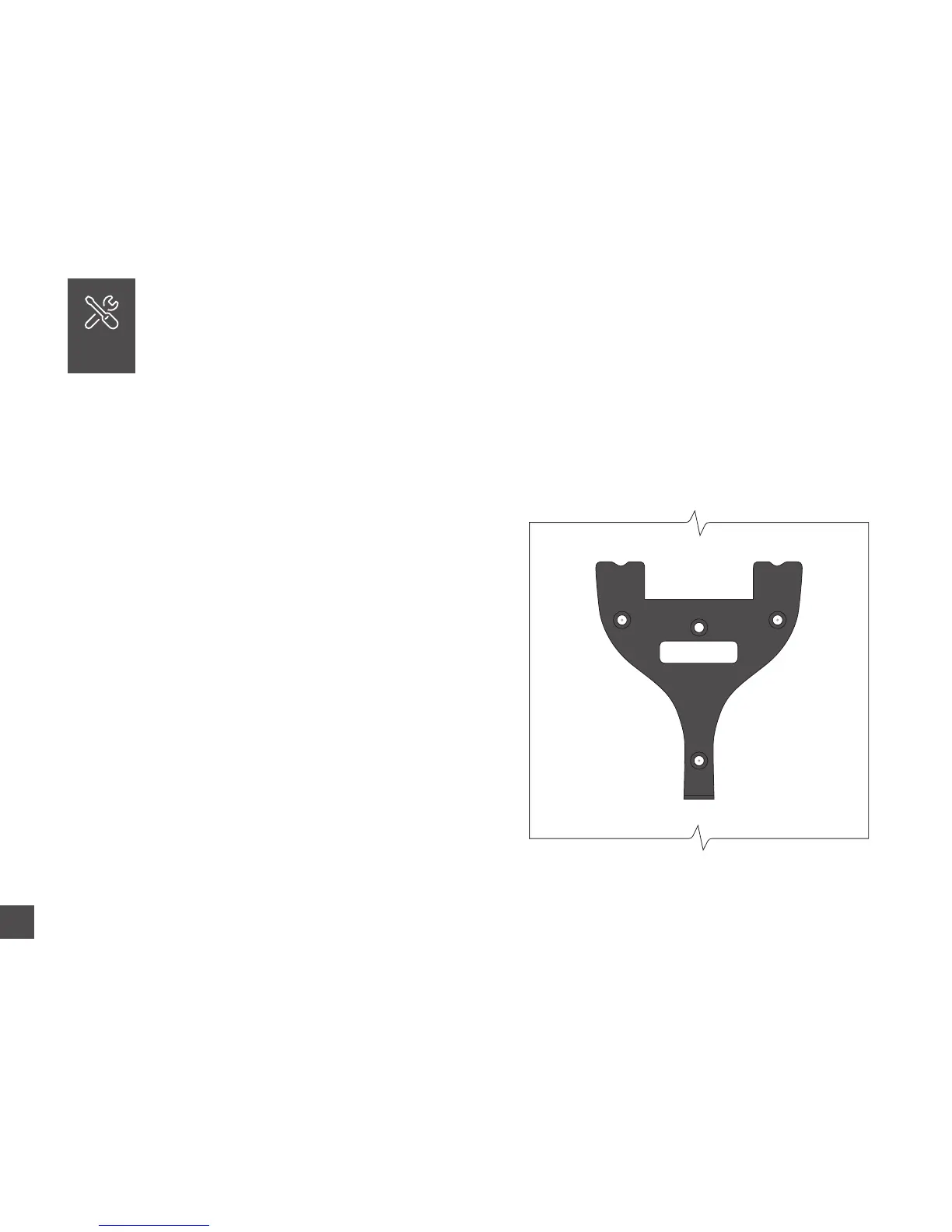
2. Place the metal back plate against the wall
(shown at right). Mark the holes against the wall.
3. Insert drywall anchors into the center of the
wall marks.
4. Align the metal back plate with the holes.
Ensure that the prongs are facing away from the
wall and upward, then secure the back plate to
the wall with the included screw.
WALL MOUNT
Included with your me clock, you will nd a metal back plate, a LAN
cord, a power adapter, four drywall anchors, four screws, and a small
bracket screw. You will need your own Phillips-head screwdriver.
07
Wall
Image not actual size


 To Next Page