EasyManua.ls Logo

Workzone WMW 300-1 - User Manual

Workzone WMW 300-1
48 pages
Print Icon
To Next Page IconTo Next Page
Loading...
ID: #05007
m
y
h
a
n
s
e
c
o
n
t
r
o
l
.
c
o
m
M
A
N
U
A
L
D
E
V
E
L
O
P
E
D
I
N
G
E
R
M
A
N
Y
User-friendly
Manual
User Guide
Manual
del usuario
Translation of the original user manual
Traducción del manual del usuario original
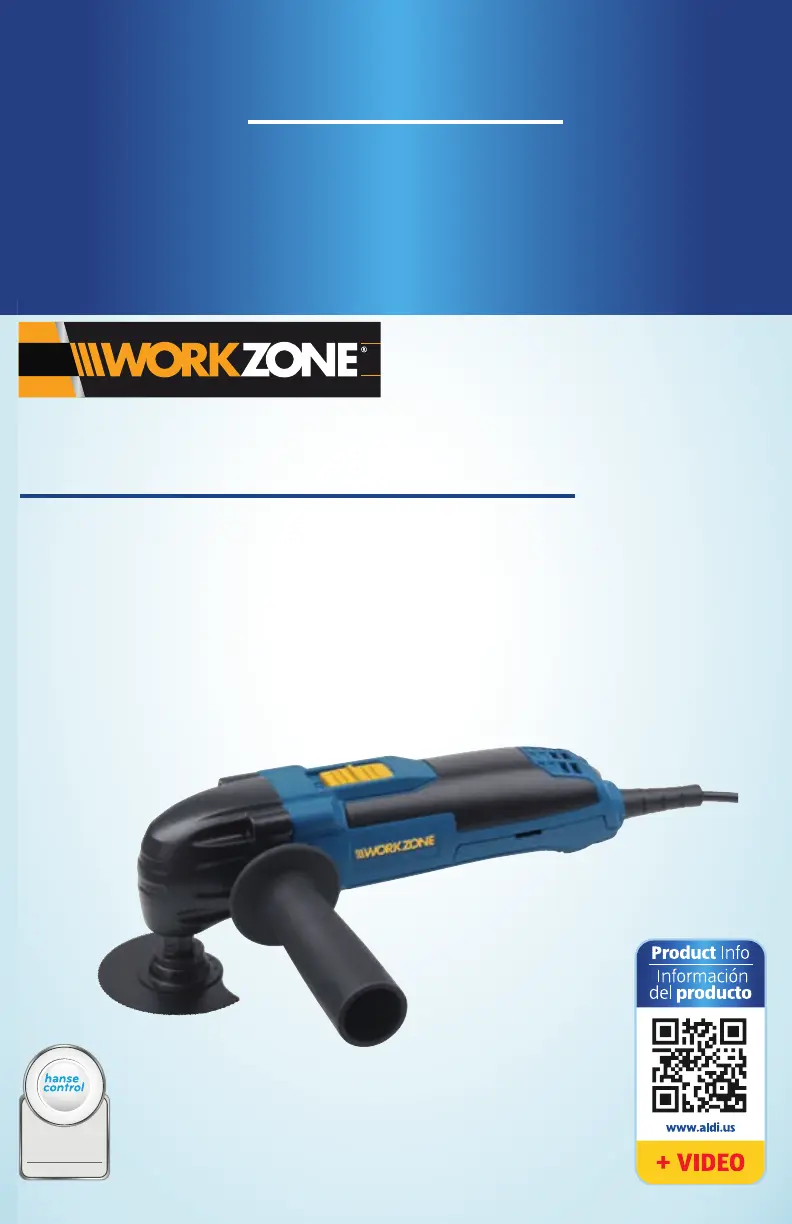
MULTIFUNCTION TOOL
HERRAMIENTA MULTIFUNCIONAL
English ........Page 06
Español .......Página 23
WMW 300-1

Table of Contents

Questions and Answers

  • J
    Julie PerryAug 2, 2025
    What to do if my Workzone WMW 300-1 Power Tool won't switch on?
    • C
      Chelsea JacobsAug 2, 2025
      If your Workzone Power Tool won't switch on, there are several potential causes: * The socket may have no power. Check the socket by connecting another device. * The power plug may not be properly inserted. Ensure the power plug is properly seated. * The power plug might not be connected to a socket. Insert the power plug into a socket. * The On/Off switch could be stuck. Keep the On/Off switch clean.
  • W
    Whitney FergusonAug 9, 2025
    Why is the extractor line/dust extractor loose or keeps falling off my Workzone WMW 300-1 Power Tool?
    • M
      mollybrownAug 9, 2025
      If the extractor line or dust extractor is loose or keeps falling off your Workzone Power Tool, it may not be properly mounted. Use the holding clips to secure the extractor line on the housing of the multifunction tool. Push the dust extractor firmly onto the connecting nozzle of the extractor line and turn it counterclockwise to fix it in place.
  • E
    Erika WilsonAug 18, 2025
    What to do if the tool holder does not move after switching on the Workzone Power Tool?
    • W
      woodardnathanAug 18, 2025
      If the tool holder on your Workzone Power Tool does not move after switching it on, there may be dirt, wood chips, or other objects located in the gap of the tool holder. If necessary, clean the gap of the tool holder with a vacuum cleaner.
  • T
    Tina WatsonAug 26, 2025
    Why can't I increase or decrease the oscillation/speed on my Workzone WMW 300-1?
    • E
      erinstrongAug 26, 2025
      If you cannot increase or decrease the oscillation/speed on your Workzone Power Tool, the speed control may be dirty. If necessary, clean the speed control and the gap with a vacuum cleaner.

Summary

Safety Precautions and Guidelines

Proper Use Guidelines

Guidelines for the correct and intended application of the multifunction tool.

General Safety Notes

Covers essential safety instructions for power tools, workplace, and electrical aspects.

Safety of Persons

Instructions for safe operation, including user condition and protective measures.

Using and Handling the Power Tool

Guidance on operating the tool safely, including avoiding overload and proper maintenance.

Special Safety Measures

Specific safety advice for handling the tool, including vibration and dust precautions.

Getting Your Tool Ready

Using the Multifunction Tool

Tool Care and Maintenance

Troubleshooting and Repairs

Troubleshooting Common Issues

A guide to identifying and resolving common malfunctions with the multifunction tool.

Available Accessories

Warranty and Service Information

Workzone WMW 300-1 Specifications

General IconGeneral
BrandWorkzone
ModelWMW 300-1
CategoryPower Tool
LanguageEnglish

Related product manuals