EasyManua.ls Logo

Workzone WMW 300-2 - User Manual

Workzone WMW 300-2
29 pages
Print Icon
To Next Page IconTo Next Page
Loading...
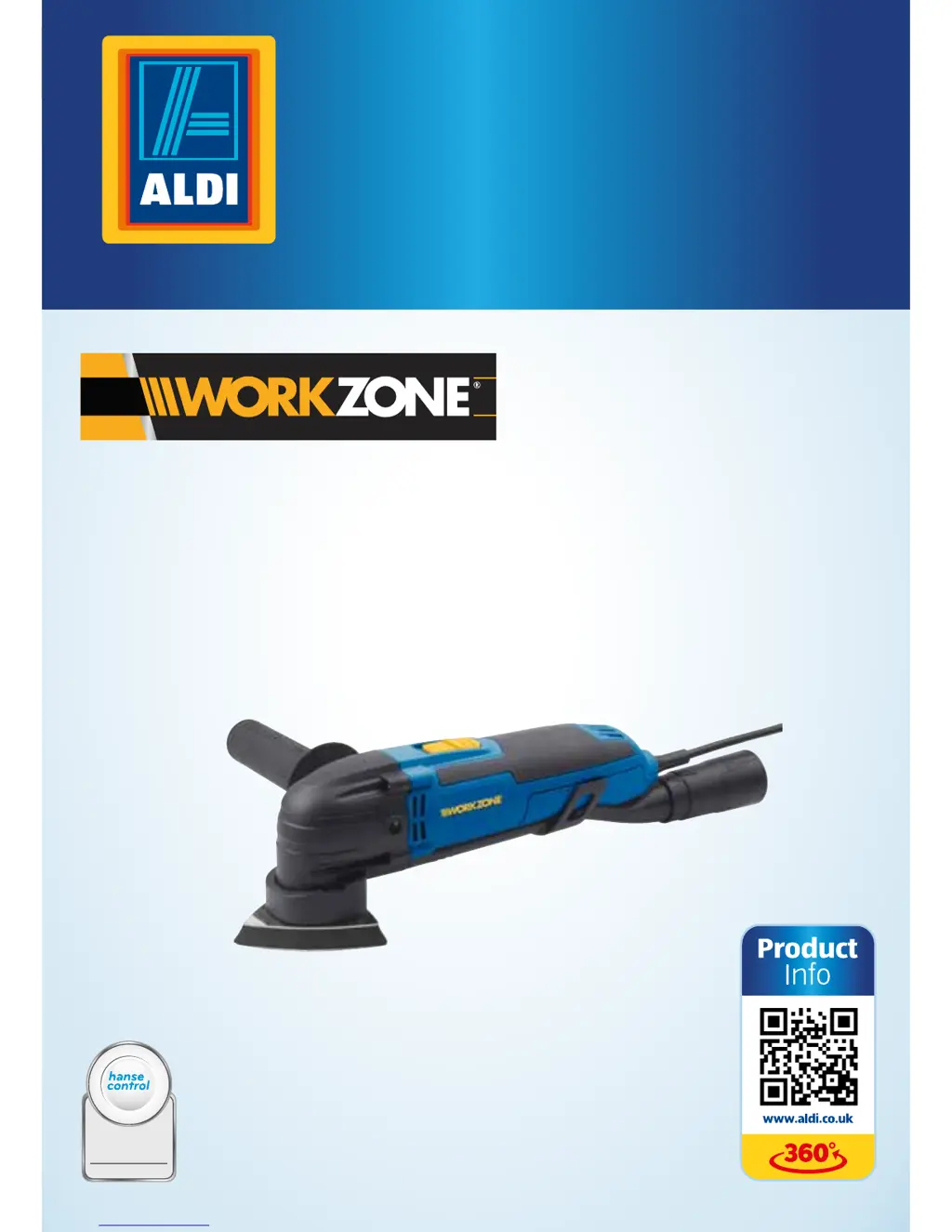
3W MULTIFUNCTION-TOOL
ID: #05007
m
y
h
a
n
s
e
c
o
n
t
r
o
l
.
c
o
m
M
A
N
U
A
L
D
E
V
E
L
O
P
E
D
I
N
G
E
R
M
A
N
Y
User-friendly
Manual
User Manual
Spend a little Live a lot
Translation of the original user manual
WMW 300-

Other manuals for Workzone WMW 300-2

Questions and Answers

  • J
    jeremy31Aug 15, 2025
    What to do if my Workzone WMW 300-2 won't switch on?
    • E
      Eric SmithAug 16, 2025
      If your Workzone Power Tool won't switch on, there are several possible causes: * The socket may not have power. Check the socket by connecting another device. * The mains plug may not be properly inserted. Ensure the mains plug is correctly seated. * The mains plug may not be inserted in the socket. Insert the mains plug in a socket. * The On/Off switch might be stuck. Keep the On/Off switch clean.
  • C
    Cindy DawsonAug 18, 2025
    Why doesn't the tool holder move on my Workzone Power Tool after switching it on?
    • A
      amy48Aug 18, 2025
      If the tool holder on your Workzone Power Tool doesn't move after switching it on, it could be due to: * Dirt, wood chips, or other objects located in the gap of the tool holder. Pull the mains plug out of the socket and clean the gap of the tool holder with a vacuum cleaner if necessary.
  • M
    Michelle ThomasAug 21, 2025
    How to fix oscillation speed control on Workzone Power Tool?
    • R
      Rebecca ClarkAug 22, 2025
      If the oscillation speed on your Workzone Power Tool cannot be increased or decreased, the speed control may be dirty. Clean the speed control and the gap with a vacuum cleaner if necessary.
  • A
    April ButlerAug 25, 2025
    What to do if the dust extraction adapter keeps falling off my Workzone Power Tool?
    • J
      Jessica WrightAug 25, 2025
      If the extractor line or dust extraction adapter keeps falling off your Workzone Power Tool, it may not be properly mounted. Use the holding clips to secure the extractor line on the housing of the multi-function-tool. Push the dust extraction adapter firmly onto the connecting nozzle of the extractor line and turn it counterclockwise to fix it in place.
  • K
    Kimberly ArmstrongAug 27, 2025
    Why can't I mount the handle on my Workzone Power Tool?
    • M
      Mr. David WallaceAug 28, 2025
      You may not be able to mount the handle on your Workzone Power Tool if the inside thread is dirty. Always keep the inside thread clean.
  • P
    Patrick MurrayAug 31, 2025
    What to do if Workzone Power Tool won't switch on?
    • J
      Justin StricklandAug 31, 2025
      If your Workzone Power Tool won't switch on, there are several potential causes: * **No power at the socket:** Verify the socket is working by plugging in another device. * **Power plug not properly inserted:** Ensure the power plug is fully and correctly inserted into the socket. * **Power plug not connected:** Make sure the power plug is connected to a power socket. * **On/Off switch stuck:** Clean the On/Off switch as described in the “Cleaning and maintenance” chapter. * **Defective power plug/On/Off switch:** Contact the manufacturer's customer service team.
  • E
    Ernest CoffeySep 3, 2025
    Why is the extractor line of my Workzone Power Tool loose?
    • C
      Calvin WuSep 3, 2025
      If the extractor line or dust extractor of your Workzone Power Tool is loose or keeps falling off, it's likely not mounted correctly. To fix this: * Use the holding clips to secure the extractor line to the housing of the multifunction tool. * Firmly push the dust extractor onto the connecting nozzle of the extractor line and turn it counterclockwise to fix it in place.
  • J
    Joshua FreySep 5, 2025
    What to do if the tool holder of my Workzone Power Tool does not move?
    • B
      Bailey WagnerSep 5, 2025
      If the tool holder on your Workzone Power Tool doesn't move after switching it on, it could be due to: * **Obstructions in the tool holder gap:** Dirt, wood chips, or other objects may be present. If necessary, remove the power plug from the socket and clean the gap with a vacuum cleaner. * **Defective multifunction tool:** Contact the manufacturer's customer service team.
  • M
    Michelle GloverSep 8, 2025
    How to fix the handle if it cannot be mounted on Workzone Power Tool?
    • S
      Steven MoralesSep 8, 2025
      If the handle of your Workzone Power Tool cannot be mounted, it could be due to: * **Dirty inside thread:** Always keep the inside thread clean as described in the chapter “Cleaning and maintenance”. * **Bent/damaged parts:** If the washer, Allen head screw, Allen wrench, or the multifunction tool is bent or damaged, contact the manufacturer's customer service team to have the defective part replaced.
  • R
    Richard HansonSep 12, 2025
    Why can't I adjust the speed on my Workzone Power Tool?
    • G
      Gary SmithSep 12, 2025
      If you cannot increase or decrease the oscillation/speed on your Workzone Power Tool, the speed control may be dirty. If necessary, clean the speed control and the gap with a vacuum cleaner.

Summary

Safety Precautions

Intended Use and Prohibited Applications

Details intended use and prohibited applications of the multifunction-tool.

Electrical Safety Guidelines

Covers crucial safety measures for electrical components and connections.

Personal Safety Measures

Emphasizes user alertness, protective equipment, and safe operating practices.

Tool-Specific Operational Safety

Product Preparation and Setup

Attaching Tool Accessories

Detailed instructions for safely attaching various tool accessories.

Using the Multifunction-Tool

Starting the Tool

Step-by-step guide to powering on and operating the multifunction-tool.

Cleaning and Maintenance

Repairs and Troubleshooting

Troubleshooting Common Issues

Guides users through common problems and provides solutions.

Product Technical Specifications

Noise and Vibration Data

Workzone WMW 300-2 Specifications

General IconGeneral
BrandWorkzone
ModelWMW 300-2
CategoryPower Tool
LanguageEnglish

Related product manuals