EasyManua.ls Logo

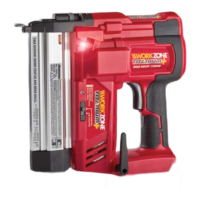
Workzone Titanium DBAF50/40 - User Manual

Workzone Titanium DBAF50/40
18 pages
Print Icon
To Next Page IconTo Next Page
Loading...
Xfinity Li-ION 20V cordless
BRAD NAILER / STAPLER
Instruction Manual
MODEL NUMBER DBAF50/40
*BATTERY
NOT INCLUDED
Version number: 12/2018
IMPORTANT:
Read carefully before use
Keep for future reference
YEAR WARRANTY
AUS
AFTER SALES SUPPORT
help@powertoolsupport.com
1800 909 909
CONTENTS
• 1 x Brad Nailer/Stapler
• 1 x Belt Hook
• 200 x 32mm Staples
• 200 x 40mm Nails
• 1 x 3mm Hex Key
• 1 x Instruction Manual
• 1 x Warranty Card
MODEL: DBAF50/40 PRODUCT CODE: 61420 07/2018
AUS
Original Instructions
Year of manufacturing: 2018
Question and Answer IconNeed help?

Do you have a question about the Workzone Titanium DBAF50/40 and is the answer not in the manual?

Summary

Application

Intended Use

Specifies the tool's intended applications, excluding battery and charger.

Package Content List

Parts Description

Description of Symbols

General Power Tool Safety Warnings

Work Area Safety

Guidelines for maintaining a safe and well-lit work environment to prevent accidents.

Electrical Safety

Precautions to avoid electric shock when using power tools.

Personal Safety

Use Personal Protective Equipment

Always wear eye protection and other safety gear to minimize injury risk.

Prevent Unintentional Starting

Ensure the switch is off before connecting power or battery to avoid accidental starts.

Dress Properly

Avoid loose clothing, jewelry, and keep hair away from moving parts to prevent entanglement.

Power Tool Use and Care

Do Not Force the Power Tool

Use the correct tool for the application for better performance and safety.

Maintain Power Tools

Check for damage and misalignment; repair before use to prevent accidents.

Battery Tool Use and Care

Recharge Only With Specified Charger

Use manufacturer-specified chargers to prevent fire risks.

Use Only With Designated Battery Packs

Use only specified battery packs to avoid injury and fire hazards.

Service

Safety Notes for Battery;Charger

Safety Rules for Nailers;Staplers

Operation Safety Guidelines

Eye Protection

Wear eye protection conforming to ANSI specifications to guard against flying particles.

Hearing Protection

Use hearing protection during extended operation to prevent hearing damage.

Battery Tool Safety

Be aware of hazards when not using battery tools or changing accessories.

Safe Operating Practices

Respect and Careful Handling

Treat the tool as a working implement, avoid horseplay, and handle with care.

Trigger and Workpiece Contact Usage

Only pull trigger when nose is directed; ensure workpiece contact is fully positioned.

Keeping Clear of Moving Parts

Keep hands, body, and face away from moving parts and tool openings.

Important Information - Product Care

Assembly

Fitting and Removing Battery

Instructions for installing and removing the battery from the tool and charger.

Preparation

Loading Nails and Staples

Step-by-step guide for loading nails and staples into the tool's magazine.

Loading Staples

Instructions for correctly loading staple cartridges into the magazine.

Loading Nails

Depth Adjustment Wheel

Setting Depth

Guide to using the depth adjustment wheel for desired fastener depth.

Operation - LED Indicator

Checking LED Battery and Function Indicator

Explains the meaning of LED indicator lights for battery status and tool function.

Setting Firing Function

Single Firing

Procedure for setting and using the single shot firing mode for precise placement.

Contact Firing

Using LED Worklights

Removing Jammed Nails;Staples

Overload Protection

Maintenance

Magazine Maintenance

Steps for cleaning and maintaining the tool's magazine.

Cleaning

General cleaning instructions for the tool's plastic parts.

Transport

Recommendations for safely transporting the nailer/stapler.

Battery Maintenance

Guidelines for maintaining battery capacity and lifespan.

Warranty

Environmental Protection

What Your 5-Year Warranty Means

Service Support

Accessories and After Sales Parts

Various Staple Size Cartridges

Information on purchasing different sizes of staple cartridges.

Various Nail Size Cartridges

Information on purchasing different sizes of nail cartridges.

FAQ;Troubleshooting

Technical Specifications

Warranty Details

Repair and Refurbished Goods or Parts Notice

Summary

Application

Intended Use

Specifies the tool's intended applications, excluding battery and charger.

Package Content List

Parts Description

Description of Symbols

General Power Tool Safety Warnings

Work Area Safety

Guidelines for maintaining a safe and well-lit work environment to prevent accidents.

Electrical Safety

Precautions to avoid electric shock when using power tools.

Personal Safety

Use Personal Protective Equipment

Always wear eye protection and other safety gear to minimize injury risk.

Prevent Unintentional Starting

Ensure the switch is off before connecting power or battery to avoid accidental starts.

Dress Properly

Avoid loose clothing, jewelry, and keep hair away from moving parts to prevent entanglement.

Power Tool Use and Care

Do Not Force the Power Tool

Use the correct tool for the application for better performance and safety.

Maintain Power Tools

Check for damage and misalignment; repair before use to prevent accidents.

Battery Tool Use and Care

Recharge Only With Specified Charger

Use manufacturer-specified chargers to prevent fire risks.

Use Only With Designated Battery Packs

Use only specified battery packs to avoid injury and fire hazards.

Service

Safety Notes for Battery;Charger

Safety Rules for Nailers;Staplers

Operation Safety Guidelines

Eye Protection

Wear eye protection conforming to ANSI specifications to guard against flying particles.

Hearing Protection

Use hearing protection during extended operation to prevent hearing damage.

Battery Tool Safety

Be aware of hazards when not using battery tools or changing accessories.

Safe Operating Practices

Respect and Careful Handling

Treat the tool as a working implement, avoid horseplay, and handle with care.

Trigger and Workpiece Contact Usage

Only pull trigger when nose is directed; ensure workpiece contact is fully positioned.

Keeping Clear of Moving Parts

Keep hands, body, and face away from moving parts and tool openings.

Important Information - Product Care

Assembly

Fitting and Removing Battery

Instructions for installing and removing the battery from the tool and charger.

Preparation

Loading Nails and Staples

Step-by-step guide for loading nails and staples into the tool's magazine.

Loading Staples

Instructions for correctly loading staple cartridges into the magazine.

Loading Nails

Depth Adjustment Wheel

Setting Depth

Guide to using the depth adjustment wheel for desired fastener depth.

Operation - LED Indicator

Checking LED Battery and Function Indicator

Explains the meaning of LED indicator lights for battery status and tool function.

Setting Firing Function

Single Firing

Procedure for setting and using the single shot firing mode for precise placement.

Contact Firing

Using LED Worklights

Removing Jammed Nails;Staples

Overload Protection

Maintenance

Magazine Maintenance

Steps for cleaning and maintaining the tool's magazine.

Cleaning

General cleaning instructions for the tool's plastic parts.

Transport

Recommendations for safely transporting the nailer/stapler.

Battery Maintenance

Guidelines for maintaining battery capacity and lifespan.

Warranty

Environmental Protection

What Your 5-Year Warranty Means

Service Support

Accessories and After Sales Parts

Various Staple Size Cartridges

Information on purchasing different sizes of staple cartridges.

Various Nail Size Cartridges

Information on purchasing different sizes of nail cartridges.

FAQ;Troubleshooting

Technical Specifications

Warranty Details

Repair and Refurbished Goods or Parts Notice

Workzone Titanium DBAF50/40 Specifications

General IconGeneral
BrandWorkzone
ModelTitanium DBAF50/40
CategoryPower Tool
LanguageEnglish

Related product manuals