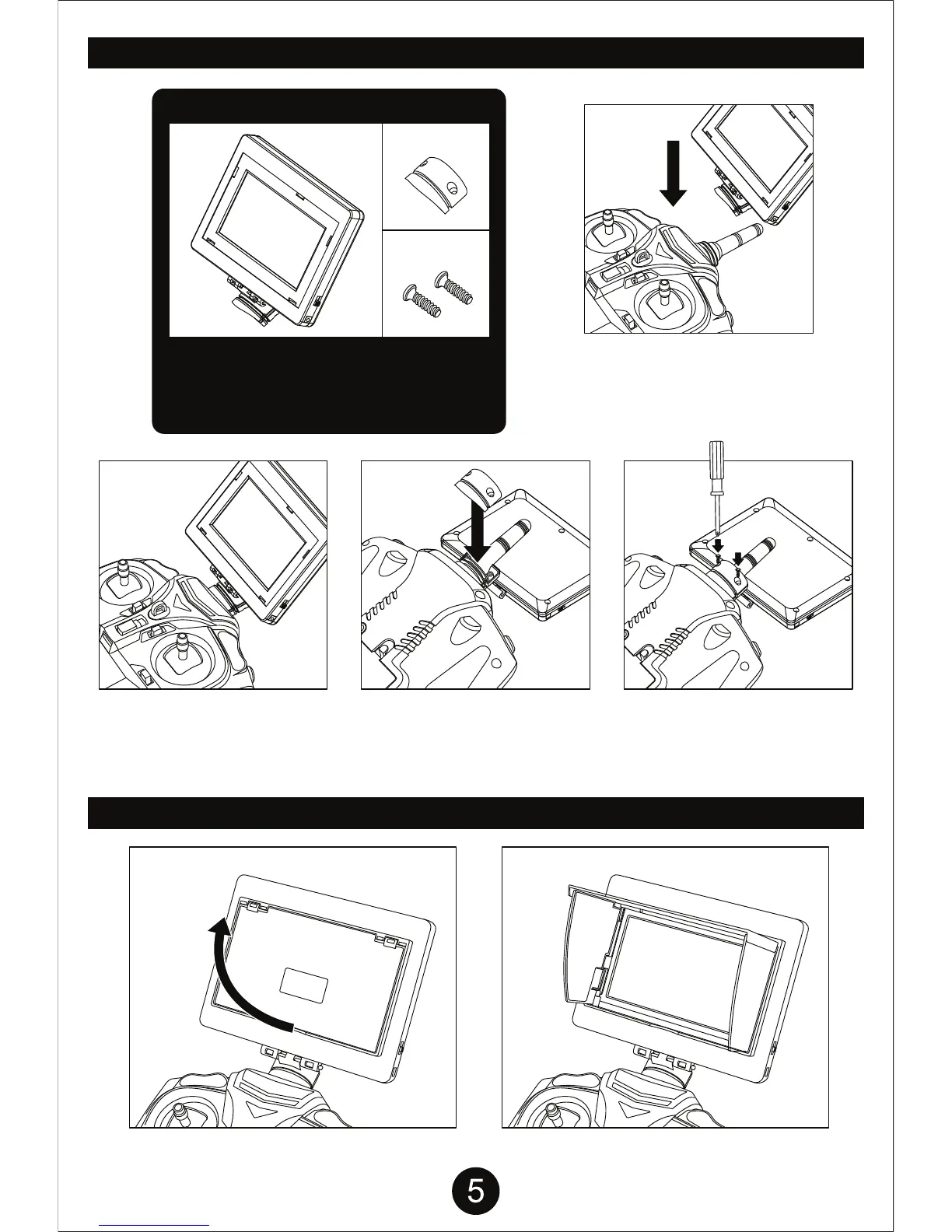
INSTALLING THE LIVE FEED SCREEN
LIVE FEED SCREEN SUN SHADE
Live Feed Screen Parts
Take the Live Feed Screen
Part A and slide it onto the
antenna from the front of the
transmitter as shown above.
Flip the Transmitter over and
slide the Live Feed Screen
Part B onto the opposite side
of the Part A as shown above.
Take the 2 screws and firmly
screw Part B into Part A.
A B
SCREWS
Follow the steps below to install the live
feed screen onto the transmitter. Ensure
that screen is secure to avoid damage to
your screen or transmitter.


 To Next Page