EasyManua.ls Logo

WORLD TECH ELITE MINI ORION - User Manual

WORLD TECH ELITE MINI ORION
16 pages
Print Icon
To Next Page IconTo Next Page
Loading...
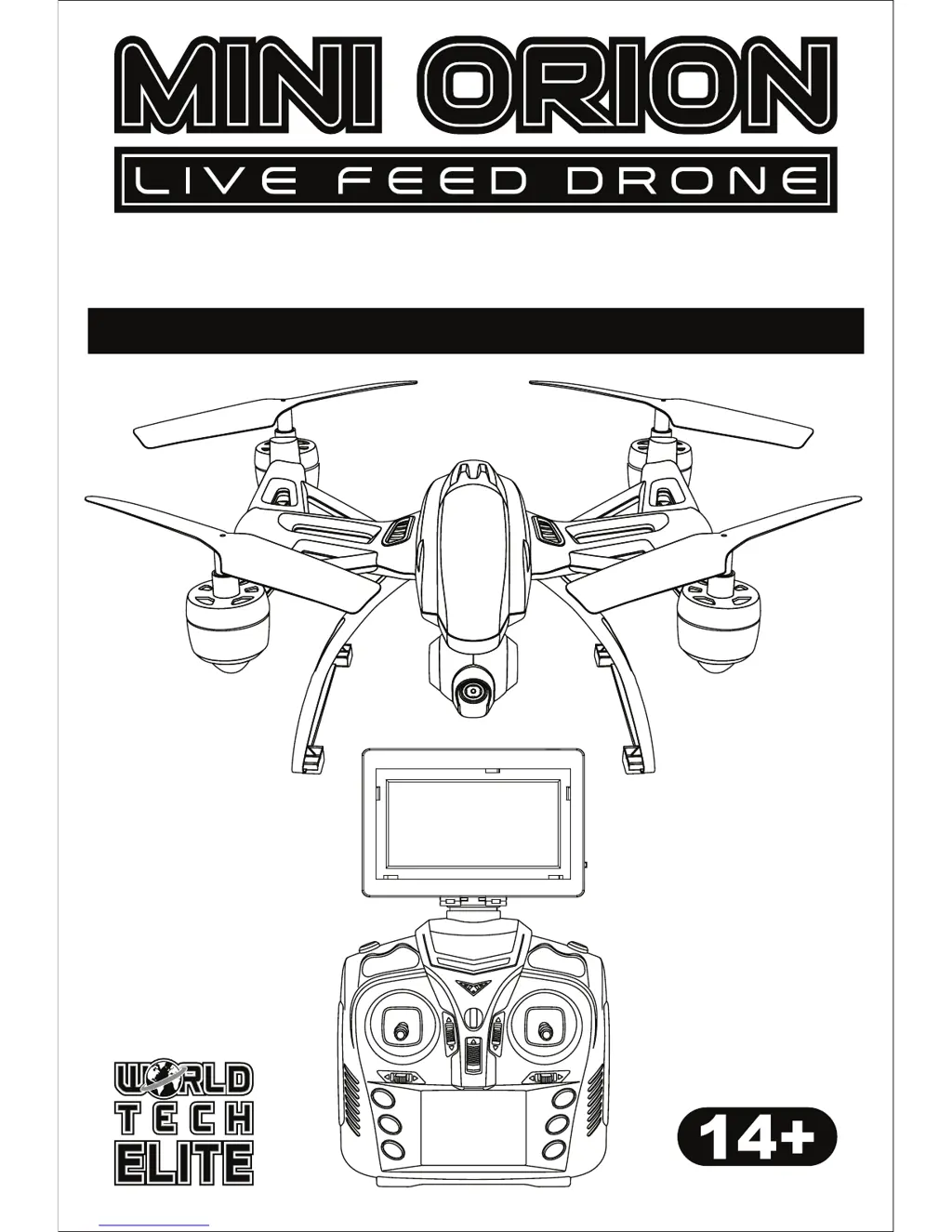
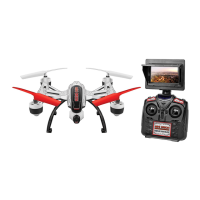
LIVE FEED PICTURE / VIDEO CAMERA
2.4GHz 4.5CH RC DRONE
INSTRUCTION MANUAL

Questions and Answers

  • E
    eddie14Aug 13, 2025
    What to do if my WORLD TECH ELITE Drone is unresponsive?
    • S
      schwartzdavidAug 13, 2025
      If your WORLD TECH ELITE Drone is unresponsive, there might be a few reasons. First, ensure that both the transmitter and the drone are powered ON. Second, check the transmitter batteries; they might be installed incorrectly, so ensure they have the correct polarity. Finally, the transmitter batteries might be drained, so try installing fresh batteries.
  • A
    Ashley BarnesAug 17, 2025
    Why WORLD TECH ELITE Drone’s rotors spins but doesn’t take off?
    • D
      Danny SullivanAug 17, 2025
      If the rotors of your WORLD TECH ELITE Drone are spinning but it's not taking off, consider these possibilities: the rotor blades might be damaged, so try replacing them. Also, the drone’s battery pack might be drained, so try charging it. Finally, the drone might not be on a flat surface, so place it on a flat surface before attempting to take off.
  • M
    Meredith KaiserAug 21, 2025
    What to do if WORLD TECH ELITE Drone is unresponsive and the Transmitter light keeps flashing?
    • M
      Michaela HallAug 21, 2025
      If your WORLD TECH ELITE Drone is unresponsive and the transmitter light keeps flashing, it means that the transmitter is not syncing with the drone. To fix this, go through the syncing process.
  • B
    Brian WelchAug 25, 2025
    What to do if my WORLD TECH ELITE Drone is shaking when flying?
    • H
      hgreeneAug 25, 2025
      If your WORLD TECH ELITE Drone is shaking during flight, it's likely that the rotor blades are damaged. Replace the damaged rotor blades to resolve this issue.
  • S
    smithlauraAug 28, 2025
    What to do if Transmitter light is ON, but WORLD TECH ELITE Drone is unresponsive?
    • C
      Clinton DennisAug 28, 2025
      If the transmitter light is ON but your WORLD TECH ELITE Drone remains unresponsive, the drone’s battery pack is likely drained. Charge the drone’s battery pack to solve this.
  • A
    Allen RhodesSep 1, 2025
    How to fix if WORLD TECH ELITE Drone moves while hovering without transmitter input?
    • B
      Bryan BennettSep 1, 2025
      If your WORLD TECH ELITE Drone moves while hovering without any input from the transmitter, the trim likely needs adjustment. Adjust the trim to correct this.
  • S
    Seth OconnorSep 4, 2025
    How to resolve if WORLD TECH ELITE Drone still moves forward after adjusting the trim?
    • C
      cynthia01Sep 5, 2025
      If your WORLD TECH ELITE Drone continues to move forward even after adjusting the trim, the gyroscope midpoint might be off. Turn off both the transmitter and the drone. Then, power them back on, ensuring you place the drone on a flat surface before taking off.
  • R
    Rhonda MunozSep 8, 2025
    How to start the rotors on WORLD TECH ELITE Drones?
    • M
      Matthew LyonsSep 8, 2025
      If your WORLD TECH ELITE Drone is synced to the remote but the rotors aren’t spinning, you likely haven’t “started” the drone. Press the AUTOPILOT button once to start the rotors.

Summary

Safety and Precautions

General Safety Guidelines

Covers product nature, operator suitability, legal flying, and responsibility.

Operational Safety

Advises on safe flying distances, weather conditions, and avoiding hazards.

Pre-Flight Preparations

Ensures correct battery charge, low throttle, and secure connections before flight.

Component Diagrams

Drone Diagram

Illustrates and labels the main parts of the Mini Orion drone.

Transmitter Diagram

Identifies and labels the controls and features of the remote transmitter.

Battery and Screen Setup

Transmitter Battery Installation

Steps for installing AA batteries into the transmitter with polarity caution.

Drone Battery Installation

Procedure for connecting and inserting the drone's battery pack.

Drone Battery Charging

Instructions for charging the drone battery, including safety warnings.

Live Feed Screen Installation

Guide to attaching the live feed screen securely onto the transmitter.

Live Feed Screen Charging

Procedure for charging the live feed screen battery, including charging time.

Drone Preparation and Flight

Rotor Guard Installation

Instructions for installing the four protective rotor guards onto the drone.

Memory Card Installation

Guide for inserting the memory card into the drone for photo/video storage.

Pre-Flight Syncing

Steps to connect and sync the drone with the remote control.

Basic Flight Controls

Explanation of essential controls for drone movement and altitude.

Special Flight Actions

Details on speed control, flip stunts, return assist, and easy mode.

Maintenance and Troubleshooting

Adjusting Drone Trim

Procedure for stabilizing drone hover by adjusting trim controls.

Rotor Replacement

Instructions for safely replacing damaged drone rotors.

Post Flight Procedures

Steps to take after flying, including battery disconnection and storage.

Troubleshooting Common Issues

Solutions for problems like unresponsive rotors, connectivity, or flight instability.

WORLD TECH ELITE MINI ORION Specifications

General IconGeneral
BrandWORLD TECH ELITE
ModelMINI ORION
CategoryDrones
LanguageEnglish

Related product manuals