Turn 3G to LAN:
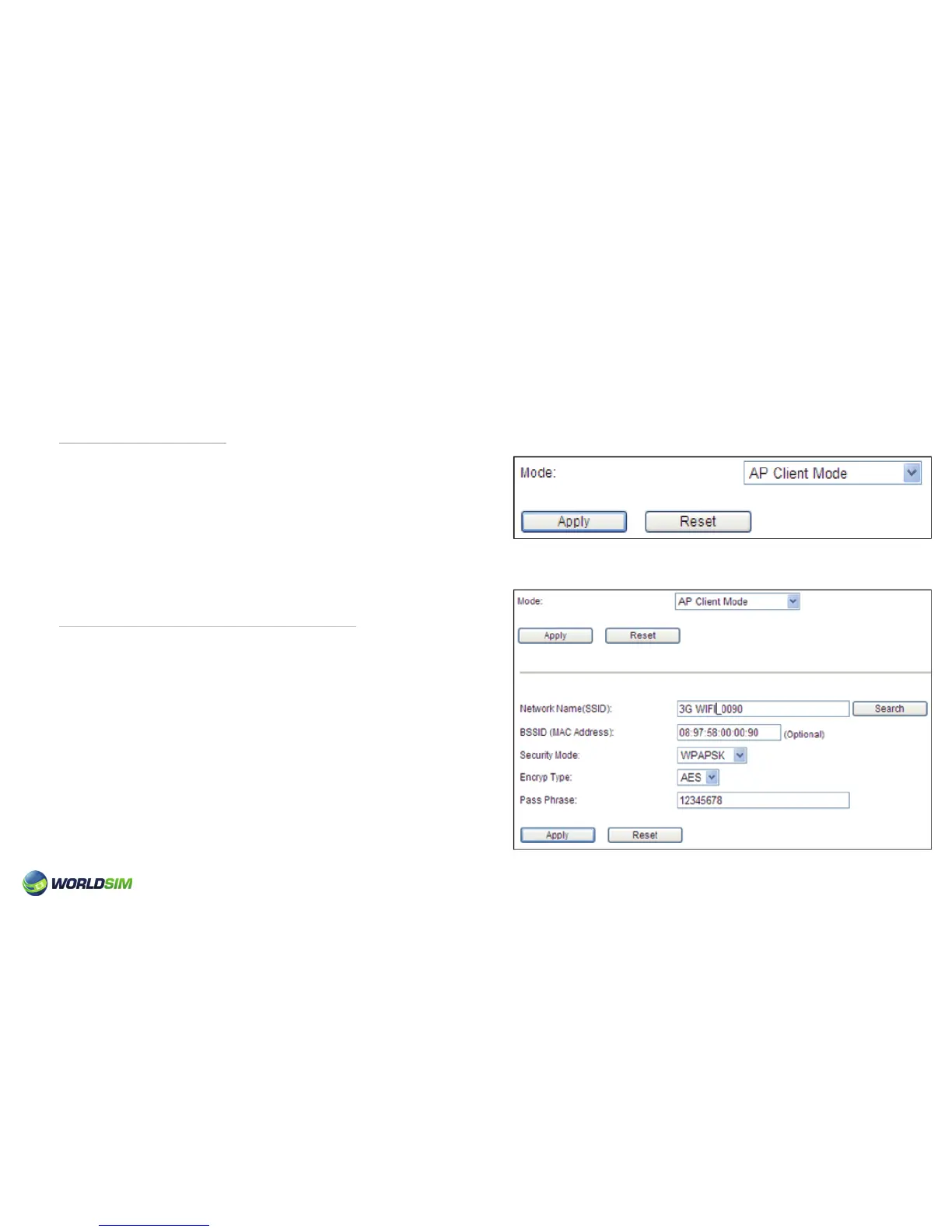
Turn Wireless Network to WiFi:
1. Choose Advanced => Route => SYS MODE.
2. Select the AP client mode.
3. Click ‘Apply’.
4. Connect the Tri-Fi and computer using a network cable.
5. Switch to the state of 3G.
Please note: If in the state of LAN and you still can’t access the Internet, please select the correct Connection Type
according to the actual requirement.
1. Choose Advanced => Route => SYS MODE.
2. Select the AP client mode.
3. Click ‘Apply’.
4. Search the AP and enter the Password.
5. Click ‘Apply’.
Please note: The Tri-Fi can act as a wireless repeater. To turn
wireless network to WiFi, please ensure that the state has
switched to the LAN and without the network cable before
setting.
09


 To Next Page