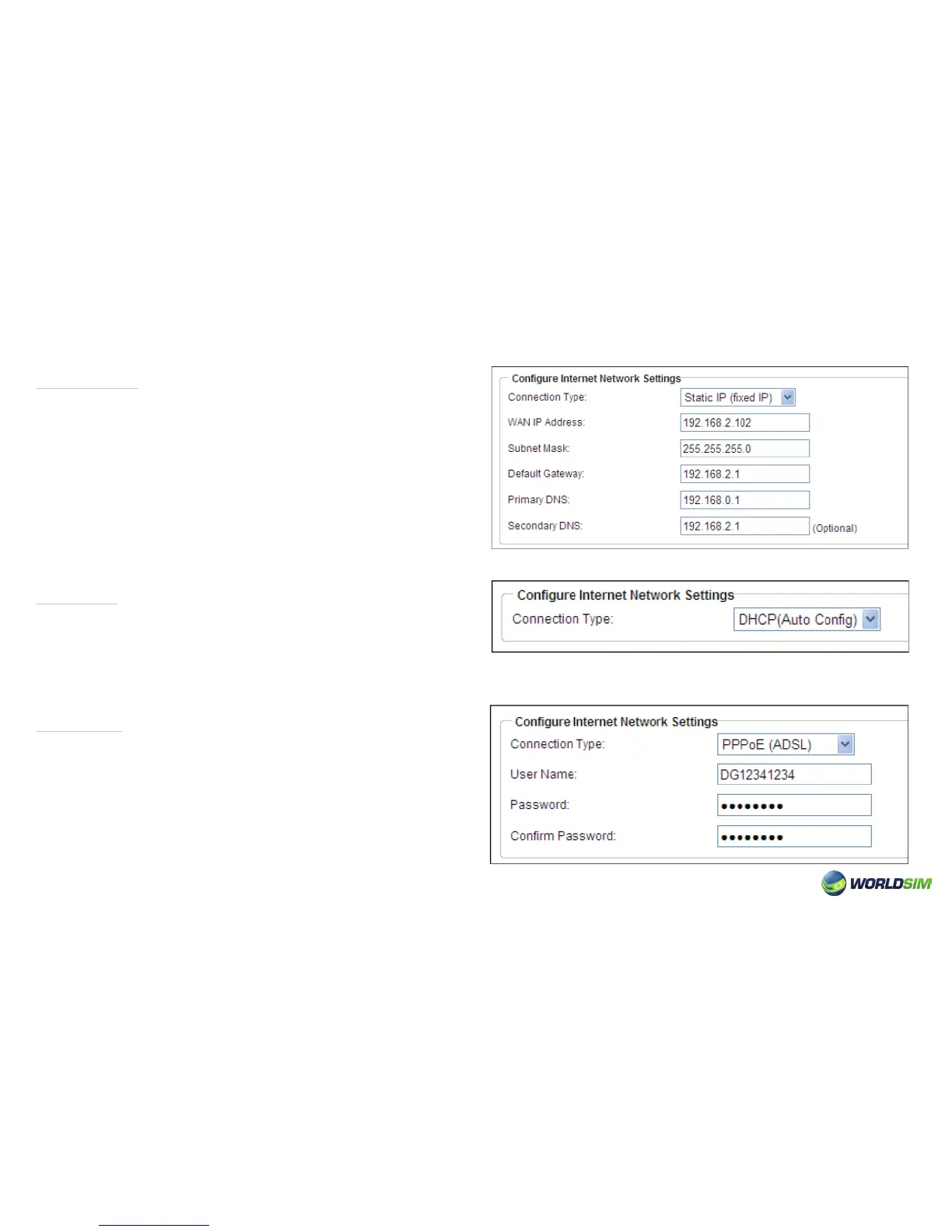
Static IP:
DHCP:
PPPoE:
1. Choose Basic => Wizard.
2. Select Static IP as Connection Type.
3. Enter IP, Subnet Mask and Default Gateway.
4. Click ‘Apply’.
Please note: Static IP, DHCP, PPPoE should ensure that the
state has switched to LAN and the system mode must be in
gateway mode.
1. Choose Basic =>WAN.
2. Select DHCP as Connection type.
3. Click ‘Apply’.
1. Choose Basic => Wizard.
2. Select PPPoE as Connection Type.
3. Enter User Name and Password.
4. Click ‘Apply’.
08


 To Next Page