Turn 3G to WiFi:
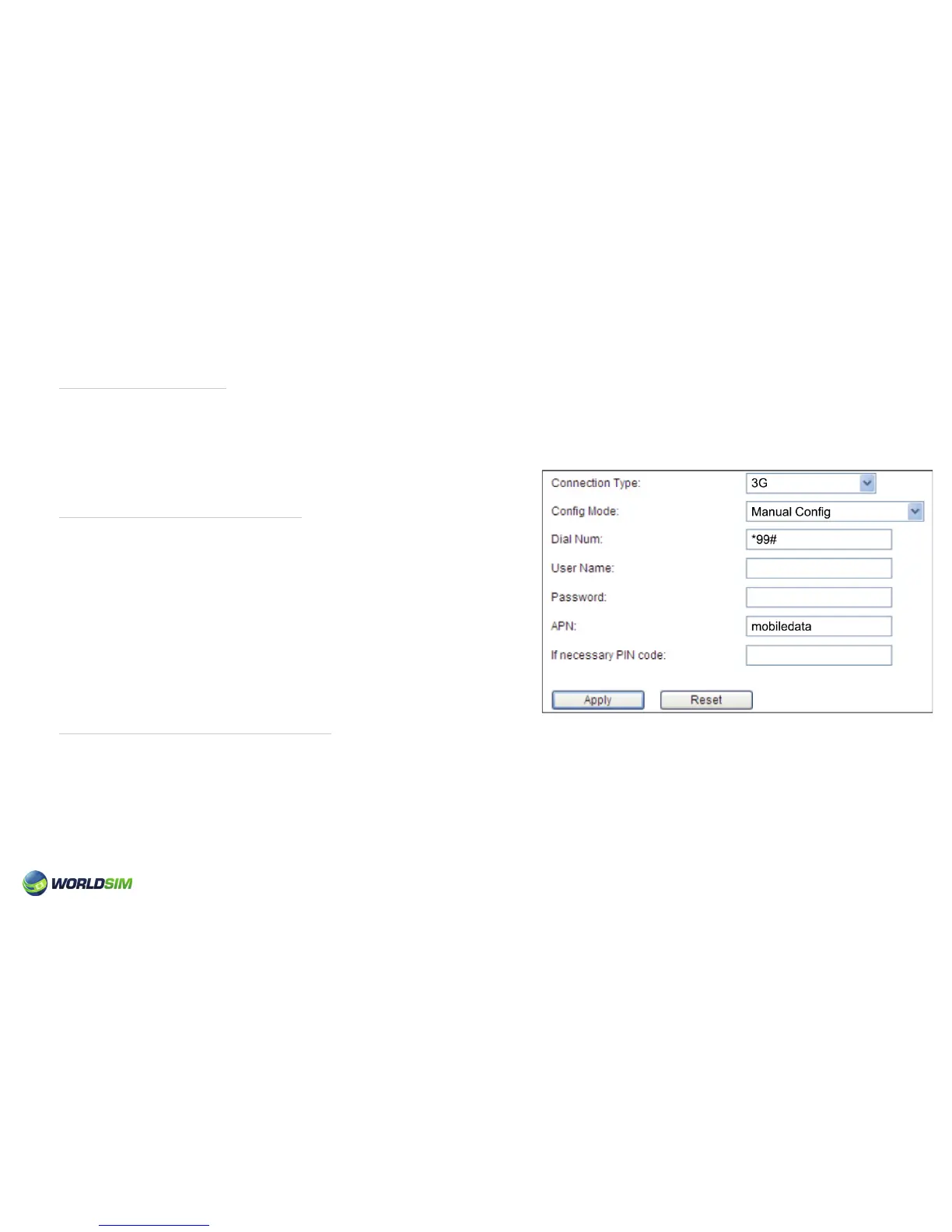
Manually congure APN:
Turn Wired Network to WiFi:
1. Insert SIM card.
2. Turn on the Tri-Fi.
3. Switch to the state of 3G.
1. Choose Basic =>WAN.
2. Select 3G as Connection Type.
3. Select Conguration as Manual Cong.
4. Enter Dial Number and APN (APN settings may vary).
5. Click ‘Apply’.
Please note: WorldSIM APN settings are preinstalled.
1. Turn on the Tri-Fi.
2. Insert the network cable (automatically switches to LAN).
When the data indicator light is blue, you can access the internet. Connection procedure above.
07


 To Next Page