Need help?
Do you have a question about the Wouxun KG-UV2D and is the answer not in the manual?
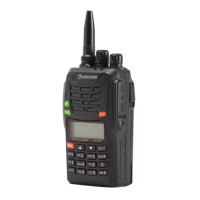
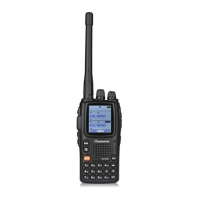
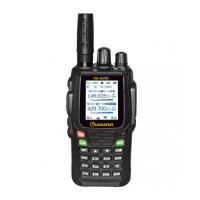
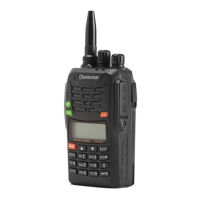
Provides the title and basic identification of the Wouxun KG-UVD1P, KG-UV2D, and KG-UV3D transceivers.
Explains how to navigate between VFO, Channel, and other radio modes.
Details how to enter, navigate, and select items within the radio's menu system.
Guides users on manually programming new repeater frequencies, including offset and CTCSS tones.
Discusses limitations and methods for editing channel data in Channel Mode.
Explains how to choose display options (channel number, frequency, or name) in Channel Mode.
Details programming non-standard offsets and cross-band settings for repeaters.
Describes the number of available memory channels and how to check unused ones.
Explains how to access Dealer Mode for changing locked parameters without software.
Explains the dual receive feature and how to switch to single frequency mode.
Covers basic scanning operations, including setting scan type and direction.
Details scanning for CTCSS/DCS tones on repeater input frequencies.
Mentions priority and skipped scans, noting they require software.
Explains how to monitor the reverse frequency of a repeater channel.
Describes how to open the squelch to listen for weak signals.
Explains how to use DTMF tones for accessing repeater links and other functions.
Explains how to toggle the keypad lock function on/off.
Details how to reset the transceiver to factory settings.
Describes default and programmable functions of Side Key 1.
Explains how FM Radio Mode is toggled and its behavior with master frequency.
Explains how to generate the 1750Hz burst tone for repeater access.
Mentions the SOS function but states it's not for amateur radio use.
Details flashlight and monitor functions of Side Key 2.
Guides on adjusting the squelch level to filter interference.
Explains how to enable or disable transmission start/end beeps.
Details setting the VOX (voice-activated transmit) level.
Covers selecting between WIDE (25KHz) and NARROW (12.5KHz) FM bandwidth.
Explains setting the power-on message, noting software dependency.
Describes enabling busy channel lockout to prevent transmitting on an occupied frequency.
Guides on enabling and setting receive CTCSS tones for selective squelch opening.
Explains enabling and setting receive DCS codes, noting it's rarely used.
Details enabling and setting transmit DCS codes, noting it's rarely used.
Explains how to enable and use the stopwatch function.
 General
| Brand | Wouxun |
|---|---|
| Model | KG-UV2D |
| Category | Transceiver |
| Language | English |


 To Next Page