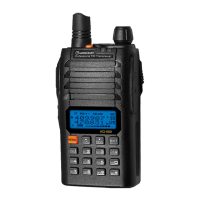
Need help?
Do you have a question about the Wouxun KG-UV9D and is the answer not in the manual?
Details compliance with national and international RF exposure standards.
Guidelines for optimal performance and compliance with RF exposure limits.
Specific cautions and compliance information regarding FCC rules.
Step-by-step instructions for installing and removing the battery pack.
Overview of the transceiver's key features and capabilities.
Process for cloning transceiver parameters using a wireclone cable.
Instructions for using the charger and its indicators.
Sets the time for activating the LCD screen backlight.
Activates or deactivates the power save mode with multiple options.
Selects the desired frequency step value for operation.
Selects between wide (25KHz) or narrow (12.5KHz) bandwidth.
Selects the output power level for transmission.
Sets the transmission frequency relative to the reception frequency.
Enables voice-activated transmission, adjustable gain and delay.
Adjusts the squelch level to mute speaker when no signal is present.
Limits the maximum transmitting time to prevent overheating.
Prevents transmission on an occupied channel to avoid conflicts.
Selects the receive CTCSS value for communication.
Selects the transmit CTCSS value for communication.
Selects the receive DCS value for communication.
Selects the transmit DCS value for communication.
Selects different scanning modes: TO, CO, or SE.
Sets the frequency offset for repeater operations.
Allows editing names for memory channels.
Saves desired frequencies and parameters into memory channels.
Configures work modes for repeat setting operations.
Directional Cross-Band Repeat mode for specific band usage.
Two-way Cross-Band Repeat mode for simultaneous reception and transmission.
Instructions for saving and managing memory channels with parameters.
Manual operation for Call ID, Selective Calls, and DTMF Decode.
Activating, searching, editing, and saving FM radio stations.
Functions for remote control including Stun, Kill, Monitor, and Inspection.
Remotely disables a transceiver's transmit function.
Remotely disables a transceiver's transmit and receive functions.
Remotely monitors a transceiver's activity for a limited time.
Transceivers automatically transmit PTT-IDs for roll-call checking.
Solutions for issues preventing the transceiver from powering on.
Tips for improving battery life and charging.
Troubleshooting steps for no audio output despite indicator activity.
 General
| Channels | 999 |
|---|---|
| Battery Capacity | 2000 mAh |
| Display | LCD |
| Operating Voltage | 7.4V |
| Channel Spacing | 12.5/25 kHz |
| Frequency Stability | ±2.5 ppm |
| Modulation Type | FM |
| Waterproof | No |
| Antenna | Detachable |
| Antenna Impedance | 50 ohm |

 To Next Page