Movement
Forward Backward Right Left Top right Top left Bottom right Bottom left
Unshifted Walk forward* Walk backward Right crab walk* Left crab walk* Top right shufe Top left shufe Bottom right shufe Bottom left shufe
Shift-Green Forward 4 steps Backward 4 steps Right crab 4 steps Left crab 4 steps Right strafe Left strafe Right turn roll Left turn roll
Shift-Orange Stomp walk Surprise BodyCon Right legs IN Left legs IN Right forward leg IN Left forward leg IN Right backward leg IN Left backward leg IN
Shift-Red Head up Head down Right legs OUT Left legs OUT Right forward leg OUT Left forward leg OUT Right backward leg OUT Left backward leg OUT
*2 speeds, press again to change speed.
Clockwise button Counter-clockwise button
Unshifted Rotate clockwise* Rotate counter-clockwise*
Shift-Green Clockwise 4 steps Counter-clockwise 4 steps
Shift-Red Head left Head right
*2 speeds, press again to change speed.
Walking
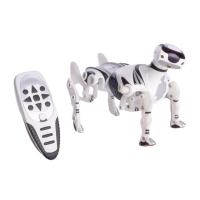
You can make Roboquad walk in a variety of ways by pressing the directional
pad in 4 directions (forward, backward, left and right) when unshifted or in
shift-green.
Speed change
While Roboquad is moving forward, right, left, rotating right or rotating left
press the same button again to change to his next speed. Each press will toggle
between Roboquad’s two walking speeds.
Note: At the end of the walk, Roboquad will perform a full reset.
Independent leg movement
Move Roboquad’s legs in pairs (both left or both right) or independently using
the directional pad.
CAUTION: When turning all legs under Roboquad’s body, there may be a
slight chance that Roboquad will get unbalanced.
Head movement
In shift-red, forward and backward will move Roboquad’s head up or down, and
the rotate clockwise/counter-clockwise buttons will turn his head left or right.
Rotation walking
Pressing one of the rotate buttons when unshifted will rotate Roboquad
clockwise or counter-clockwise. By pressing the same direction button again,
you can toggle between Roboquad’s two turning speeds.
Note: At the end of the rotation, Roboquad will perform a full reset.
The same buttons in shift-green will rotate Roboquad for only four steps.



 To Next Page