Standby Mode
Roborover is equipped with a Standby Mode If you do not interact with him for about
two minutes, he will make a comment and enter Standby Mode To wake him, press
any button on the remote controller
Sleep Mode
If Roborover is left for a further 10 minutes (that is
12 minutes in total) he will enter Sleep Mode
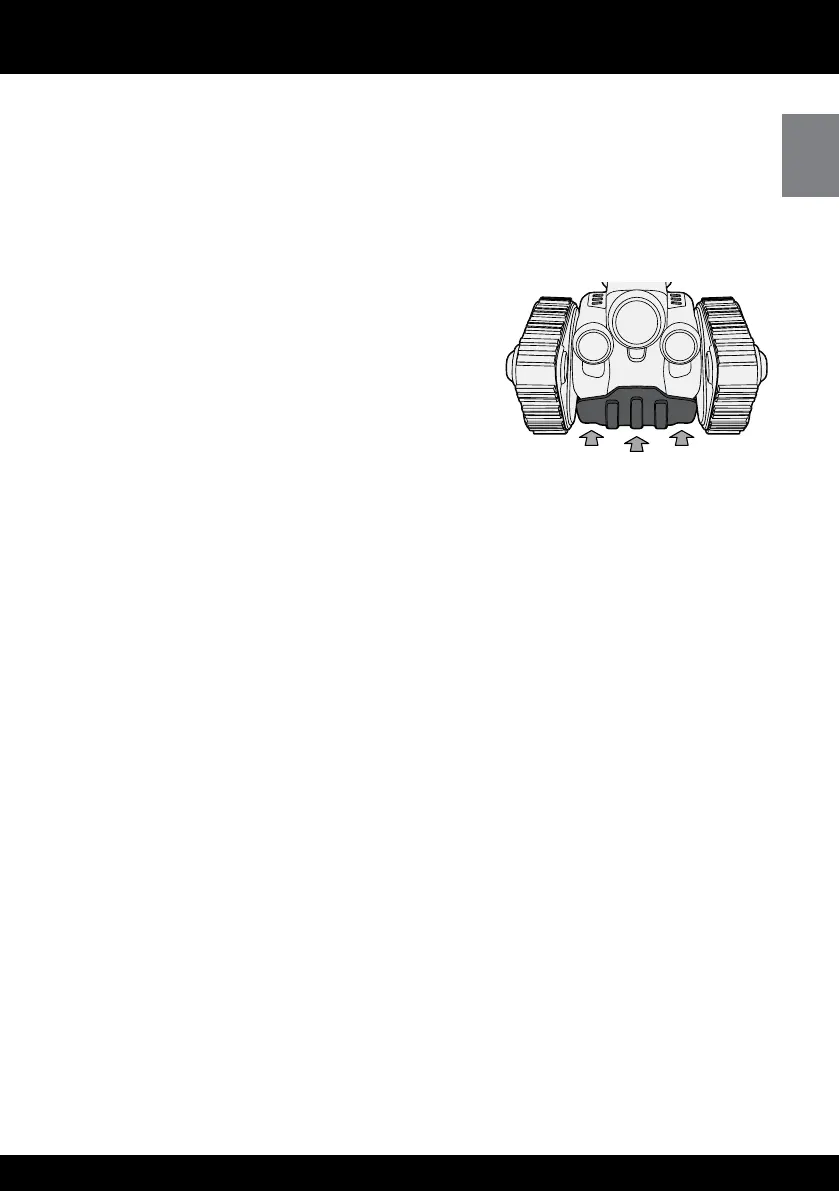
To wake him, gently press his bumper located on
the front, between the treads, or turn him off and
then on again
NOTE: If you are done playing with Roborover,
remember to turn him off after he has entered
Sleep Mode
Roborover has two driving-based games Use the direction pad on the remote
controller to drive him If you do not interact with him for approximately two minutes,
he will ask if you want to play again If you do not respond, he will exit Game Mode
To activate Game Mode, do the following:
Press the 1 Game button on the remote controller
Roborover will say the name of the games, pausing after each name To select 2
the game you want, press the Game button after he says the name
He will explain the rules of the game to you, and then begin!3
To stop the game, or exit4 Game Mode at any time, press Stop on the remote controller
Front of Roborover















 To Next Page