GENERAL
M6040, M7040, WSM
G-7
[2] BATTERY
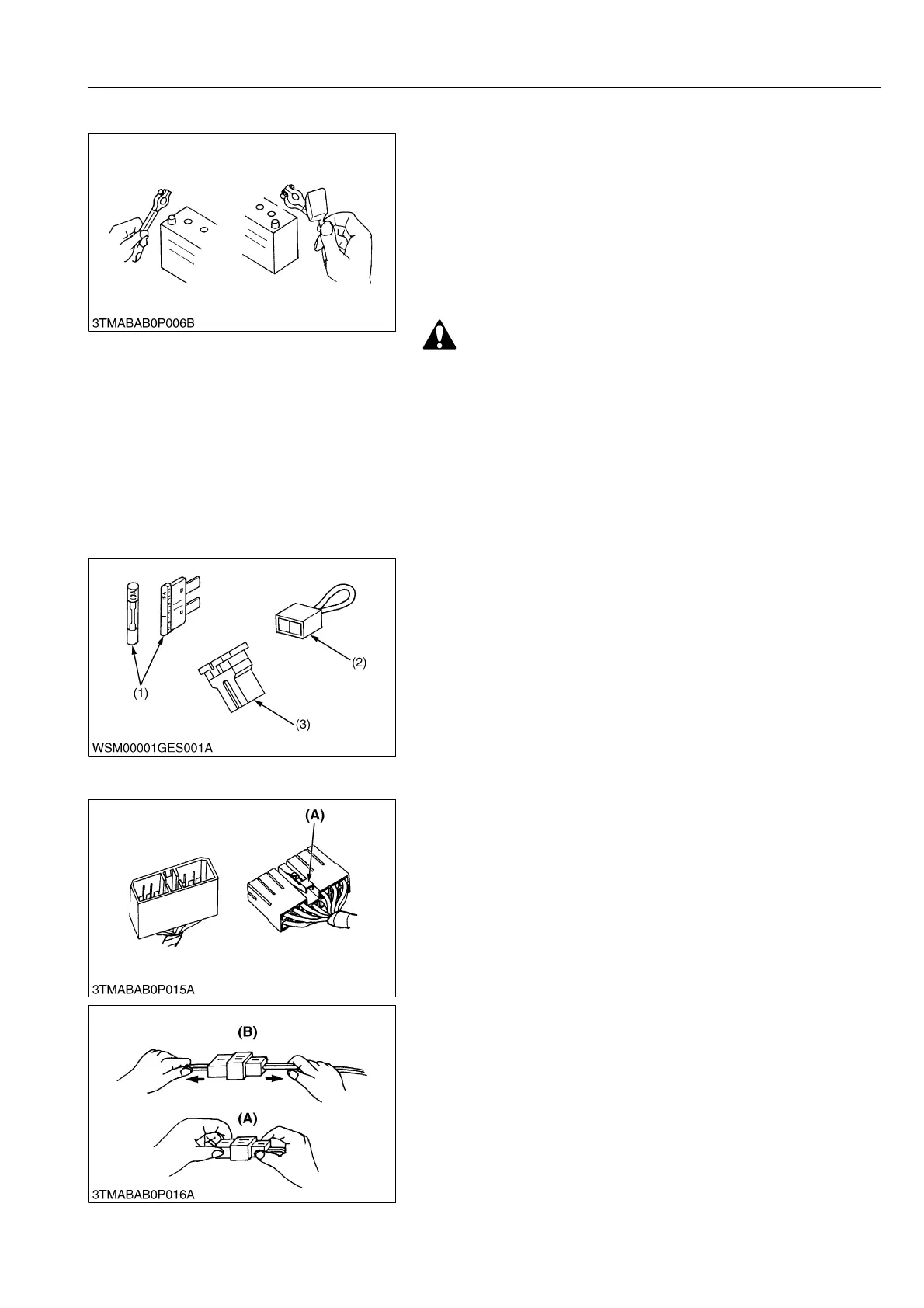
• Take care not to confuse positive and negative terminal posts.
• When removing battery cables, disconnect negative cable first.
When installing battery cables, check for polarity and connect
positive cable first.
• Do not install any battery with capacity other than is specified
(Ah).
• After connecting cables to battery terminal posts, apply high
temperature grease to them and securely install terminal covers
on them.
• Do not allow dirt and dust to collect on battery.
• Take care not to let battery liquid spill on your skin and
clothes. If contaminated, wash it off with water
immediately.
• Before recharging the battery, remove it from the machine.
• Before recharging, remove cell caps.
• Do recharging in a well-ventilated place where there is no
open flame nearby, as hydrogen gas and oxygen are
formed.
WSM000001GEG0071US1
[3] FUSE
• Use fuses with specified capacity.
Neither too large or small capacity fuse is acceptable.
• Never use steel or copper wire in place of fuse.
• Do not install working light, radio set, etc. on machine which is
not provided with reserve power supply.
• Do not install accessories if fuse capacity of reserve power
supply is exceeded.
WSM000001GEG0072US1
[4] CONNECTOR
• For connector with lock, push lock to separate.
WSM000001GEG0073US1
• In separating connectors, do not pull wire harnesses.
• Hold connector bodies to separate.
WSM000001GEG0074US1
(1) Fuse
(2) Fusible Link
(3) Slow Blow Fuse
(A) Push
(A) Correct (B) Incorrect


 To Next Page