LF 330
LF 340
Messa in funzione
Putting into operation
Messa in funzione
Putting into operation
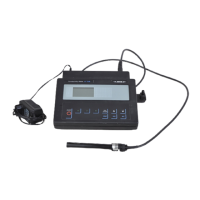
LF 330
LF 340
Visualizzazione dello status
delle batterie
Display indicator of battery
condition
Se è visualizzato “LoBat“ le
batterie sono quasi scariche.
Lo strumento ha ancora max.
10 ore di autonomia.
Controllare la capacità delle
batterie e se necessario
ricaricare le batterie
ricaricabili, oppure sostituire
quelle non ricaricabili.
When „LoBat“ is displayed the
batteries are nearly discharged.
The meter is operable for no longer
than another 10 hours.
Check capacity condition of the
batteries and if necessary charge
the rechargeable batteries, or
exchange the non-rechargeable
batteries respectively.
Il circuito economy spegne lo strumento
circa un’ora dopo l’ultima operazione
chiave.
Eccezioni:
il cavo d’interfaccia è collegato o la
funzione “memorizzazione automatica“ è
attivata.
The economy circuit switches off the
meter approx. 1 hour after the last key
operation.
Exceptions:
Interface cable is connected or the function
“Automatic storage“ is switched on.
Accensione /
Controllo display
Switching on / Display test
ON/OFF
Accendere lo strumento ed
aspettare che il display test
sia terminato.
Switch meter on and wait until the
display test is finished.
Valore memorizzato per la
costante di cella.
Stored value for cell constant.
Valore memorizzato per il
coefficiente della temperatura
della funzione lineare della
temperatura.
Stored value for temperature
coefficient of linear temperature
function.
Day.Month
Dopo una scarica totale
impostare, se necessario,
data e ora.
After a total discharge set date and
time if necessary.
Impostare uno dopo l’altro: Set one after the other:
Data (giorno) Date (day) 1 ... 31
Data (mese) Date (month) 1 ... 12
Data (anno) Date (year) 1997 ... 2100
Orario (ore) Time (hour) 0 ... 23
Orario (minuti) Time (minute) 0 ... 59
Cambiare il valore.
RUN/ENTER
Confermare il valore.
Change value.
RUN/ENTER
Confirm value.



 To Next Page